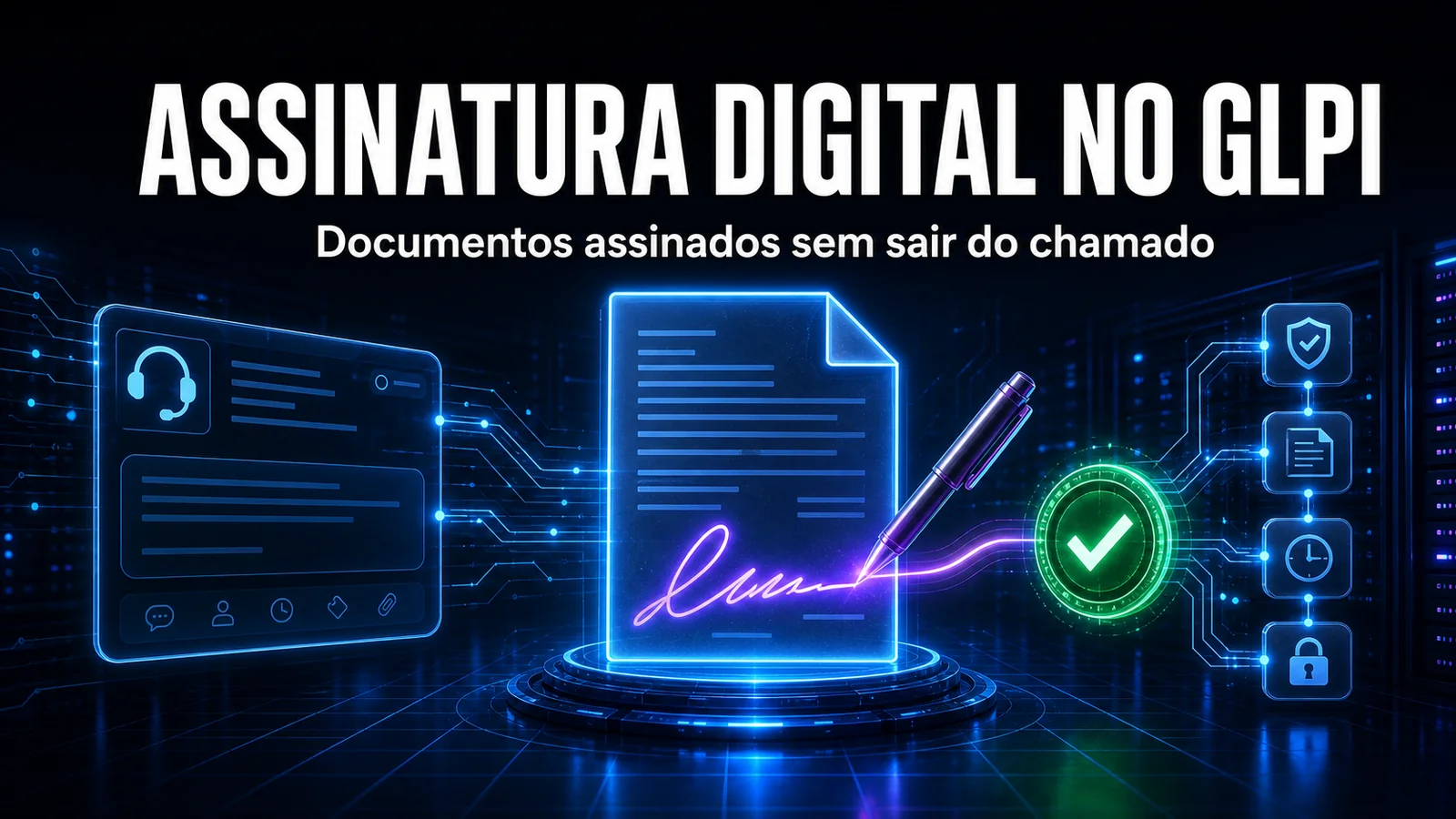
Documents that need signing still travel by email and WhatsApp - no traceability, no known status and completely disconnected from the tickets that created them. The NexTool Autentique module brings that flow inside GLPI.
The problem
Service agreements, acceptance terms, access authorizations, minutes and contract terminations are born from a process that is already recorded in a ticket. But the signing happens outside it: someone exports the PDF, sends it by email, chases the client over WhatsApp and, days later, tries to remember where the signed version was saved. Native GLPI does store the file (Documents tab, the glpi_documents table) and links it to the ticket, but it has no notion of a signature: it does not know who has to sign, whether they signed, and it keeps no evidence trail. When someone asks "was that contract signed?", the answer is still to dig through email and hope the right attachment is still there.
Native GLPI vs the Autentique module
It is worth separating what GLPI does on its own from what the integration adds. The GLPI core is great at attaching and versioning files, but electronic signature was never in its scope:
| Need | Native GLPI | With the Autentique module |
|---|---|---|
| Attach a document to the ticket | Yes, in the Documents tab | Yes, and sends it for signing in the same flow |
| Know whether the document was signed | No such concept | Status per signer in the ticket tab |
| Status updates | Manual (search your email) | Automatic, via webhook |
| Evidence trail | None | IP, timestamp and method per signer (stored at Autentique) |
| Legal validity | Depends on an external process | Advanced electronic signature (Brazilian Law 14.063/2020) |
| Multiple signers and order | Not applicable | Sequential or simultaneous, with distinct roles |
| Test environment | N/A | Sandbox mode, no charge |
How it works
The Autentique module connects GLPI to the Autentique digital signature platform and centralizes everything in a Digital Signature tab inside the ticket. Starting from a document that is already attached, you build the signing envelope without switching systems:
- Send straight from the ticket - the PDF that is already attached goes out for signing without copying files between systems.
- Multiple signers with roles - add as many as needed with distinct actions: Sign, Approve, Witness, Recognize or Acknowledge receipt.
- Signing order - choose whether signers sign sequentially or simultaneously, according to your process.
- Real-time tracking - each signer's status is updated by webhook, without opening the Autentique dashboard.
- Signed document download - after the last signature, the final PDF is available on the ticket itself.
- Additional authentication - validation by SMS, selfie and other methods depending on how critical the document is.
- Sandbox mode - a test environment to validate the flow without generating a charge on the platform.
How the module talks to Autentique
The Autentique API is GraphQL. When a document is sent, the module builds a mutation like the one below, attaching the ticket's PDF and the list of signers with each one's action:
# The Autentique API is GraphQL. When a document is sent from the ticket,
# the module builds a mutation like this one (the PDF is attached to the request):
mutation CreateDocument($doc: DocumentInput!, $signers: [SignerInput!]!, $file: Upload!) {
  createDocument(sandbox: false, document: $doc, signers: $signers, file: $file) {
    id
    name
    signatures {
      public_id
      email
      action { name }
      link { short_link }
    }
  }
}

# Variables, built from the ticket's Digital Signature tab:
# {
#   "doc":     { "name": "Service agreement - Ticket #1042" },
#   "signers": [
#     { "email": "customer@company.com", "action": "SIGN"    },
#     { "email": "manager@nextool.com",  "action": "APPROVE" }
#   ]
# }
The action field maps directly to the roles you choose in the tab: SIGN (Sign), APPROVE (Approve), SIGN_AS_A_WITNESS (Witness), RECOGNIZE (Recognize) and ACKNOWLEDGE (Acknowledge receipt). The public_id returned for each signature is the identifier that ties the signer back to the ticket in the following events.
The webhook, and what we learned in support
Sending is only half the job. The piece that sustains traceability is the webhook: on every event (signed, approved, refused, viewed), Autentique POSTs to GLPI and the ticket tab updates on its own. Running this for clients, three details have already cost us troubleshooting time:
- The most common mistake is not in GLPI, it is in Autentique. If you forget to register the webhook URL on the platform's dashboard, the document is sent and signed normally, but the status never comes back - and the ticket that reaches support is "why doesn't GLPI show it was signed?".
- Webhooks repeat. If Autentique does not get a fast 200, it resends the same event. Without idempotency, the same "signed" lands twice in the history. That is why processing identifies the event by the signature's
public_id, not by arrival order. - Document entity. When writing the signed PDF back to a ticket that lives in a sub-entity, GLPI requires the document to belong to the same entity as the ticket; otherwise the
Document_Itemlink fails silently and the file "signs, but disappears". The module inherits the ticket's entity when it stores the final document.
And before going to production, we always confirm that the sandbox is off. Leaving it on makes the platform accept the flow without producing a legally valid signature - the worst kind of false positive in a legal process, because everything looks fine until someone actually needs the document to be binding.
How to enable it
- Install or update NexTool on your GLPI (10 or 11).
- Go to Setup > NexTool > Modules.
- Enable Autentique and click Configure.
- Enter the Autentique API token and the webhook secret.
- Register the webhook URL on the Autentique dashboard.
- Run a document end to end in sandbox mode before releasing to production.
Who it is for - and when not to use it
The module is a fit for IT departments and operations teams that manage service agreements, system usage terms, access authorizations and any document that needs a signature with evidentiary value - especially those who already use Autentique and want to remove the disconnect between the signature and the ticket that started it.
When not to use it:
- If you only need an on-screen initial during in-person service, with no external platform or per-document cost, a manual signature (signature pad) module is a better fit.
- If the document requires a qualified signature with an ICP-Brasil certificate (A1/A3) - some regulated acts demand it - an advanced signature may not be enough; validate the legal requirement first.
- If your company has standardized on a platform other than Autentique, the module does not apply.
- If the document does not originate from a ticket, the integration does not add the traceability that is its biggest value.
Compatibility
- GLPI: 10.0+ and 11.0+
- Plan: On demand
- Plugin: NexTool 3.x+
Next step
Autentique is part of NexTool, an ecosystem of modules that extend GLPI without code customizations. Talk to the team for a demo in your scenario.
Reviewed by the NexTool Solutions team.