


Every IT process has a right order — and almost no ticket follows it on its own. — Workflow turns the process into a visual BPMN-style flow bound to the ticket category: the ticket is created, the flow starts, and each step is created and enforced in the drawn order.
The problem
Equipment replacement, system access, production changes, onboarding: processes like these have well-defined steps, owners and approvals — on paper. In practice, the order lives in the head of whoever handles the ticket. The task that should come after the approval gets done first, the ticket that should be opened for another team is forgotten, and the manager only finds out where the process stands by asking around. GLPI business rules automate fields, but they don't conduct a multi-step process with decisions along the way.
How Workflow works
Workflow adds a flow builder to GLPI: you draw the process once and it starts conducting the tickets of the chosen category.
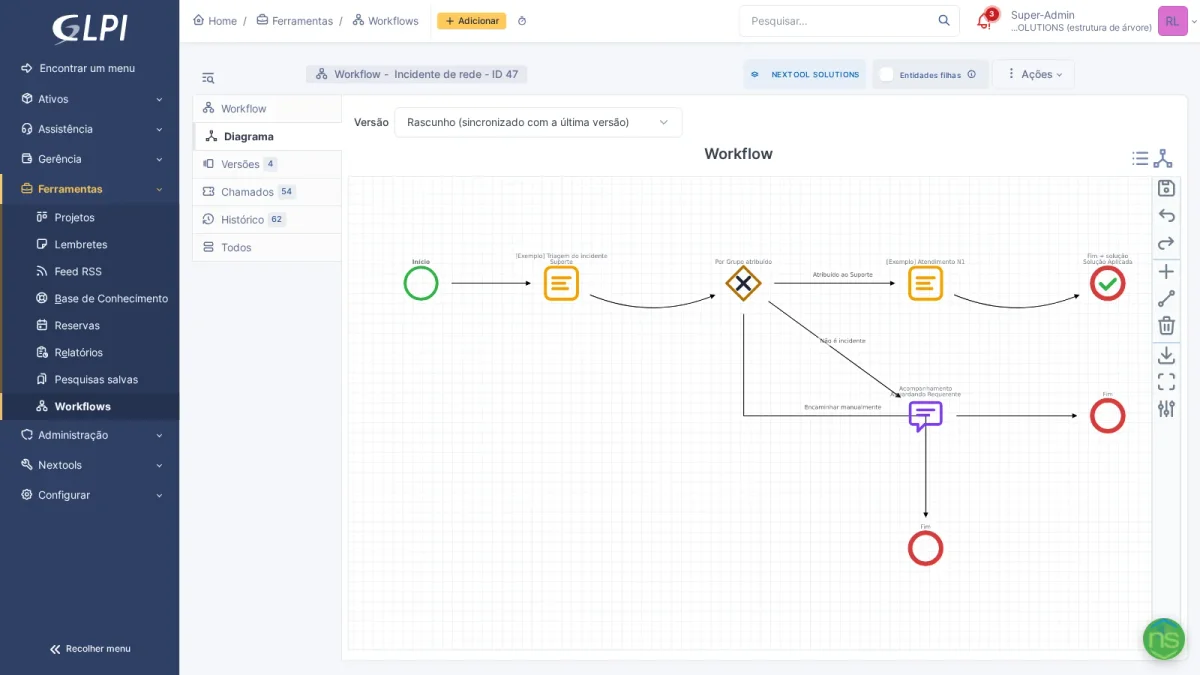
- Activities — task (created and enforced automatically, with deadline and outcomes), follow-up, native approval with per-step quorum, and child ticket creation for another team — the flow can wait for its resolution before moving on.
- Automatic decisions — the Exclusive gateway picks the path from ticket data (category, urgency, type, assigned group…) or from the outcome the technician recorded in the previous task. The Parallel gateway opens simultaneous branches and waits for all of them to converge.
- Three kinds of end — close one path, cancel what is still pending, or resolve the ticket with a solution template.
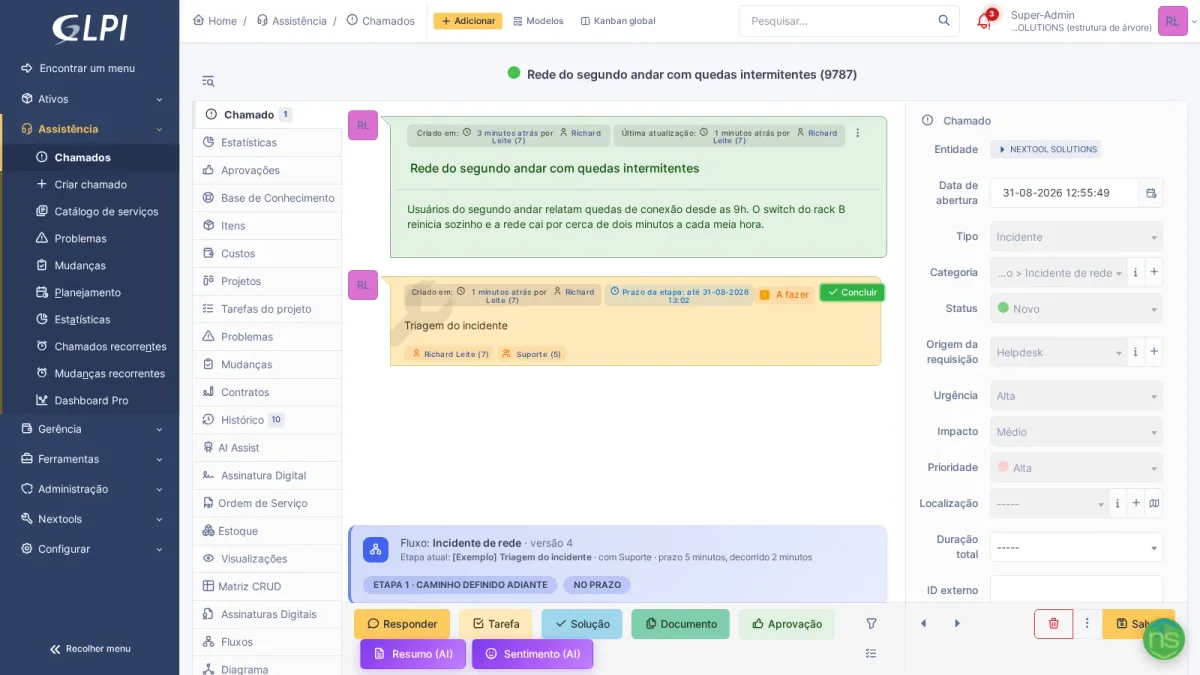
In the ticket, the person working doesn't need to know the drawing: the active step shows up in the timeline with a highlighted Complete button, and a banner summarizes the flow, the current step and the deadline.
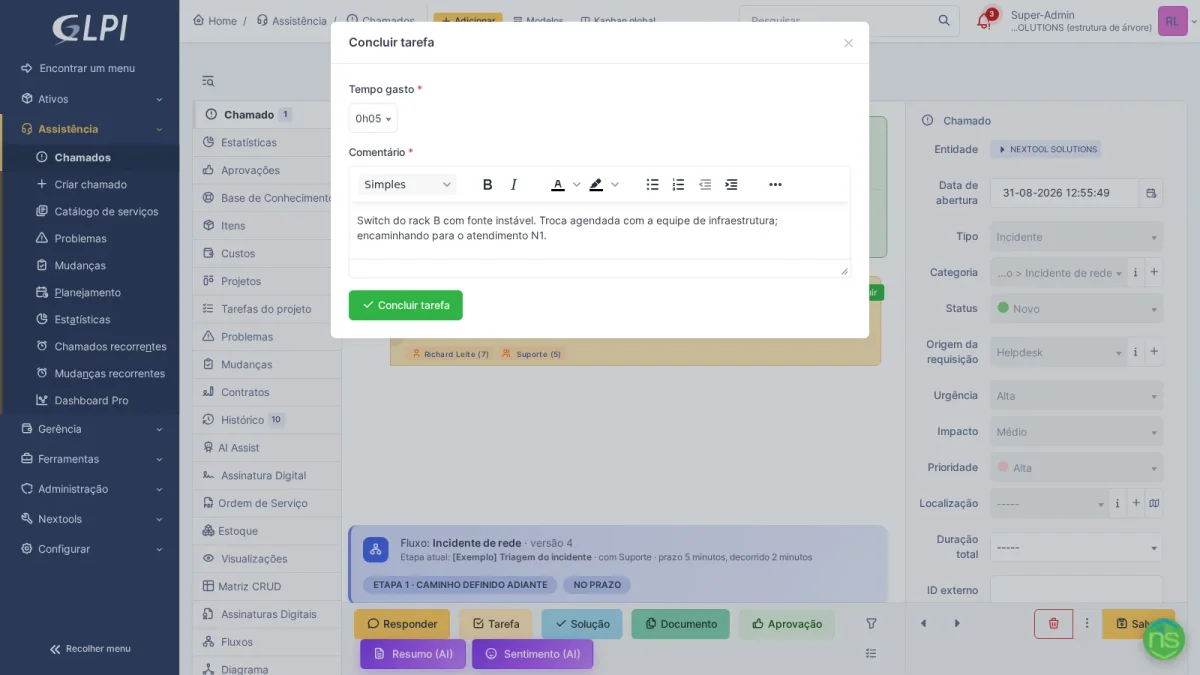
Completion happens in a single window: time spent, comment (mandatory if the node requires it) and the outcome, when the task has more than one — the outcome is what defines the path at the next gateway.
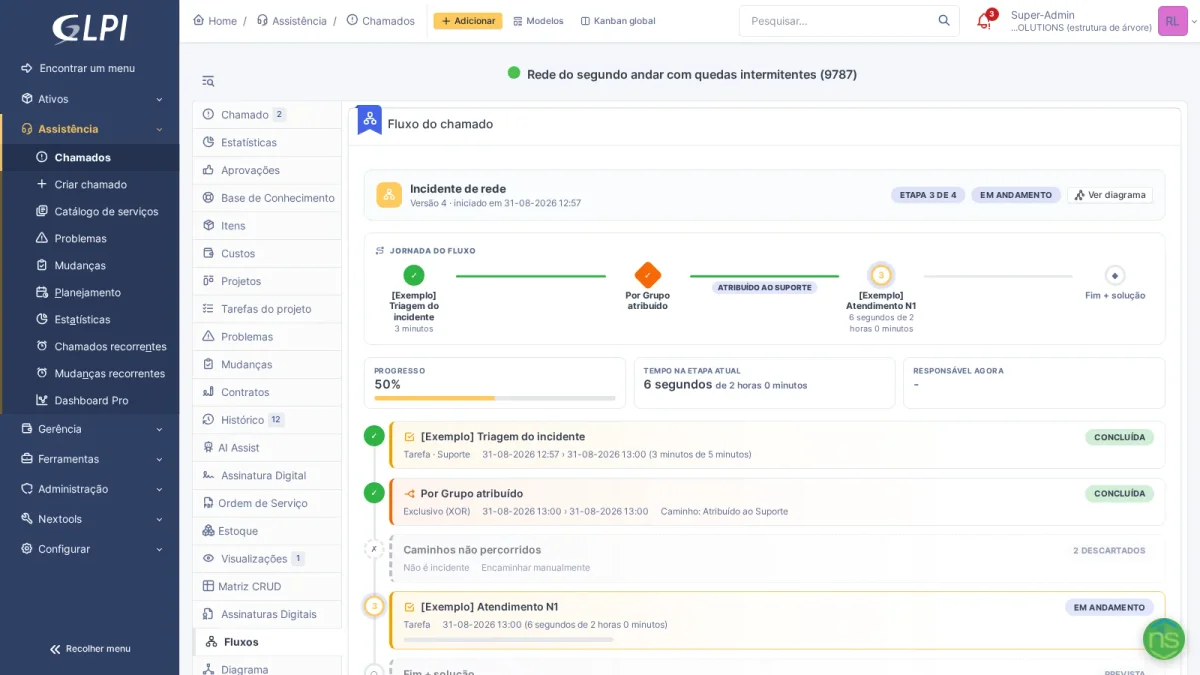
The Flows tab tells the story of the execution: the journey with the steps taken, the path the gateway chose (and the ones discarded), the progress and who owns it now. The requester can get a summarized view in the simplified portal — without giving up permission control.
Behind the scenes, Workflow versions every publish: tickets follow the version they were born in, and editing the draft never changes a running execution. Each step can carry a deadline in working hours based on the flow's calendar, and the Time per step report crosses tickets and teams to show where the process gets stuck.
How to enable
- Install NexTool on your GLPI 11
- Go to Setup > NexTool > Modules
- Enable Workflow
- In Tools > Workflows, draw your first flow, publish a version and activate it
Who it's for
Teams that run repetitive processes with defined steps and owners: employee onboarding and offboarding, equipment replacement and staging, access requests with approval, production changes with prior validation, purchases with spending authority. If today the process lives in a document nobody reads, Workflow puts it inside the ticket — in the right order, with a deadline and a trail.
Compatibility
- GLPI: 11.0+
- Plan: Licensed
- Plugin: NexTool 6.10+
Next step
See the details on the Workflow page. The module is part of NexTool, an ecosystem of modules that extends GLPI without code customizations. Talk to the team for a demo.
Reviewed by the NexTool Solutions team. Screenshots are from a real GLPI environment running the NexTool plugin.

Comments
Comments on this post come from GitHub (giscus). When you load them, your browser connects to GitHub, which receives your IP address and may set its own cookies.
To load them automatically, enable functional cookies