


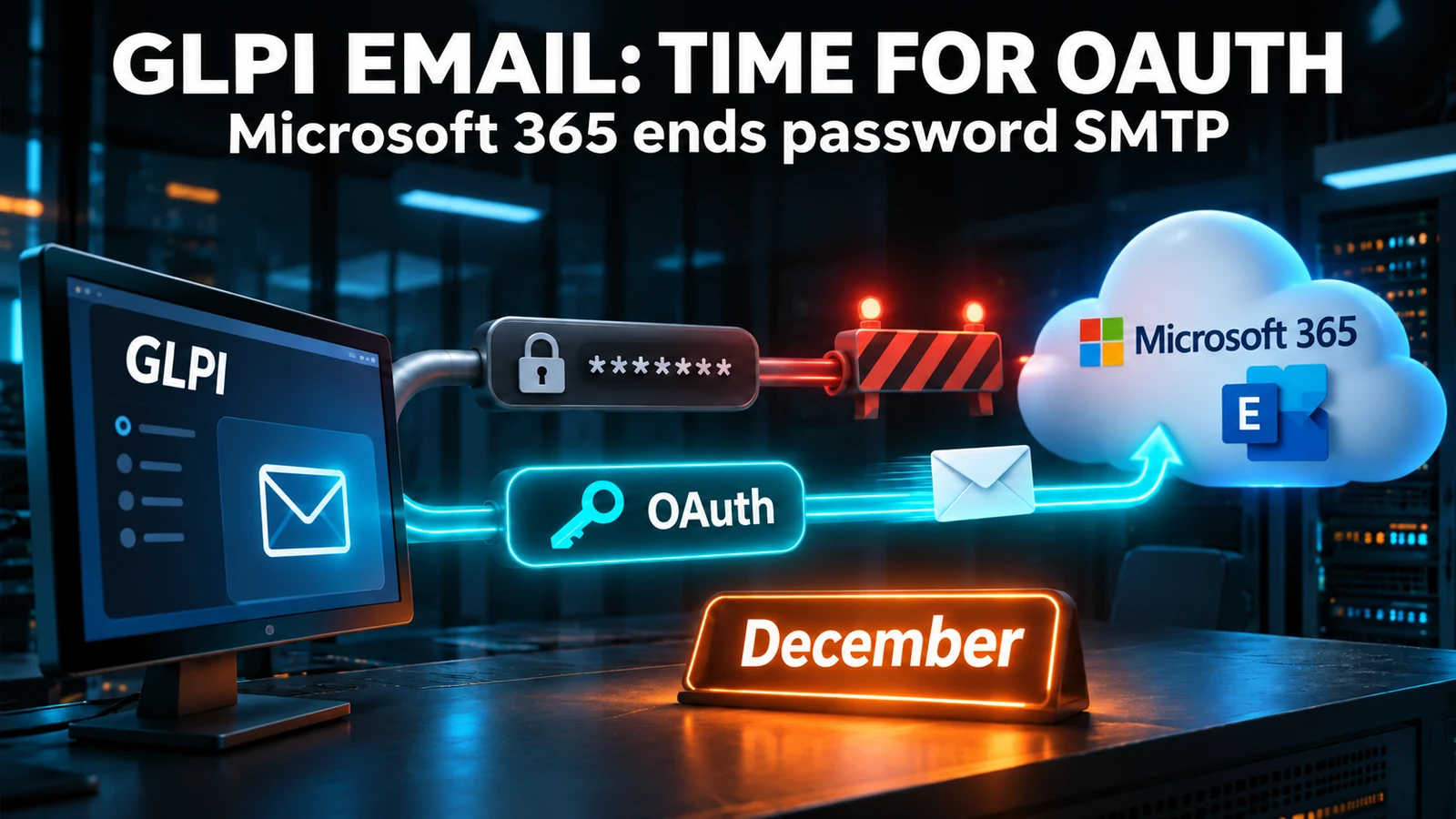
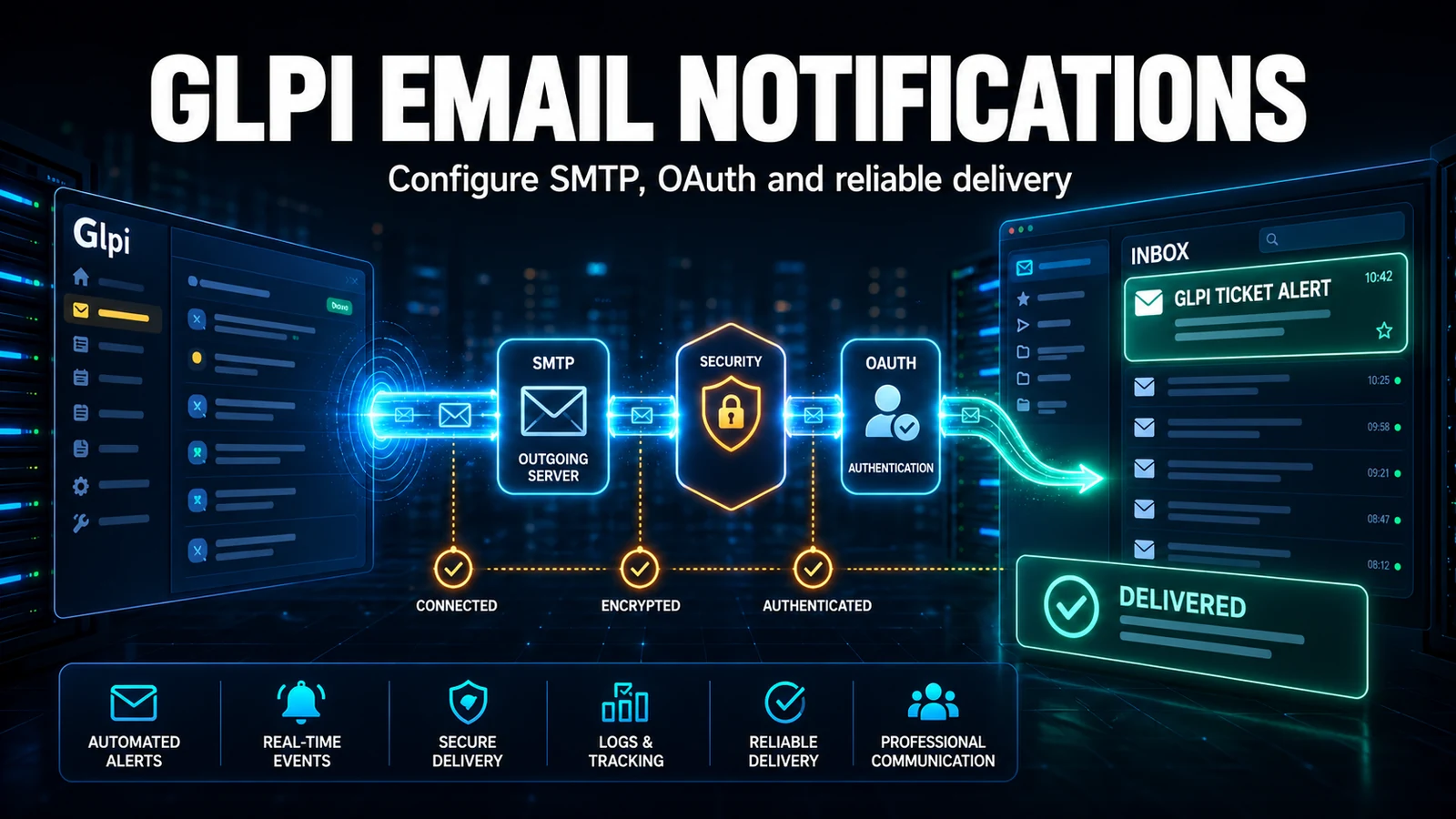
At the end of December 2026, Exchange Online starts turning off SMTP AUTH with username and password by default. A GLPI that sends notifications through smtp.office365.com with a login and password will stop alerting people: new tickets, followups and approvals get stuck in the queue, with no error on anyone's screen. GLPI 11 and 12 already ship native OAuth sending, and mail collection uses the OAuth IMAP plugin. We built the whole setup on a lab GLPI 11 with Acme, a fictitious company, to check every screen, the redirect URI and what GLPI asks Microsoft for. Real sending over OAuth was not part of the test: we used made-up IDs, with no app in Entra. Below: what changes, how to tell if you are on basic SMTP, and the step-by-step.
What changes and when
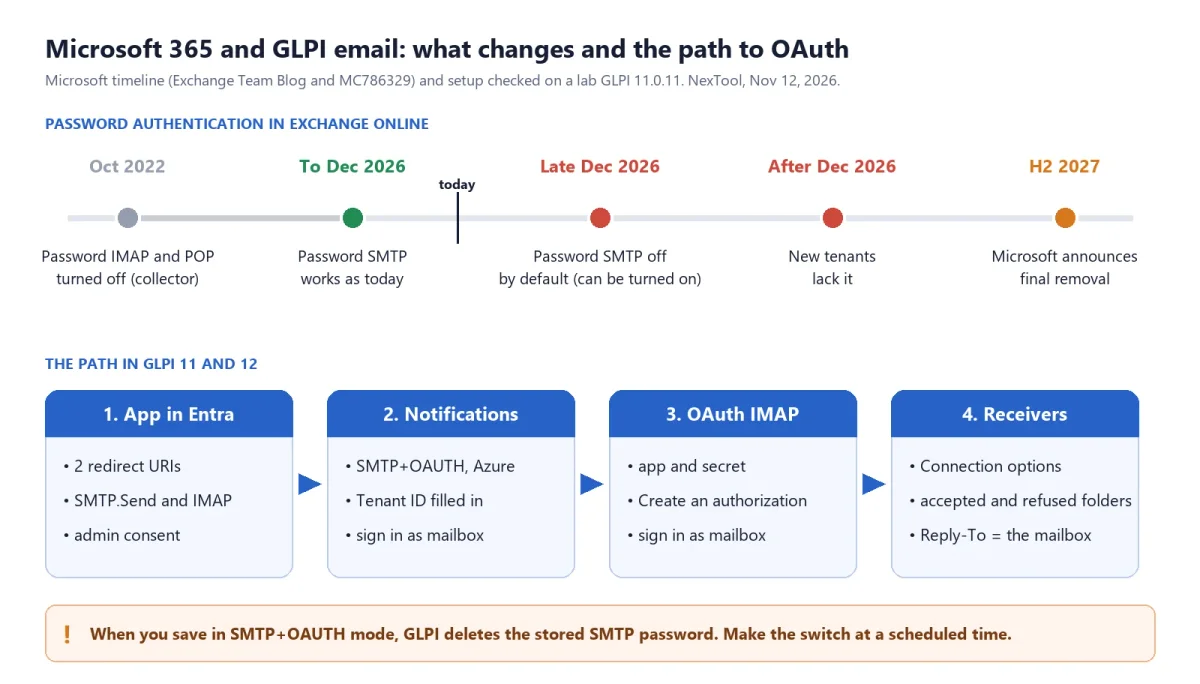
Microsoft published the timeline on the Exchange Team Blog on January 27, 2026 (updated Jan 29) and in Message Center post MC786329. We checked both sources on November 12, 2026:
| When | What happens to SMTP AUTH with username and password |
|---|---|
| Until December 2026 | Keeps working as it does today |
| End of December 2026 | Off by default in existing tenants. The administrator can still turn it back on |
| Tenants created after December 2026 | Unavailable by default. OAuth is the supported method |
| Second half of 2027 | Microsoft announces the date of final removal |
What changes is basic authentication for authenticated submission (SMTP AUTH, port 587). SMTP AUTH with OAuth stays. Turning basic auth back on in January buys time, but the final date is already promised for 2027.
Mail collection is a different story: Microsoft turned off basic authentication for IMAP and POP in October 2022, and since December 31, 2022 not even support can turn it back on. If your GLPI still reads a Microsoft 365 mailbox with a password, that mail collector no longer works.
Does your GLPI use basic SMTP?
On screen. In Setup > Notifications > Email notifications configuration, look at Way of sending emails. SMTP with the smtp.office365.com server and SMTP login filled in means username and password. SMTP+OAUTH is already the new path. In GLPI 10, the SMTP+SSL and SMTP+TLS modes also use a password.
In the database, for those who manage several GLPI instances:
-- Sending: mode and server
SELECT name, value FROM glpi_configs
WHERE context = 'core' AND name IN ('smtp_mode', 'smtp_host', 'smtp_port', 'smtp_username');
-- smtp_mode: 1, 2 or 3 = username and password; 4 = SMTP+OAUTH; 0 = PHP mail() function

-- Collection: mail collectors that read Microsoft 365 mailboxes
SELECT id, name, host, login, is_active FROM glpi_mailcollectors
WHERE host LIKE '%office365%' OR host LIKE '%outlook%';
-- host with /imap-oauth-<number> = OAuth through the plugin; without it = password
In Microsoft 365. The SMTP AUTH clients report in the Exchange admin center (Reports > Mail flow) has an Authentication Protocol column that shows Basic or OAuth for each account, with up to 90 days of history. It also catches the printer, the scanner and any system that sends through the same path.
And do not expect a clear message when it stops. In the lab, we sent a message with the username and password of a fictitious account to smtp.office365.com. GLPI got 535 5.7.3 Authentication unsuccessful, the same response as a wrong password. If this error shows up in the queue after December, do not waste the morning changing the mailbox password.
Before you start
- A licensed mailbox for the service desk, such as
support@, with Authenticated SMTP turned on. It is in the Microsoft 365 admin center, under Active users > user > Mail > Manage email apps. OAuth needs this option on. If Entra security defaults are enabled, SMTP AUTH is off for the whole tenant. - The URL of the application (Setup > General) set to the final public address of GLPI. The redirect URI is built from it. Changing the domain later means registering the new URI in the app.
- An empty Notification queue. If it has piled up, everything goes out at once when sending comes back.
- Someone who can grant admin consent in Entra and someone with the mailbox password, for one sign-in.
Step 1: the app in Microsoft Entra
One app covers both sending and collection.
- In the Microsoft Entra admin center, open App registrations > New registration. Give it a clear name, such as "GLPI - service desk email", and choose Accounts in this organizational directory only.
- Under Authentication, Web platform, add the redirect URIs. Copy each one from the GLPI screen, do not type it:
- sending:
https://<your-glpi>/front/smtp_oauth2_callback.php; - collection:
https://<your-glpi>/marketplace/oauthimap/front/authorization.callback.php. If the plugin is in theplugins/folder, the path changes. - Under Certificates & secrets, create a client secret and copy the Value, not the Secret ID. Write down the expiry date somewhere someone will look.
- Under API permissions, add the delegated permissions in the table and click Grant admin consent.
- Copy the Application (client) ID and the Directory (tenant) ID from the Overview page.
| API | Delegated permission | What for |
|---|---|---|
| Microsoft Graph | openid, email, offline_access |
Sign-in, account email and refresh token |
| Office 365 Exchange Online | SMTP.Send |
Sending notifications |
| Office 365 Exchange Online | IMAP.AccessAsUser.All |
Collection, only if GLPI reads the mailbox |
In the lab, on save, GLPI sent the browser to login.microsoftonline.com asking for exactly openid email offline_access https://outlook.office.com/SMTP.Send, with prompt=login. offline_access is what lets GLPI renew access on its own after the first sign-in.
Step 2: notifications in GLPI 11 and 12
In Setup > Notifications > Email notifications configuration:
| Field | Value |
|---|---|
| Way of sending emails | SMTP+OAUTH |
| Oauth provider | Azure |
| Client ID and Client secret | Those of the app from step 1 |
| Tenant ID | The Directory (tenant) ID. Do not leave "common" |
| SMTP host and Port | smtp.office365.com and 587 |
| Email sender address and Reply-To address | The mailbox itself |
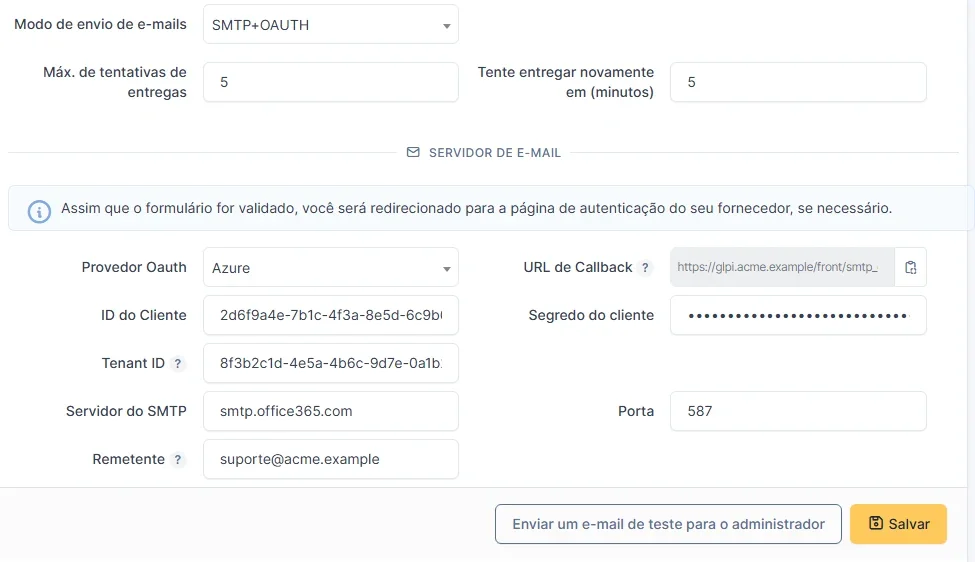
Click Save. GLPI takes you to the Microsoft sign-in: sign in as the mailbox, not with your own account. When you come back, SMTP login shows the mailbox's email address. Use Send a test email to the administrator and check that it arrived.
Four details we saw in the lab and in the GLPI code:
- When you save in SMTP+OAUTH mode, GLPI deletes the stored SMTP password. We checked the database: password and login were empty. If the Microsoft sign-in fails, sending stops until you finish OAuth or type the password again. Make the switch at a scheduled time.
- Tenant ID comes set to "common". With a single-tenant app, Microsoft rejects "common" (AADSTS50194). With a wrong ID, GLPI showed the error right after saving: "Authorization failed with error: invalid_tenant AADSTS90002".
- Changed the client ID, the tenant or the provider? GLPI clears the token and asks you to sign in again. To redo the sign-in without changing anything, check Force OAuth authentication refresh.
- The sender must be the mailbox that signed in. Sending from another address requires the Send As permission in Exchange.
Step 3: collection with the OAuth IMAP plugin
GLPI does not read a mailbox with OAuth on its own. Install the OAuth IMAP plugin from the Marketplace, in the version for your GLPI:
| GLPI | OAuth IMAP |
|---|---|
| 10.0.11 to 10.0.x | 1.4.6 |
| 11.0.x | 1.5.6 |
| 12.0.x | 1.6.1 (1.6.0 threw an error when authorizing the mailbox) |
- In Setup > OAuth IMAP, click Add: name, Active Yes, Oauth provider Azure, ID and secret from the same app. Copy the Callback url shown on the screen into the app in Entra.
- Fill in the Tenant ID field with the app's Directory (tenant) ID.
- On the Oauth authorization tab, click Create an authorization and sign in as the mailbox.
- In Setup > Receivers, open the mail collector. In Connection options, the application shows up with the name you gave it, such as "Microsoft 365 - [email protected]". Choose that option and, in Login, the authorized email address.
- Fill in the accepted and refused mail folders. Without them, GLPI deletes processed emails from the mailbox.
Authorizing the mailbox does not create the mail collector: step 4 is required. And the Reply-To address for notifications must be the collected mailbox, or the user's reply will not make it back to the ticket. The rules for which emails become tickets are in the post on the mail collector in GLPI 11.
What about GLPI 10?
OAuth sending has existed in GLPI 10 since 10.0.7. We checked the 10.0.24 code: the SMTP+OAUTH mode and the Azure provider are the same. OAuth IMAP 1.4.6 covers 10.0.11 onward. You can make the switch on 10.
The problem is everything else. GLPI 10 no longer gets security fixes: the November 12 round, with 12.0.2 and 11.0.13, came out with no version 10 release. Below 10.0.7 there is no OAuth for sending. In that case, Microsoft's options are turning basic auth back on for a while after December, or using an alternative such as High Volume Email, still in preview and only for recipients in your own tenant. If you are still on 10, use this switch to plan the migration to GLPI 11. The risks of staying are in GLPI 10 end of support.
Common errors
| Error | What it means | What to do |
|---|---|---|
| AADSTS50011 | The redirect URI does not match the app's | Copy the Callback URL from the GLPI screen. Check https, the domain and the URL of the application |
| AADSTS700016 | The app was not found in this tenant | Wrong client ID or Tenant ID |
| AADSTS90002 | Tenant not found | Wrong Tenant ID. This was the error we triggered in the lab |
| AADSTS50194 | Single-tenant app called with "common" | Fill in the Tenant ID |
| AADSTS7000215 | Invalid secret | Almost always the Secret ID pasted in place of the Value |
| AADSTS7000222 | Expired secret | Create a new one and update it in sending and in OAuth IMAP |
| AADSTS65001 | Consent missing | Grant admin consent on the app |
| AADSTS53003 | Blocked by Conditional Access | Review the policy that applies to the mailbox account |
| AADSTS700082 | The refresh token expired from inactivity | Sign in again (Force OAuth authentication refresh) |
| AADSTS50173 | Access was revoked, usually by a mailbox password change | Sign in again |
| 535 5.7.3 Authentication unsuccessful | Exchange rejected the authentication | With a password: basic auth is being rejected. With OAuth: check Authenticated SMTP on the mailbox and that the sign-in was done with it |
| "Access token does not provide an email address" | The token came without the account's email | The app is missing the email permission |
A GLPI forum thread from Nov 3 shows another pitfall: the app secret expired, a new one was generated, and the mail collector kept failing with "Unable to get access token". When you renew, replace the secret in both places, in sending and in the OAuth IMAP application, and redo the mailbox authorization.
Checklist
| Step | Where |
|---|---|
| Find out who still uses a password | Notifications screen, SQL query and SMTP AUTH clients report |
| Turn on Authenticated SMTP for the mailbox | Microsoft 365 admin center |
| Create the app with both redirect URIs and grant consent | Microsoft Entra |
| Switch to SMTP+OAUTH, with Tenant ID, at a scheduled time | Setup > Notifications |
| Sign in as the mailbox and send the test email | Microsoft sign-in and test button |
| Install OAuth IMAP, authorize the mailbox and change the collector connection | Setup > OAuth IMAP and Receivers |
| Put the secret expiry date on the calendar | Team calendar |
| Check the Notification queue the next day | Setup > Notifications |
If you also set up Microsoft sign-in for GLPI, the path in Entra is similar, but use a separate app for email. For the rest of the sending setup, see email notifications in GLPI.
Setup done by NexTool on November 12, 2026, on a lab GLPI 11.0.11 with fictitious Acme data and the OAuth IMAP 1.5.4 plugin. Client ID and tenant were made up: we checked the screens, the redirect URIs, the scopes GLPI requests from Microsoft, the nonexistent tenant error and the Exchange response to a rejected password. There was no real sending over OAuth, because we did not create an app in Entra for this post. Code checked in GLPI 10.0.24, 11.0.11 and 12.0.0. Timeline checked on the Exchange Team Blog (January 27, 2026, updated Jan 29) and in MC786329 on November 12, 2026. The lab was deleted at the end. GLPI is a registered trademark of Teclib'. NexTool is not affiliated with Teclib'. Microsoft 365, Exchange Online and Microsoft Entra are trademarks of Microsoft.

Comments
Comments on this post come from GitHub (giscus). When you load them, your browser connects to GitHub, which receives your IP address and may set its own cookies.
To load them automatically, enable functional cookies