


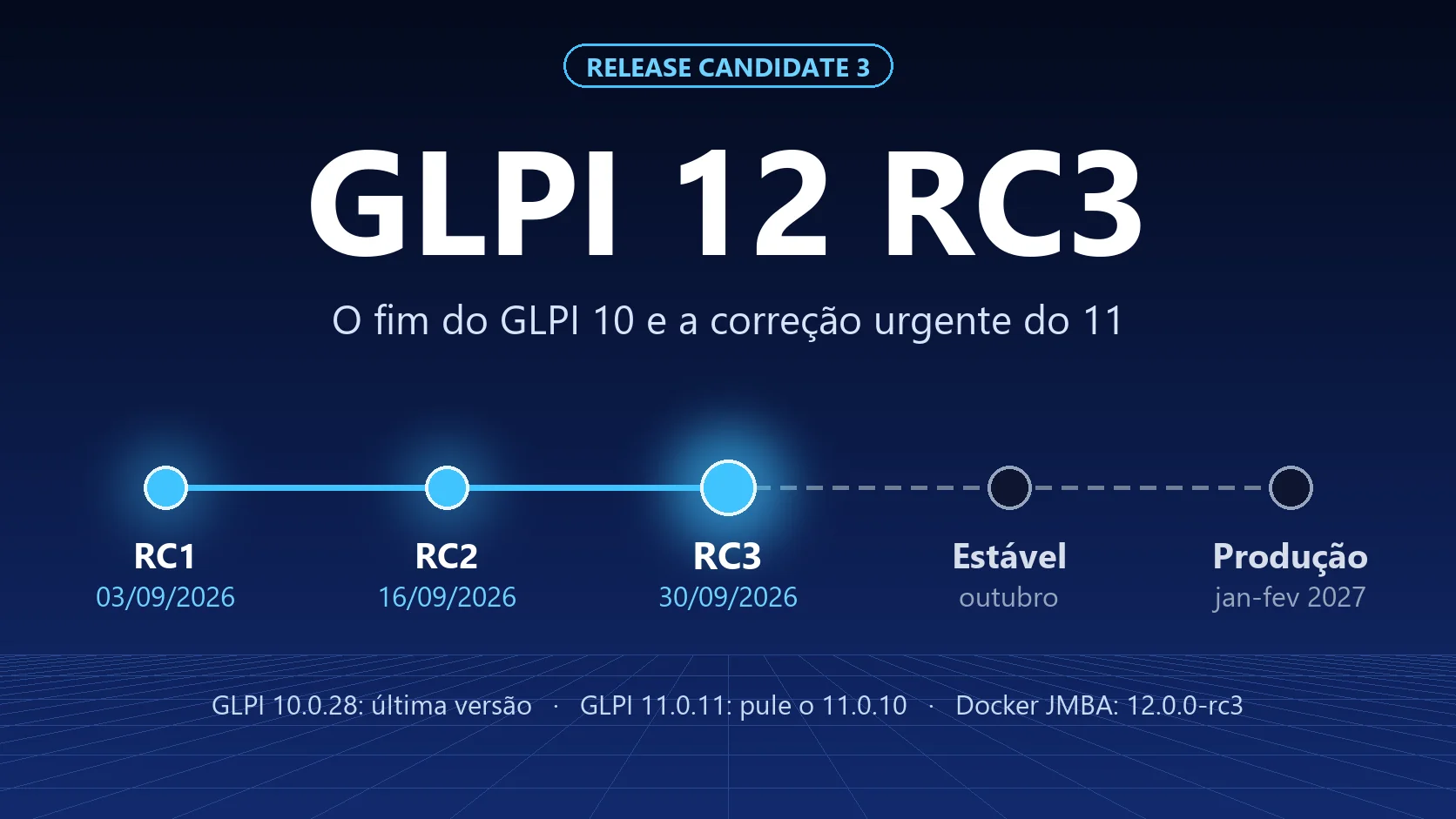
On September 30, 2026, Teclib published three versions at once: GLPI 12.0.0 RC3, GLPI 11.0.10 and GLPI 10.0.28. The next day, 11.0.10 was replaced by 11.0.11. For anyone running GLPI, the biggest news is not RC3: it is that GLPI 10 has received its last update. Below is what changes in each branch and what to do now.
Want the full picture of what is new in GLPI 12 (security, sessions, profiles, OLA and knowledge base)? Read GLPI 12 RC: what we tested in practice and when to upgrade first.
The timeline so far
| Milestone | Date |
|---|---|
| GLPI 12.0.0 RC1 | September 3, 2026 |
| GLPI 12.0.0 RC2 | September 16, 2026 |
| GLPI 12.0.0 RC3 | September 30, 2026 |
| GLPI 12.0.0 stable | the 12.0.0 milestone on GitHub is due on October 6, with 10 items still open (as of October 1) |
RC3 carries the same warning as the previous ones: it is a test version and must not be used in production. The milestone date on GitHub is a planning target, not a promise: Teclib talks about an October release.
What is new in RC3
The RC3 release note repeats the highlights of version 12: reworked knowledge base, sessions manager, re-authentication (sudo) mode, reworked OLA and hardened security against SQL injection and CSRF. The new item on the list is progress on accessibility.
Between RC2 and RC3, most of the work was fixes and polish. What is worth knowing:
Knowledge base: the rework is wrapping up
This was the area with the most changes in RC3:
- New home page. The knowledge base got an entry article (Home), and the first level of articles now appears beside it instead of under it.
- The old screens are gone. The list and search pages of the old knowledge base were removed. Navigation now happens entirely through the article side tree, including in the simplified (helpdesk) interface.
- More control over who edits what. Only users who can edit an article can link, change or delete its documents. Changing the status of a FAQ item now requires the right to publish in the FAQ. Editors can change the author of an article.
- Visibility fixed. Child articles now respect inherited visibility, and article links no longer show up for anonymous visitors without permission.
The warning we gave before still applies, and it is in the official changelog: on upgrade, knowledge base categories become articles and stay invisible until access to them is granted again. Put this in your test plan.
Other RC3 changes
- Project task notification. New "Assignment of a project task" event: the member added to the task team is notified.
- Automatic actions. A disabled action is no longer rescheduled after a manual run, and GLPI shows an error when an action has a last run but no next run.
- Sessions and re-authentication. Adjustments to sudo mode and to session validation, which now checks the request headers first.
- Forms. An answer of "0" is no longer treated as an empty field.
Want to test RC3? Use the JMBA Docker image
JMBA Soluções publishes a GLPI image on Docker Hub for every version, including the GLPI 12 release candidates. For RC3, the tag is 12.0.0-rc3:
docker pull jmbasolucoes/glpi:12.0.0-rc3
A complete lab environment, with its own database, fits in a short docker-compose.yml:
services:
  glpi:
    image: jmbasolucoes/glpi:12.0.0-rc3
    container_name: glpi-12-rc3
    restart: unless-stopped
    ports:
      - "8080:80"
    environment:
      TZ: America/Sao_Paulo
    volumes:
      - ./files:/var/lib/glpi
      - ./config:/etc/glpi
      - ./plugins:/usr/share/glpi/plugins
      - ./marketplace:/usr/share/glpi/marketplace
    depends_on:
      - db

  db:
    image: mariadb:11.4
    container_name: glpi-12-rc3-db
    restart: unless-stopped
    environment:
      TZ: America/Sao_Paulo
      MARIADB_DATABASE: glpi
      MARIADB_USER: glpi
      MARIADB_PASSWORD: change_this_password
      MARIADB_ROOT_PASSWORD: change_the_root_password
    volumes:
      - ./database:/var/lib/mysql
Then run docker compose up -d and open http://localhost:8080. Adjust TZ to your time zone.
Three precautions:
- Lab only. Do not point this image at your production database. To test the upgrade of your own data, use an isolated copy of the database and files.
- Already running RC2? Change the tag in the compose file to
12.0.0-rc3and start it again; GLPI asks for the database update on first access. The full procedure, with a backup first, is in How to upgrade GLPI on Docker between versions. - First time with GLPI on Docker? The installation step by step, with volumes, database and first access, is in How to install GLPI 11 on Docker. The process is the same for 12; only the image tag changes. To brush up on everyday commands, see Docker: best practices and most used commands.
GLPI 11: skip 11.0.10 and go straight to 11.0.11
GLPI 11.0.10 came out on September 30 as a security release, with eight fixes: six high severity and two medium. Among them:
- authorization bypass in massive actions;
- privilege escalation via user cloning;
- SQL injection through the form actors dropdown;
- deactivation or change of 2FA on users with higher privileges;
- reflected XSS in the dashboard search result widget.
The problem: 11.0.10 introduced a regression in the plugin system, a warning Teclib itself put at the top of the release note. The fix reverted a change in how GLPI loads plugin classes. The next day, October 1, Teclib published GLPI 11.0.11, which has the same security fixes and replaces 11.0.10.
What to do: if you use plugins, do not install 11.0.10. Upgrade straight to 11.0.11. If you already installed 11.0.10 and a plugin stopped working, the way out is 11.0.11, not going back to 11.0.9, which lacks the security fixes.
Using the JMBA Docker image? The jmbasolucoes/glpi:11.0.11 tag is already on Docker Hub, and latest points to it. Back up, change the tag in your compose file and start it again, as shown in How to upgrade GLPI on Docker between versions.
GLPI 10: the last version is out
The GLPI 10.0.28 release note is clear: with the release of GLPI 12.0.0, 10.0.28 is the final release of the 10.0 branch, which will no longer receive bug fixes. It includes six of the security fixes from 11 (the 2FA and dashboard XSS ones do not apply to 10).
In practice, anyone who stays on GLPI 10 from now on runs a system that no longer gets security fixes. Vulnerabilities discovered from here on will be fixed in 11 and 12, not in 10.
What to do: upgrade to 10.0.28 now to close the known flaws, and put the migration to GLPI 11 on the calendar. Do not wait for 12: 11 is stable, and jumping from 10 straight to 12 piles two big migrations into a single project. The step by step is in How to migrate from GLPI 10 to GLPI 11.
What to do now, by version
| You are on | Now | Next step |
|---|---|---|
| GLPI 10 | Upgrade to 10.0.28 | Migrate to GLPI 11 as soon as possible: 10 no longer gets fixes |
| GLPI 11 | Upgrade to 11.0.11 (skip 11.0.10) | Test 12 after the stable release |
| Testing 12 | Replace RC2 with RC3, in an isolated environment | Take the list of impacts to your test plan |
Our calendar recommendation for GLPI 12 does not change: testing after the stable release, from November, and production only after about two security updates of the 12 branch, around January or February 2027. This month's 11.0.10 and 11.0.11 sequence shows why: even a bug fix release can break a plugin, and waiting a few days keeps you from being the first to find the problem.
What about plugins?
Plugins need a version for GLPI 12: CSRF protection changed, and RC3 also adjusted how GLPI loads plugin classes. Before testing, check each plugin's compatibility with its vendor. See the criteria in GLPI plugins: how to choose without blocking the next upgrade.
NexTool will be compatible with GLPI 12. If you use the modules on GLPI 11, you will be able to take them with you when you migrate to 12.
Next step
Planning to migrate from GLPI 10 or to prepare for 12? Talk to the team. The NexTool module catalog for GLPI is at GLPI plugins.
Reviewed by the NexTool Solutions team. Information from the official GLPI release notes of September 30 and October 1, 2026; GLPI 12 details may change until the stable release.



