


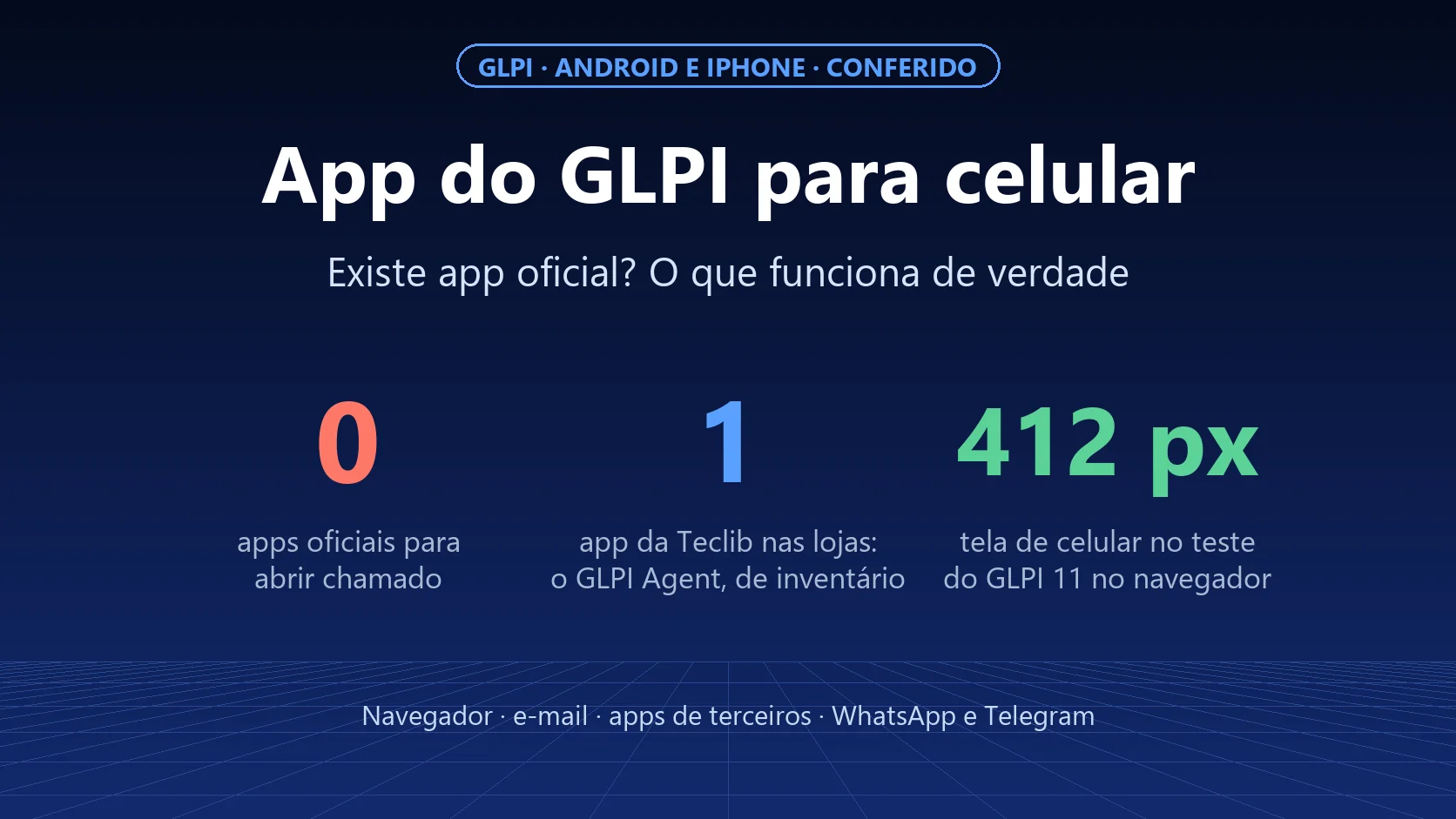
There is no official GLPI app for opening and tracking tickets, either for Android or for iPhone. The only Teclib app in the stores is GLPI Agent for Android, and it inventories the device: it does not open tickets. The question came back on the GLPI forum on November 22, 2026, and the answer posted there pointed to a third-party app. Below: what actually exists, what we tested in a phone's browser, and which path works for the people who open tickets and for the people who handle them.
The short answer
| What people look for | What exists today |
|---|---|
| Official GLPI app for tickets | Does not exist, in either store |
| Teclib app on Google Play | GLPI Agent: phone inventory, no tickets |
| Teclib app on the App Store | None |
| Using GLPI on a phone without installing anything | The GLPI 11 and 12 web interface adapts to the phone screen |
| Opening and answering tickets without logging in to GLPI | Email, with the GLPI mail receiver |
| App for opening tickets | Third-party apps, almost all Android only |
The only Teclib app: GLPI Agent for Android
GLPI Agent for Android is published by Teclib on Google Play and was updated on November 6, 2026. Version 1.9.0 came out on August 31, 2026. It collects the device inventory (processor, memory, storage, installed apps) and sends it to GLPI. It can be deployed through an MDM tool.
It helps IT know which phones the company has. It does not open tickets, does not show tickets and does not receive alerts. On the App Store, a search for "Teclib" returns no app at all.
GLPI in the phone browser
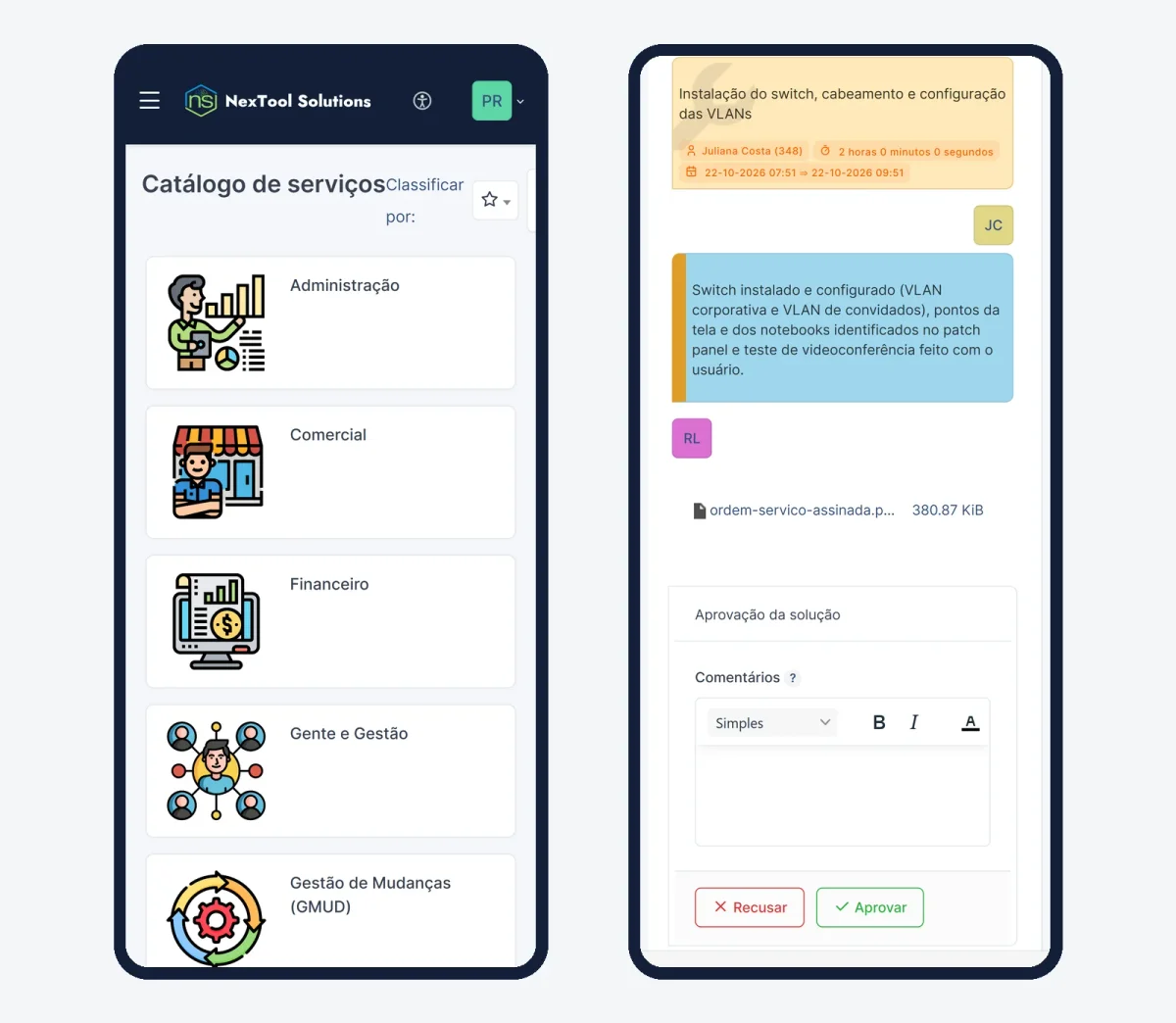
The GLPI 11 and 12 interface is responsive: the screen rearranges itself to the phone's width. We checked the code of GLPI 11.0.13 and 12.0.2 and tested on the NexTool support GLPI (GLPI 11.0.13), on a screen 412 pixels wide, as Paulo Ribeiro, a fictitious Acme user with the Self-Service profile.
| What Paulo did on the phone | Result |
|---|---|
| Log in to GLPI | The "How can we help you?" home page opened, with the search box |
| Open a request | The Service catalog showed the categories in a single column, easy to tap |
| Read the ticket | The timeline fit in a single column: description, followups, task and solution |
| Answer the solution | The Approval of the solution appeared at the end, with the Refuse and Approve buttons |
Two limits, also checked in the code. GLPI ships no web app manifest and no service worker. So it does not become an installable app and does not send push notifications to the phone: the default alert is still email. And the login is the browser's. If your company logs in to GLPI through SSO (Microsoft, Google), it works on the phone the same way.
To help requesters find GLPI quickly, create a home screen shortcut:
- Android (Chrome): open the GLPI address, tap the three-dot menu and then Add to Home screen. In some versions, the option is called Create shortcut.
- iPhone (Safari): open the address, tap Share and then Add to Home Screen (Apple guide).
The shortcut opens GLPI in the browser. For it to work outside the office, GLPI must be reachable over the internet through HTTPS, or the phone must be on the VPN.
Email: the path GLPI already includes
Email works on any phone, without installing anything in GLPI:
- Alerts: GLPI notifications arrive by email for every new followup, solution or approval request. The setup is covered in GLPI email notifications.
- Opening tickets: with a mail receiver in Setup > Receivers, an email sent to the support mailbox becomes a ticket.
- Answering: a reply to a ticket email becomes a followup on the same ticket. The notification must have Allow response turned on.
We tested the mail receiver with Gmail and Microsoft 365 in opening tickets by email in GLPI 11. That post covers the detail that catches most people: with the default configuration, email from someone without a GLPI account is refused silently.
Third-party apps in the stores
There are apps built by partners and GLPI companies. None is from Teclib. We list the ones we checked in the stores and on the vendors' pages on November 24, 2026:
| App | Who makes it | Where it runs | What it does | What it requires in GLPI |
|---|---|---|---|---|
| Gapp Self-Service | TICGAL, Teclib Gold partner in Spain | Android 6 or later. Free | Opens tickets with a photo, shows the tickets where you are the requester, adds followups, approves or refuses the solution, answers the satisfaction survey | GLPI 10.0.3 or later, login with username and password. The Gapp Essentials plugin is optional: it shows the ticket images |
| Gapp White Label | TICGAL | Android and iPhone (iOS 12 or later). Subscription | The app with your company's name and brand, SSO login (Google Workspace and Microsoft 365) and push notifications | A contract with TICGAL |
| JMBA Hub | JMBA Soluções | Android | Opens tickets with a photo or file, tracks them, comments and receives notifications. Technicians can also add tasks and solutions | JMBA Hub plugin (GLPI 10 and 11) and the legacy REST API enabled. The step-by-step guide is in how to install JMBA Hub |
Teclib announced Gapp on the GLPI blog on November 23, 2023. That was the app mentioned on the forum, with a warning: SSO login may not work in it.
On the App Store, a search for "glpi" mostly returns apps built for a single organization: the service desk of a school, of a city hall, of a partner's customers. They only serve people supported by that organization. Before installing any app, check who publishes it, whether it accepts your GLPI address and what it requires on the server. An app that connects through the API stores the person's login and sees everything that person's profile can see.
WhatsApp and Telegram: the alert where people already are
Many people who ask for "a GLPI app" actually want to hear about the ticket without opening their email. NexTool has modules for that, for GLPI 10, 11 and 12:
- Telegram Bot (free): delivers on Telegram the notifications GLPI already sends by email, through your company's bot. Step-by-step guide in GLPI notifications on Telegram.
- WhatsApp Bot (free): delivers ticket alerts on WhatsApp through your own Evolution API, using the number in the user's Mobile phone field. See GLPI notifications on WhatsApp.
- Conversas (licensed): the user chats with a bot on WhatsApp that opens tickets, shows open tickets, receives replies and files and answers approvals. When the user asks for an agent, the technician replies from inside GLPI, and the conversation is saved in the ticket.
The first two only send alerts: to reply, the person still opens GLPI or answers the email. Conversas is the one that opens and tracks tickets from WhatsApp itself.
Which path to choose
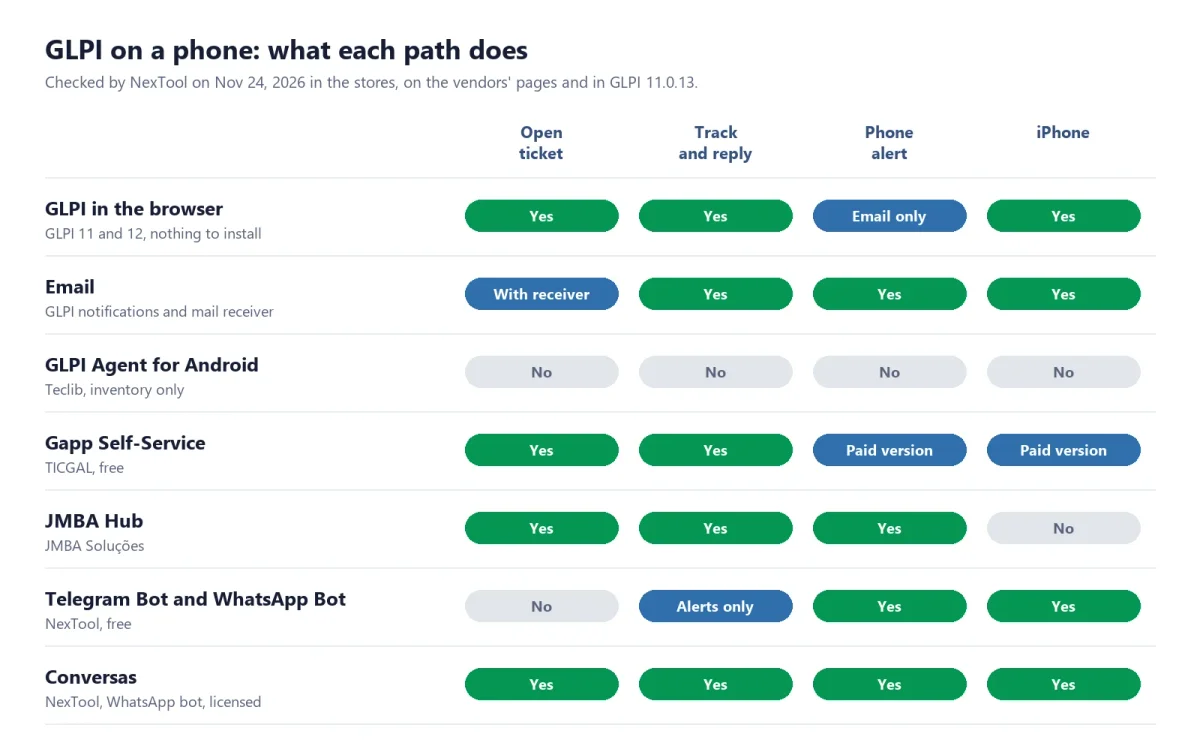
- To start today, at no cost: GLPI in the browser with a home screen shortcut, plus email with a mail receiver and replies turned on.
- If users do not read email: alerts on Telegram or WhatsApp.
- If users want to open tickets by message: a WhatsApp bot connected to GLPI.
- If the team wants an installed app: a third-party app, knowing that almost all are Android only and that SSO login depends on the app.
Checklist
| Step | Where |
|---|---|
| Open GLPI on a phone with a Self-Service user and test opening, reading and approving | Phone browser |
| Check that GLPI is reachable outside the company network, over HTTPS | Setup > General, URL of the application |
| Teach the home screen shortcut on Android and iPhone | Announcement to users |
| Turn on the mail receiver and email replies in the notifications | Setup > Receivers and Setup > Notifications |
| Before adopting a third-party app, check who publishes it, the login and what it requires in GLPI | App page in the store and on the vendor's site |
| Do not mistake GLPI Agent for Android for a ticketing app: it does inventory | Google Play |
Checked by NexTool on November 24, 2026: Google Play and the App Store, vendors' pages, the code of GLPI 11.0.13 and 12.0.2 and the NexTool support GLPI (GLPI 11.0.13), with fictitious Acme data on a 412-pixel phone screen. GLPI is a registered trademark of Teclib'. NexTool is not affiliated with Teclib'. The third-party apps mentioned belong to their respective companies.
Comments
Comments on this post come from GitHub (giscus). When you load them, your browser connects to GitHub, which receives your IP address and may set its own cookies.
To load them automatically, enable functional cookies