Two critical flaws in PHP itself, nicknamed PHP2Shell (CVE-2026-109618 and CVE-2026-109619), allow code execution on the server through requests without logging in, before any application code runs. They affect every PHP installation that serves web requests, and GLPI runs on PHP. The fix is in versions 8.5.12, 8.4.27, 8.3.36 and 8.2.35, released on October 21, 2026. This guide explains what the flaws are, why GLPI is in the line of fire, how to find out where you run PHP, how to fix it in each scenario, how to tell whether someone has already got in, and what to do afterwards.
This guide uses the public information available on October 22, 2026. Security advisories change quickly: also check your vendor's or distribution's advisory before acting.
Update: on October 23, 2026, PHP disclosed a third flaw, CVE-2026-115560, still without a fix. See what changes and the setting that protects you.
Summary for those who have five minutes
| Question | Short answer |
|---|---|
| What is it? | Two flaws in the PHP core that allow unauthenticated remote code execution |
| Who is affected? | Any PHP system that serves the web (GLPI, WordPress, Zabbix, Moodle, online stores...), on PHP-FPM, Apache with mod_php, php-cgi, FrankenPHP or LiteSpeed |
| Is GLPI affected? | Yes, because it runs on PHP. The flaw is not in GLPI and updating GLPI does not fix it |
| What is the fix? | PHP 8.5.12, 8.4.27, 8.3.36 or 8.2.35, or your distribution's fixed package |
| Do I need to restart? | Yes: PHP-FPM or Apache. On Docker, recreate the container with the new image |
| What if I cannot update today? | Take GLPI off external access until it is fixed |
| What about the new October 23 flaw? | CVE-2026-115560, no fix yet: disable session.upload_progress.enabled in php.ini or in the PHP-FPM pool |
| PHP 8.1 or older? | No official fixed release. It depends on your vendor, and it is time to upgrade PHP and GLPI |
Update of 23/10: a third flaw, CVE-2026-115560
On October 23, the PHP project published an advisory about a third remote code execution flaw, CVE-2026-115560, tied to the session upload progress feature. It is different from the two PHP2Shell flaws, and the October 21 and 22 releases do not fix it. The fix will come in the next regular PHP release, which has no date yet, and the full advisory will be published along with it.
The attack path is much narrower than PHP2Shell's. It only exists when three conditions occur together:
php.inisetssession.serialize_handlertophp_binaryorphp_serialize;- the application changes that value to
phpat runtime, withini_set(), before starting the session; - session upload progress is enabled, which is the PHP default.
GLPI does not make this change. We checked the code of GLPI 10, 11 and 12: it does not change serialize_handler and does not use session upload progress. A server that runs only GLPI, with PHP's default configuration, is not exposed through this path. The risk appears when the same PHP serves other applications that you cannot audit, such as a website, an online store or a legacy system.
Even so, the recommendation is to disable the feature now. PHP itself had already suggested this on October 21 as a containment measure for CVE-2026-109619, and GLPI loses nothing:
session.upload_progress.enabled = Off
Put the line in the php.ini of the PHP that serves the web or in the PHP-FPM pool (php_admin_flag[session.upload_progress.enabled] = off) and restart PHP-FPM or Apache. Setting it in code, with ini_set(), or in a .user.ini file does not protect you. Where the file is in each scenario:
| Scenario | Where to configure |
|---|---|
| Ubuntu and Debian | /etc/php/8.3/fpm/php.ini (replace 8.3 with your version) or the pool in /etc/php/8.3/fpm/pool.d/ |
| Red Hat and derivatives | /etc/php.ini or the pool in /etc/php-fpm.d/ |
| Docker (official PHP image) | a new file in /usr/local/etc/php/conf.d/, mounted as a volume or included in the image |
| Apache with mod_php | Apache's php.ini (for example, /etc/php/8.3/apache2/php.ini) |
To check on the server, use PHP-FPM, not command-line PHP, which reads a different file:
sudo php-fpm8.3 -i | grep session.upload_progress.enabled
grep -rn upload_progress /etc/php/8.3/fpm/
The expected result is Off. If a pool has the line set to on, it takes precedence over php.ini.
Tip: this setting does not replace the update for the October 21 flaws. It only closes the new flaw until the fix is out. When PHP publishes the next release, update again.
What happened
The PHP project published security fixes for two remote code execution flaws in the language core. In the official changelog, the fixes appear as "Avoid state corruption via bailout" (GHSA-w8hw-w9fx-j79w and GHSA-6wmf-4rv5-p3rp). Security sources cite a score of 9.2 on the CVSS 4.0 scale, which puts them in the critical range. Some sources cite 9.8 on the NVD's CVSS 3.1 scale.
In simple terms:
- CVE-2026-109618: an out-of-memory condition can interrupt PHP in the middle of a request, with internal data only partially initialized. During request cleanup, PHP then treats this invalid data as valid.
- CVE-2026-109619: an internal state of a request can survive after its memory has been freed. The next request, served by the same process, can use that state before it is reinitialized.
Both cases are memory management problems inside the interpreter, and that is what makes them serious. According to the published analyses, a single unauthenticated request can trigger the attack before any application code runs. In other words: the GLPI login screen, profile permissions and application rules are never even consulted.
Which installations are exposed
Every way of running PHP for the web appears in the advisories: PHP-FPM (the most common with Nginx and with modern Apache), Apache with mod_php, php-cgi, FrankenPHP and LiteSpeed. The analyses point to mod_php as the highest-risk scenario.
Command-line PHP (CLI), which runs GLPI's automatic actions through cron, does not serve web requests. It is usually on the same version and updated along with the rest.
It is not just GLPI
The flaw is in PHP, not in an application. That is why any PHP system that serves the web is exposed, and the fix is the same for all of them: update PHP and restart the service. Updating WordPress, GLPI or a plugin does not fix it.
| Type of system | Common examples in companies |
|---|---|
| Websites and content management systems | WordPress, Joomla, Drupal |
| Online stores | WooCommerce, Magento, PrestaShop |
| Custom-built systems | applications in Laravel, Symfony, CodeIgniter or plain PHP |
| IT tools | GLPI, Zabbix (web interface), phpMyAdmin, OCS Inventory, Moodle, Nextcloud |
| Hosting with a control panel | sites on cPanel, Plesk, CloudPanel or aaPanel |
The alert has not been limited to IT people: Mercado Pago, for example, warned merchants using WooCommerce, PrestaShop and Adobe Commerce (Magento) to check the PHP behind their stores.
In practice, whoever looks after GLPI almost always looks after other PHP servers too: the company website, the intranet, monitoring, the legacy system nobody switched off. Fixing only GLPI leaves the door open on the server next to it. In Step 1, we show how to use GLPI's own inventory to find all of them.
Is it already being exploited?
Sources disagree, and that does not change the recommendation:
- Amazon: according to Help Net Security, Amazon's threat intelligence team recorded an exploitation attempt in its honeypot network (MadPot) on October 17, four days before the public disclosure.
- watchTowr: in its PHP2Shell FAQ, it reported on October 21 that it observed exploitation of the flaws in its honeypot network.
- CISA (the US cybersecurity agency): in its October 21 alert, it said it had not observed exploitation up to that point, but urged immediate updates. For those who cannot update, it recommended taking PHP systems offline until they are patched. The UK's NCSC made the same recommendation.
When attempts have already been recorded, even before disclosure, and a government alert asks people to switch off what cannot be patched, the time between "possible" and "happening" is usually a matter of days. Treat it as an emergency.
Why GLPI is in the line of fire
GLPI is a classic PHP application: web server, PHP and database. Every request to GLPI goes through PHP, including those that arrive before login. And GLPI usually has more doors open to the internet than it seems:
| Entry point | Why it is usually exposed |
|---|---|
| Login screen and self-service portal | Users open tickets from home, from their phones, from branch offices |
Inventory endpoint (/front/inventory.php) |
GLPI agents on remote laptops send inventory over the internet |
REST API (apirest.php) and GLPI 11 API v2 |
Integrations with ERP, n8n, chatbots, monitoring |
| Public forms and links | Request forms, public knowledge base |
| Plugins that receive external calls | WhatsApp and Telegram bots, integration callbacks |
Because the attack happens before GLPI code runs, any of these URLs can serve as a door. It does not matter whether the API requires a token or the portal requires login: the malicious request is never checked.
And what lies behind that door is sensitive. The GLPI server holds access to the database with all the company's tickets, attachments, user data and inventory. The config folder holds the database password and the key that protects the passwords stored in GLPI (mail collector, LDAP, SMTP). Anyone who executes code on the server has all of that within reach.
Three common pitfalls
- Updating GLPI does not update PHP. If you have just moved to GLPI 12, you are not automatically protected: GLPI 12 requires PHP 8.3, but it works with an 8.3 release older than the fix.
- The version number can be misleading. Ubuntu usually applies the fix to the package and keeps the number (24.04 shows 8.3.6 even when updated). Debian sometimes does the same and sometimes moves to the new version. An "old" number does not prove that the server is vulnerable, and a new package does not prove that the service was restarted. This time Debian did change the number (8.4.27 on Debian 13, 8.2.35 on Debian 12): there, an old number means an unpatched package.
- PHP 8.1 on GLPI 10 is the riskiest combination: PHP with no official fixed release and GLPI without support. See the section on PHP 8.1 further below.
Step 1: find out where you run PHP
CISA starts its recommendation here: inventory all systems running PHP. GLPI is only one of them. The company website, the intranet, Zabbix, phpMyAdmin, Moodle and the old ticketing system nobody switched off also tend to show up.
Use GLPI itself for this
If you use GLPI Agent, the software inventory already knows where PHP is:
- Go to Assets > Software and search for
php. - Open items such as
php8.3-fpm,php8.3-common,libapache2-mod-php8.3orphp-fpm, depending on the distribution. - In the installations tab, see on which computers each version is installed.
The version the agent shows is the package version, with the distribution suffix (for example, 8.3.6-0ubuntu0.24.04.x). That is exactly what you need to compare against your distribution's security advisory. The inventory does not see PHP inside Docker containers or PHP unzipped on Windows or in XAMPP.
Check the PHP that serves GLPI
Command-line PHP may differ from the one serving the website. To see the one that matters:
- In GLPI: in Setup > General > System, the server section shows the PHP version GLPI is using.
- On the server: see which service is running and which version it uses.
php -v
systemctl list-units --type=service | grep -Ei 'php|apache|httpd'
sudo php-fpm8.3 -v
Replace 8.3 with the version that appears in the service list. On Red Hat and derivatives, use sudo php-fpm -v.
Step 2: update, according to your scenario
Ubuntu and Debian with the distribution's own PHP
Distributions receive the fixes before public disclosure and publish the packages in their security advisories (on Ubuntu, USN-8948-1, from October 21; on Debian, DSA-6574-1 and DLA-4848-1). On Ubuntu, the main number does not change; check by package:
sudo apt-get update
apt-cache policy php8.3-fpm
sudo apt-get install --only-upgrade 'php8.3*'
zcat /usr/share/doc/php8.3-common/changelog.Debian.gz | grep -E 'CVE-2026-10961[89]'
The last command reads the installed package's changelog and should show CVE-2026-109618 and CVE-2026-109619. If automatic security updates are enabled, the package may already have arrived; even so, the service only uses the new code after it is restarted.
Reference versions by distribution:
| Distribution | Default PHP | Note |
|---|---|---|
| Ubuntu 24.04 | 8.3 (shows 8.3.6) | Fixed in package 8.3.6-0ubuntu0.24.04.13 (USN-8948-1) |
| Ubuntu 22.04 | 8.1 | Fixed by Canonical in USN-8948-1; the ondrej/php PPA has fixed 8.2 to 8.5 |
| Debian 13 | 8.4 | Fixed in 8.4.27-1~deb13u1 (DSA-6574-1) |
| Debian 12 | 8.2 | Fixed in 8.2.35-1~deb12u1 (DLA-4848-1). PHP 8.2 reaches end of support on December 31, 2026 |
| Debian 11 | 7.4 | No free fix: LTS ended on August 31, 2026; only through Freexian's paid ELTS |
PHP from a third-party repository (ondrej/php, sury.org) or a hosting panel
These packages carry the official version number (for example, 8.3.36-1+ubuntu24.04.1+deb.sury.org+1 on Ubuntu), so checking is straightforward. The distribution's automatic updates normally do not cover these repositories, and the same applies to panels that install PHP from sury, such as CloudPanel:
sudo apt update && sudo apt upgrade
php -v
In panels such as cPanel, Plesk or aaPanel, use the panel's own PHP update and check the version of each site.
Red Hat, Rocky, AlmaLinux and Oracle Linux
sudo dnf check-update 'php*'
sudo dnf update 'php*'
rpm -q --changelog php-common | grep -E 'CVE-2026-10961[89]'
With Red Hat's own PHP (AppStream modules), the number does not change either: the changelog is what counts. If PHP comes from the Remi repository, the update arrives with the official version number (8.2 to 8.5, on RHEL 8, 9 and 10): check with php -v. On disclosure day Remi did not have the packages yet, and its mirrors were overloaded: if dnf does not offer the update, run sudo dnf upgrade --refresh 'php*', which skips the cache, and try again a few minutes later. With Remi in SCL mode, the service is named, for example, php83-php-fpm.
Docker
The container does not update itself, and restarting the old container does not replace PHP. You need to pull the new image and recreate it. First, back up the database and confirm that the files folder, the config folder and the database are on volumes (docker inspect <container> --format '{{json .Mounts}}'); otherwise, recreating the container deletes the data. If the image uses the latest tag, the pull may bring a different GLPI version: pin the tag. With docker compose, name the GLPI service (glpi in the commands below): without it, pull also fetches the database image, and with mariadb:latest that can bring a major database upgrade along.
docker compose pull glpi
docker compose build --pull glpi
docker compose up -d glpi
docker exec <container-do-glpi> php -v
If you use the official glpi/glpi image, it has already shipped with the fixed PHP: on October 22, every tag (latest, 12.0.0, 11.0.11, 10.0.28 and the nightlies) carried PHP 8.5.12, so a pull is enough. It runs Apache with mod_php, the highest-risk scenario, one more reason not to wait. If your image is built from an official PHP image (for example, php:8.3-fpm or php:8.3-apache), the fixed tags came out during October 21 and the FrankenPHP ones early on October 22 (UTC); a pull made before that brought the vulnerable version. Two things to watch: apt upgrade inside the Dockerfile does not update PHP in these images, which is compiled separately; and a floating tag can bring more than PHP (the image's web server may change version too). Before recreating, keep the current image so you can roll back: docker tag "$(docker inspect --format '{{.Image}}' <glpi-container>)" glpi-before-patch.
Windows (IIS, XAMPP, WampServer)
Download the fixed version of your branch from the official PHP for Windows site and replace the PHP folder, keeping your php.ini. Bundles such as XAMPP tend to be slow to publish the new version; do not wait for them. Then restart IIS or Apache.
Step 3: restart and check
Updating the package is not enough. Processes that were already running keep the old code loaded in memory until they are restarted:
sudo systemctl restart php8.3-fpm
sudo systemctl restart apache2
On Red Hat and derivatives, the services are usually called php-fpm and httpd. After restarting:
- Open Setup > General > System in GLPI and check the PHP version.
- Run
php -von the server and also check PHP-FPM (sudo php-fpm8.3 -v). - With PHP from sury, Remi, an official Docker image or Windows, GLPI should show the fixed version. If it shows the old one, an old process is still running or a second PHP is installed.
- With the distribution's own PHP, the number may not change. Check the package (
dpkg -l 'php8.3*'orrpm -q php-fpm) and whether the service was restarted after installation:systemctl status php8.3-fpmshows the time under "active since". On Ubuntu,sudo needrestart -r llists what is still running old code; on Red Hat,sudo dnf needs-restarting -s.
Test GLPI before calling it done
A PHP update rarely breaks GLPI, but the rule for any production change applies: if you can, apply it first to a staging copy and, either way, take a backup beforehand. After updating, spend a few minutes checking the flows that cannot stop:
- Login, including through LDAP or single sign-on (SSO), if you use them.
- Ticket creation through the self-service portal and through forms.
- Mail collector: send a test email and see whether it becomes a ticket.
- Notifications: check that GLPI still sends emails.
- Automatic actions: in Setup > Automatic actions, check that the tasks are still running.
- API and integrations: agent inventory, chatbots, ERP and automations that call GLPI.
- Plugins: open the screens of the plugins your team uses most.
What if you cannot update right now?
- Take GLPI off the internet until it is fixed. Allow access only from the internal network or through a VPN. If the self-service portal has to stay open, that makes it the number one priority for the update, not a reason to postpone it.
- Restrict what has to stay open, before PHP. Apply the restriction in the firewall or the web server (
allow/denyin Nginx,Require ipin Apache), never in GLPI's own options, which only run after PHP. And remember: restricting only the inventory and the API helps little if the login screen remains open. - Disable session upload progress (
session.upload_progress.enabled = Off), as PHP recommended. This closes CVE-2026-115560 and reduces exposure to CVE-2026-109619, but it does not replace the update. - Use a web application firewall (WAF) as a bridge. Cloudflare has published initial rules for the known vectors. It helps, but it does not fix: AWS itself warned that no configuration change is a complete mitigation. The rules are available on Cloudflare's free plan too.
- Step up monitoring. Watch for PHP processes opening a shell or downloading files, which is the signal CISA asks people to monitor.
Step 4: check whether someone has already got in
First of all, some relief: having run a vulnerable version does not prove that there was an intrusion or a data leak. It is only a reason to look. The earliest recorded attempt is from October 17. If your GLPI was exposed with vulnerable PHP during that period, a quick check after patching is worthwhile. None of these commands changes anything.
PHP files where there should be none. The GLPI data folder holds attachments, images and temporary files; no .php file should appear there, except for the cache (_cache) and the classes generated by plugins such as Additional fields (Fields) and GenericObject, in files/_plugins/fields and files/_plugins/genericobject. These show up in the results and are expected if the dates match changes you made:
sudo find /var/lib/glpi/files /var/www/glpi/files -name '*.php' -not -path '*/_cache/*' 2>/dev/null
sudo find /var/www/glpi -type f -name '*.php' -newerct '2026-10-15' -not -path '*/files/_cache/*' 2>/dev/null
The second search uses the file's change time in the file system (ctime), which an attacker cannot fake with touch. Adjust the paths to your installation. Plugin and GLPI files you updated during the period are expected; what is worrying is anything nobody remembers putting there.
Processes and connections of the web server user:
ps -eo user,pid,ppid,lstart,cmd | grep -E '^(www-data|apache|nginx)' | grep -Ev 'php-fpm|apache2|httpd|nginx'
sudo ss -tnp | grep -E 'php|apache|httpd|"(sh|bash|dash|nc|ncat|perl|python[0-9.]*)"'
sudo crontab -u www-data -l
On Red Hat, the user is apache (crontab -u apache -l). The web server user should not be running sh, bash, curl, wget or nc, nor have a scheduled task you did not create (the GLPI cron.php task is legitimate). Be suspicious of outbound connections to IPs other than the database, LDAP, SMTP or your integrations.
New accounts and plugins in GLPI. In Administration > Users, add the Creation date column (columns icon), sort by it and check whether any unknown account has appeared since October 17, especially with the Super-Admin profile. Also check Administration > Profiles (permission changes), Setup > Plugins (any plugin you did not install?) and the API clients.
Web server and PHP logs. Spikes of strange requests from unknown IPs, followed by 500 errors, deserve attention, especially on the URLs in the table above. In the PHP-FPM log, sequences of "Allowed memory size exhausted" and processes terminated by a signal (for example, "exited on signal 11") are also worth a look.
If you find signs of an intrusion
- Isolate the server from the network, without shutting it down, to preserve the evidence.
- Keep the logs and a copy of the disk before any cleanup.
- Rebuild from a clean base and restore the data from a backup taken before the intrusion, assessing what needs to be redone after that date. Cleaning only the file you found does not guarantee that no other door was left open.
- Change every secret the server held, only after isolating and rebuilding. If the attacker is still in the environment, the new passwords leak along with the old ones. The order is: contain, clean up and only then change:
- the database password, which is in
config/config_db.php(or in/etc/glpi/on package installations); - the
glpicrypt.keykey, which protects the passwords stored in GLPI: generate a new one withphp bin/console glpi:security:change_key, which re-encrypts the data (replacing the file by hand leaves the secrets unreadable), and then change the passwords themselves: mail collectors, LDAP read account, SMTP and proxy; - the passwords of GLPI's local administrators, because the hashes were in the database;
- the API tokens (application and user tokens) and the OAuth secrets;
- the credentials of the integrations GLPI calls (ERP, chatbot, automations).
- Assess notification: if personal data may have been accessed, involve your data protection officer (DPO) and legal team. Brazil's LGPD (art. 48) requires notifying the ANPD and the data subjects when the incident may cause relevant risk or harm, and the ANPD regulation sets a short deadline for this (outside Brazil, your local data protection rules apply, for example the GDPR in Europe).
PHP 8.1 or older: the problem is bigger
PHP 8.1 and earlier versions are no longer supported by the PHP project, so they do not receive the official fixed release. The PHP team itself published minimal source fixes for 7.4, 8.0 and 8.1: if you build PHP yourself you can apply them; otherwise you depend on your vendor or distribution publishing the package. PHP 5 and 7.0 to 7.3 get no fix at all (the case of anyone still running GLPI 9.5). On Ubuntu 22.04, for example, PHP 8.1 is maintained by Canonical itself: USN-8948-1, from October 21, already includes the fix. Sury and the ondrej/php PPA also maintain packages from 7.4 to 8.1; check whether they already include the fix. If GLPI runs on managed hosting, ask the hosting provider for a package with the fix for both flaws or a priority plan to migrate to a supported version, with a date.
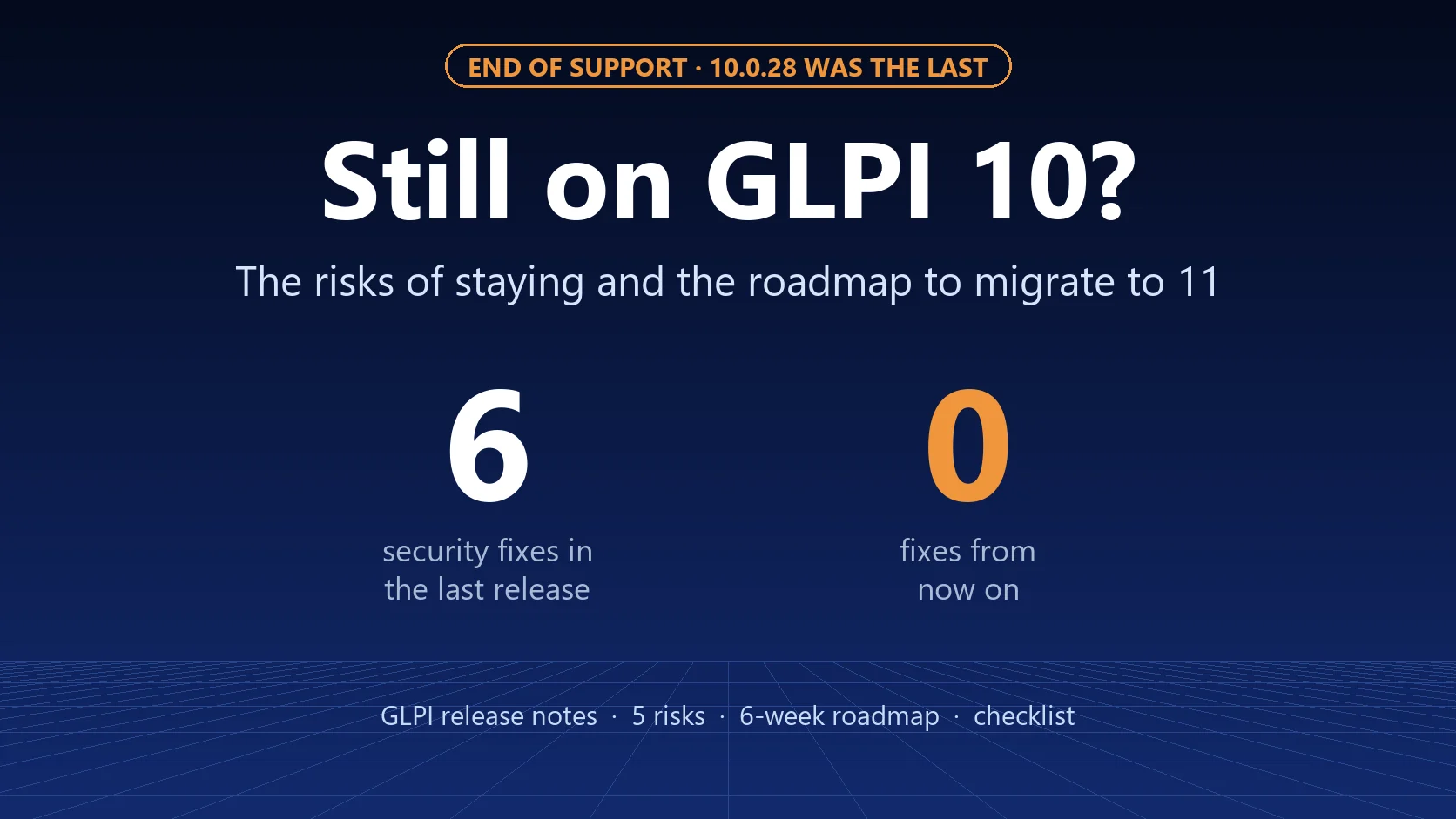
Anyone still running PHP 8.1 is usually also on GLPI 10, which lost support with the arrival of GLPI 12. GLPI 11 requires PHP 8.2 or later, and GLPI 12 requires 8.3. If that is your case, fixing this flaw and leaving GLPI 10 have become the same project: see the risks of staying on GLPI 10 and the roadmap for migrating.
After the fix: make the next scare smaller
- Take offline what does not need to be on the internet. Inventory only from the agents' IPs, API only from the servers that use it, admin area only through the VPN, always with the rule in the firewall or the web server.
- Hide the PHP version. With
expose_php = Offinphp.ini, the server stops announcing the version in the response header. This reduces automated scanning but does not protect you: the attack does not need to know the version. - Enable the distribution's automatic security updates, and remember that they do not cover third-party repositories or Docker images.
- Have a tested backup of the GLPI database and files folder. Restoring is plan B for every critical flaw.
- Keep track of the flaws in your environment. CVE Scan is free: it checks the GLPI and PHP versions, security headers and permissions, and shows what to fix first.
Timeline
| Date | What happened |
|---|---|
| October 17, 2026 | Amazon records an exploitation attempt in a honeypot, before disclosure |
| October 21, 2026 | CISA publishes an alert and urges immediate updates |
| October 21, 2026 | PHP releases 8.5.12, 8.4.27, 8.3.36 and 8.2.35 |
| October 21, 2026 | Ubuntu (USN-8948-1) and Debian (DSA-6574-1, DLA-4848-1) publish the fixed packages |
| October 21 and 22, 2026 | Fixed Docker images come out: php and glpi/glpi on October 21, FrankenPHP on October 22 |
| October 23, 2026 | PHP discloses CVE-2026-115560 (session upload progress), still without a fix |
Today's checklist
- List every server running PHP, not just the GLPI one (the GLPI inventory helps).
- Check the version in Setup > General > System and the package on the server.
- Update, starting with what is exposed to the internet.
- Restart PHP-FPM or Apache and check again.
- If you cannot update today, remove external access.
- Run the intrusion checks and keep the results.
- Restrict inventory, API and admin area to what is needed.
- Disable
session.upload_progress.enabledinphp.inior in the PHP-FPM pool, restart and check.
Need help updating your GLPI server or reviewing your environment's exposure? Talk to us.
Sources: PHP security advisories (October 21 and 23, 2026), CISA alert (October 21, 2026), official PHP changelog (php.net), AWS security bulletin, Help Net Security's coverage of PHP2Shell, watchTowr FAQ, Ubuntu notice (USN-8948-1), Debian security tracker and Mercado Pago's notice to developers (October 21, 2026). GLPI is a registered trademark of Teclib'. NexTool is not affiliated with Teclib'.