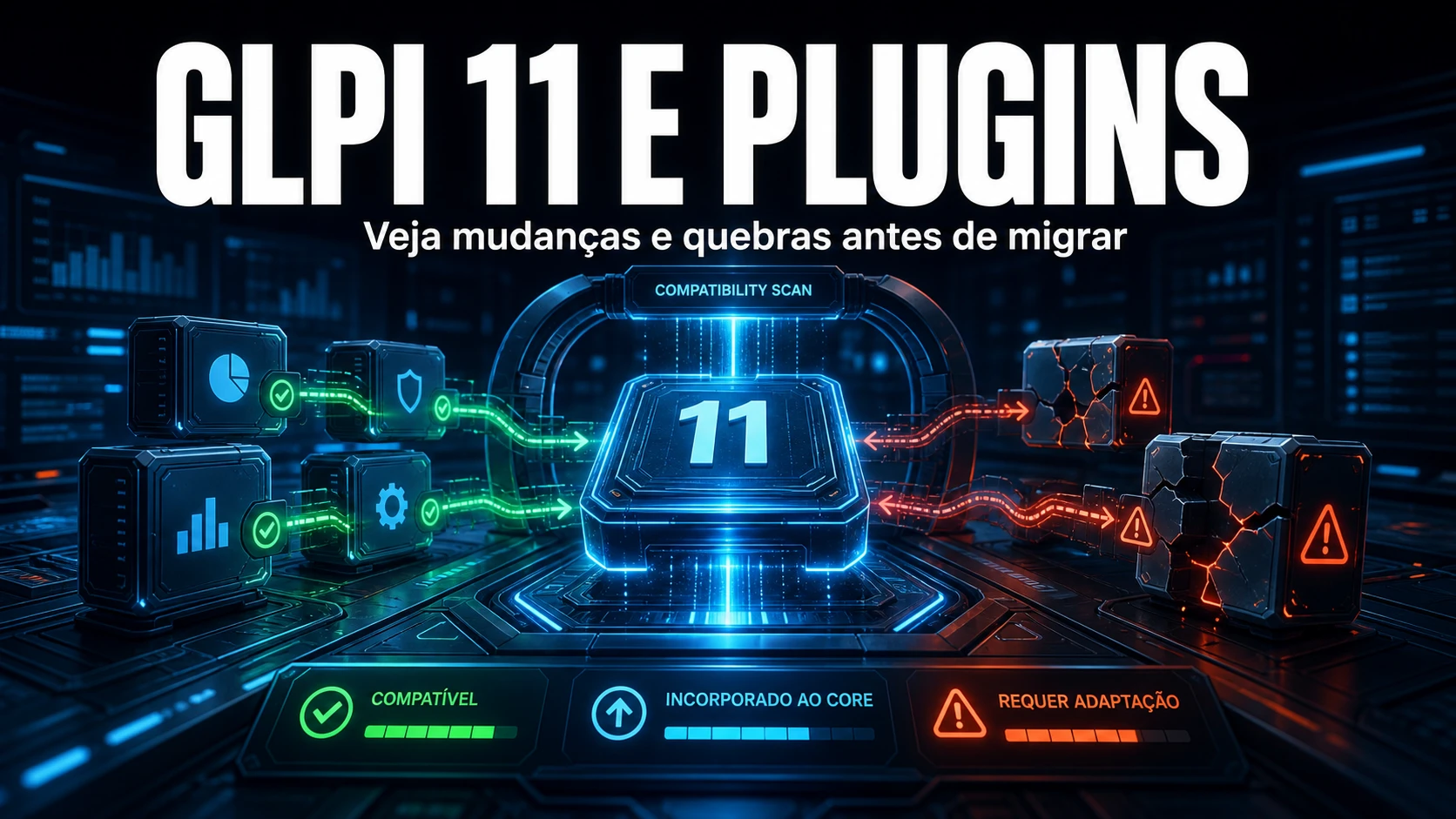
On GLPI 11, "the plugin broke" is almost never a plugin bug: it's the foundation that changed underneath it. Maintaining client environments, the script repeats itself - the customer brings up the new core, two or three plugins vanish from the menu, one throws a 500 on screen and php-errors.log stays annoyingly empty. This guide separates what became native from what actually stopped working, shows the snippet of code that fails a plugin on 11, and hands over the checklist we run before scheduling the migration window.
What changed in the core - and why it takes plugins down
11 is not a new skin over 10. It's an engine swap. Each change below invalidates a pattern that GLPI 10 plugins used without a second thought:
- Symfony + Twig frontend. The old procedural flow (
Html::header()thenechoof HTML) gave way to controllers and Twig templates. A plugin that hand-built its page loses the header, the menu, sometimes the whole screen. - The app is served from
public/. Routing is Symfony's now. Relative includes likeinclude("../../../inc/includes.php")depend on the working directory and stop resolving. - PHP 8.2 minimum, with strict signatures. An inherited method needs a compatible return type. A
canCreate()without: boolthrows "Declaration must be compatible" and the plugin never loads. - The database driver rejects raw SQL. This is the one that hurts most.
$DB->query()was removed and$DB->request()with a literal string is blocked ("Building and executing raw queries is prohibited"). Any hidden query breaks the first time that path runs. - hook.php flags became canonical. Markers like
csrf_compliantare handled more strictly by the core; declared wrong, the plugin may not be recognized as CSRF-compliant and take a 403 on POST.
In short: "compatible with 11" is not luck, it's the author having ported these patterns. Whoever didn't port breaks - and usually breaks silently.
Plugins that became core: migrate the data, don't reinstall
Many of the most popular plugins didn't disappear because of incompatibility - they disappeared because the feature moved into the core. Here the job isn't "find the 11 version", it's moving the data into the native feature:
- FormCreator - became the native Forms module, a new engine. There's no transparent importer; there's only a transition tool, and the forms don't move themselves.
- GenericObject - custom objects are native now. Re-evaluate each type and map it to a native asset or dropdown.
- FusionInventory and plugin dashboards - already superseded since 10 by the GLPI Agent and the native dashboards. On 11 there's no reason to insist.
- Outbound webhooks - the core now notifies external systems on events (ticket creation, status change), covering part of what a plugin used to solve.
Compatibility matrix: why each case falls
Before booking the window, in maintenance we classify each installed plugin into one of these rows. What decides isn't the name, it's the technical reason:
| Plugin / case | Technical reason | Action before migrating |
|---|---|---|
| FormCreator | Feature became native Forms (new engine) | Inventory and migrate the forms that carry your service desk - they don't migrate themselves |
| GenericObject | Custom objects are native now | Map each type to a native asset or dropdown |
| FusionInventory | Replaced by the GLPI Agent (since 10) | Move collection to the GLPI Agent first |
| Plugin with raw SQL / procedural output | Uses $DB->query() or Html::header() - removed/broken | Needs a ported release; without it, disable |
Plugin with no return type on can*() | PHP 8.2 rejects the signature; the plugin won't load | Wait for the author's version or retire it |
| Fields, DataInjection, PDF, Tag | Have an 11 release | Update after the core, one by one, validating between each |
| NexTool | Compatible with 10 and 11 (same ported code) | Update to the 11 version |
| Plugin with no release since 2023 | Probably not ported | Business decision: replace or retire |
Diagnosis: measure, don't decide from memory
Don't classify off the top of your head. Pull the real plugin state and scan their source for the patterns the 11 core removed:
# Real plugin state (run on GLPI 10 before migrating; read-only)
# state: 0=new  1=active  2=not installed  3=to configure
#        4=not activated  5=to clean  6=not updated
mysql -u glpi -p glpi -e \
  "SELECT name, directory, version, state FROM glpi_plugins ORDER BY state, name;"

# Scan the plugin source for the patterns the 11 core removed
cd /var/www/glpi/plugins
grep -rln '$DB->query('   . --include='*.php'   # raw SQL driver removed in 11
grep -rln 'Html::header'  . --include='*.php'   # procedural output, pre-Twig
grep -rln 'includes.php'  . --include='*.php'   # fragile relative include under Symfony routing
The common mistake is trusting only the marketplace badge. A release tagged "GLPI 11" can still hide raw SQL on a rarely used path - one that only blows up when that specific report is opened, weeks after go-live.
The code that fails a plugin on 11
If you maintain your own plugin, or need to assess a third-party one with the source in hand, these are the three patterns that show up most when we port code from 10 to 11:
// GLPI 10 (worked): raw SQL straight into the driver
$res = $DB->query("SELECT id FROM glpi_tickets WHERE status = 1");

// GLPI 11: $DB->query() was REMOVED and request() with a raw string is blocked.
// SELECT becomes a criteria-based query builder:
$rows = $DB->request([
    'SELECT' => 'id',
    'FROM'   => 'glpi_tickets',
    'WHERE'  => ['status' => 1],
]);

// Unavoidable DDL / literal SQL (ALTER, SHOW INDEX): use doQuery()
$DB->doQuery("ALTER TABLE glpi_plugin_x ADD COLUMN active TINYINT DEFAULT 0");

// PHP 8.2+: an inherited method requires a return type; without ": bool" the plugin won't even load
public static function canCreate(): bool
{
    return Session::haveRight('plugin_x', CREATE);
}
Note that the column alias also changed: the old inline-backtick trick GLPI 10 tolerated now has to become 'name AS child' because the 11 query builder escapes backticks properly.
How to test compatibility before the window
Never discover the incompatibility in production. The routine we apply in staging:
- Production clone. Bring up 11 over a copy of the real database, not a sample one. A plugin breaks with your data, not with clean data.
- Install and activate via console.
php bin/console glpi:plugin:install <directory>andglpi:plugin:activate <directory>, as the web server user. If the plugin runs a migration on install/init, this is where it fires. - Open every
front/page of the plugin. Activating without error isn't enough; the Twig engine only complains when the screen is actually rendered. - Look at the right log. A load failure doesn't become a PHP fatal - it becomes
glpi.ERROR: Error while loading plugin Xin the GLPI log. Whoever only checks php-errors.log wrongly concludes "everything's fine". - Reset OPcache between attempts. After swapping files, php-fpm still serves the old bytecode; reload the process (for example,
kill -USR2on the php-fpm master), not just Apache.
What maintenance taught us
The most treacherous incident we saw didn't show up in the migration itself - it showed up months later, on a simple version bump of an admin plugin. It ran its schema migration inside plugin_init, a common and seemingly harmless pattern: the block only runs while the stored schema_version is lower than the version in setup.php. A latent bug there slept until the next bump - and when it finally ran and threw an exception, GLPI 11 caught it in Plugin::load and disabled the plugin on its own. The symptom for the customer was that "it activates and deactivates with no visible error", the plugin swinging to state 4 (not activated, which looks normal). Since then the rule is hard: every bump of a plugin with migration-in-init requires an activation smoke test after the bump, and the migration block always goes inside try/catch, with schema_version written OUTSIDE the try - otherwise it retries on every request and loops. It's the kind of detail only someone who runs client GLPI every day carries in muscle memory.
Should I migrate now?
If your plugin matrix is green (a ported release for every essential) and you have staging with a production clone, yes - 11 is more modern, secure and fast. If you depend on a plugin with no 11 version, the decision becomes a business one: replace it with the native feature, switch plugins or postpone. What you can't do is migrate blind and discover the incompatibility with the environment live.
If your team has no window to rehearse the migration and classify each plugin calmly, NexTool runs your GLPI upgrade with a plugin inventory, staging over a clone and a rehearsed rollback. Talk to us about GLPI support and maintenance.
Reviewed by the NexTool Solutions team.