


GLPI is one of the most widely used open source ITSM tools in the world, but its true potential only shows when you combine the core with plugins and modules that fill specific gaps. In this guide we have gathered the 50 most relevant plugins and modules for 2026, blending open source community solutions with modules from the NexTool ecosystem.
The list is organized by category. For each item, you will find what it does, who it is meant for and a direct link to the official page or repository.
Solutions HUB
1. NexTool
Type: Modular plugin (FREE + licensed modules) · GLPI: 10 and 11
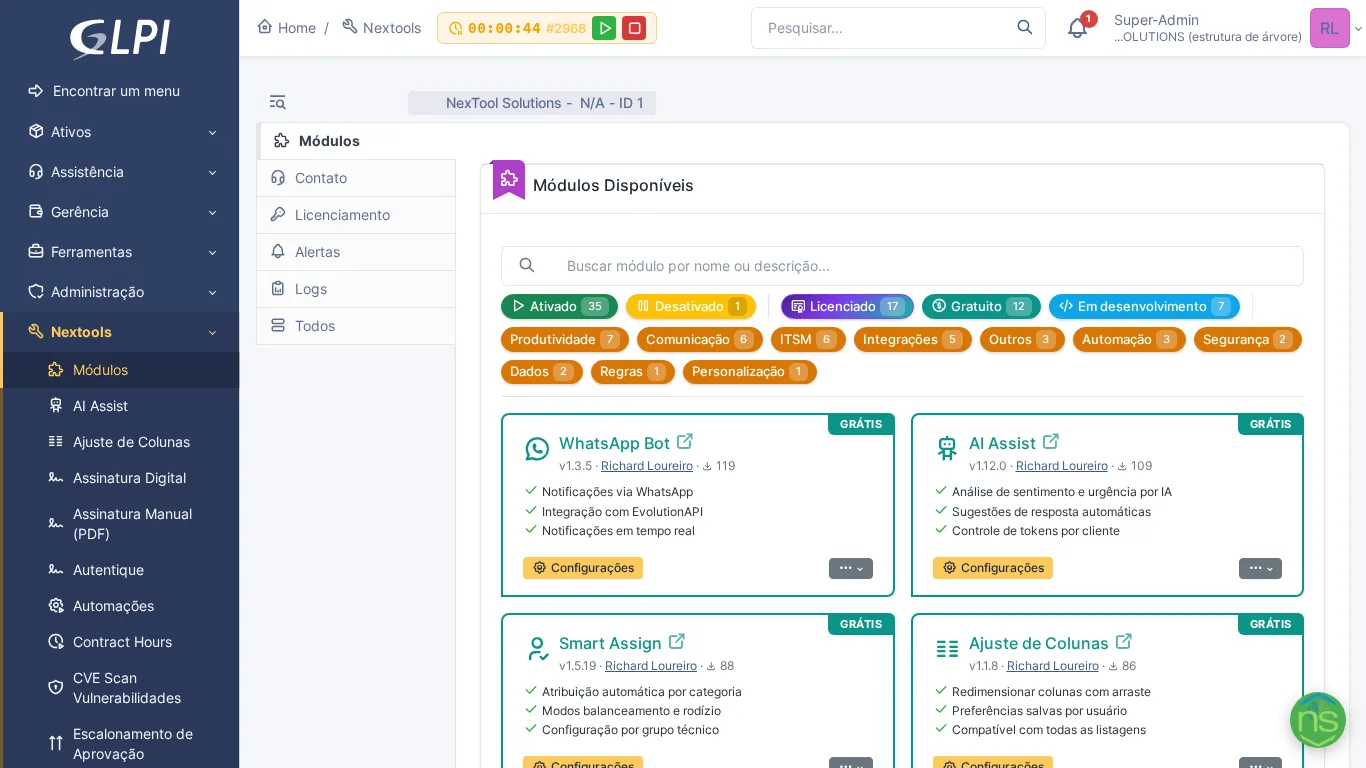
NexTool is not a standalone plugin — it is a platform that turns GLPI into an expandable hub. From a single free base plugin, you activate modules on demand: AI, communication, documents, security, automation and more. The catalog grows every month without you having to install dozens of separate plugins, manage dependencies or deal with version conflicts. If you are looking for a centralized, professional approach to expanding GLPI, NexTool is the starting point.
AI and Intelligent Automation
2. AI Assist
Type: NexTool (Free) · View module
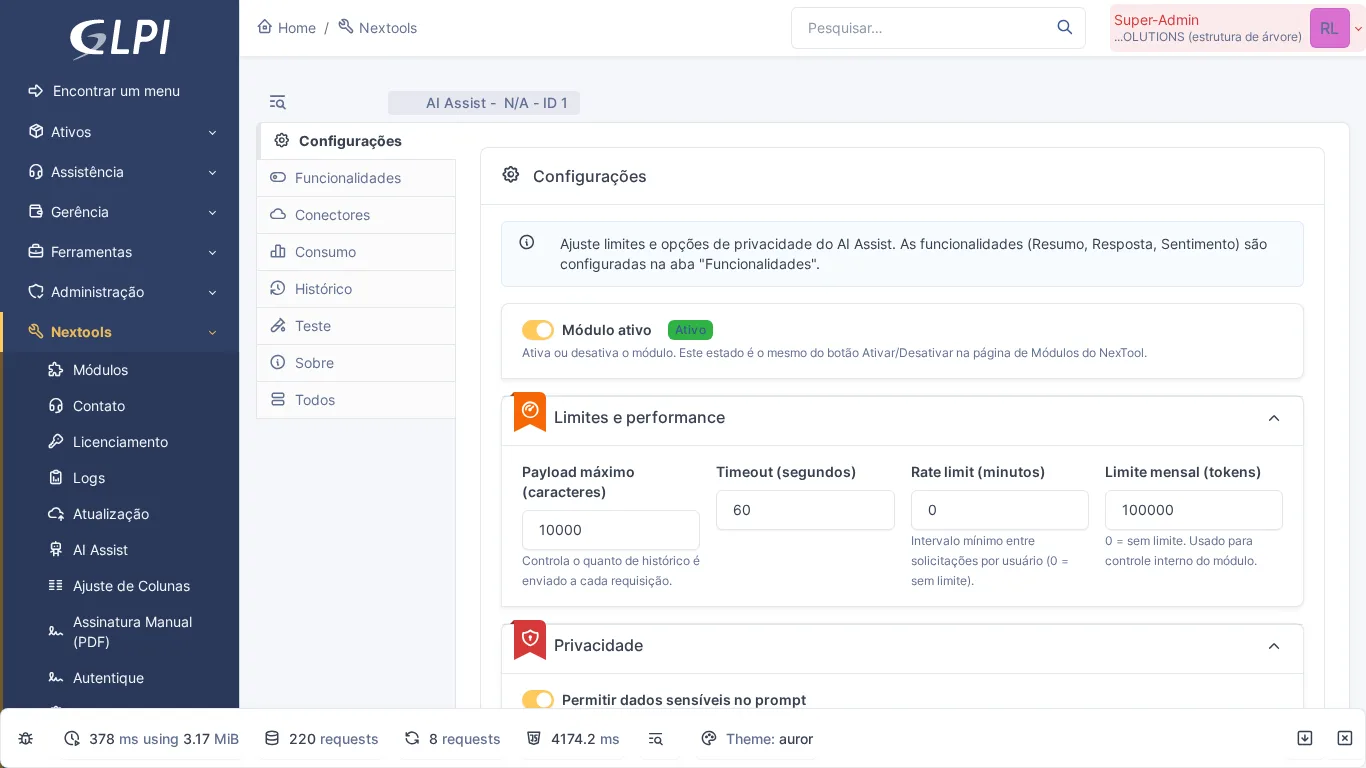
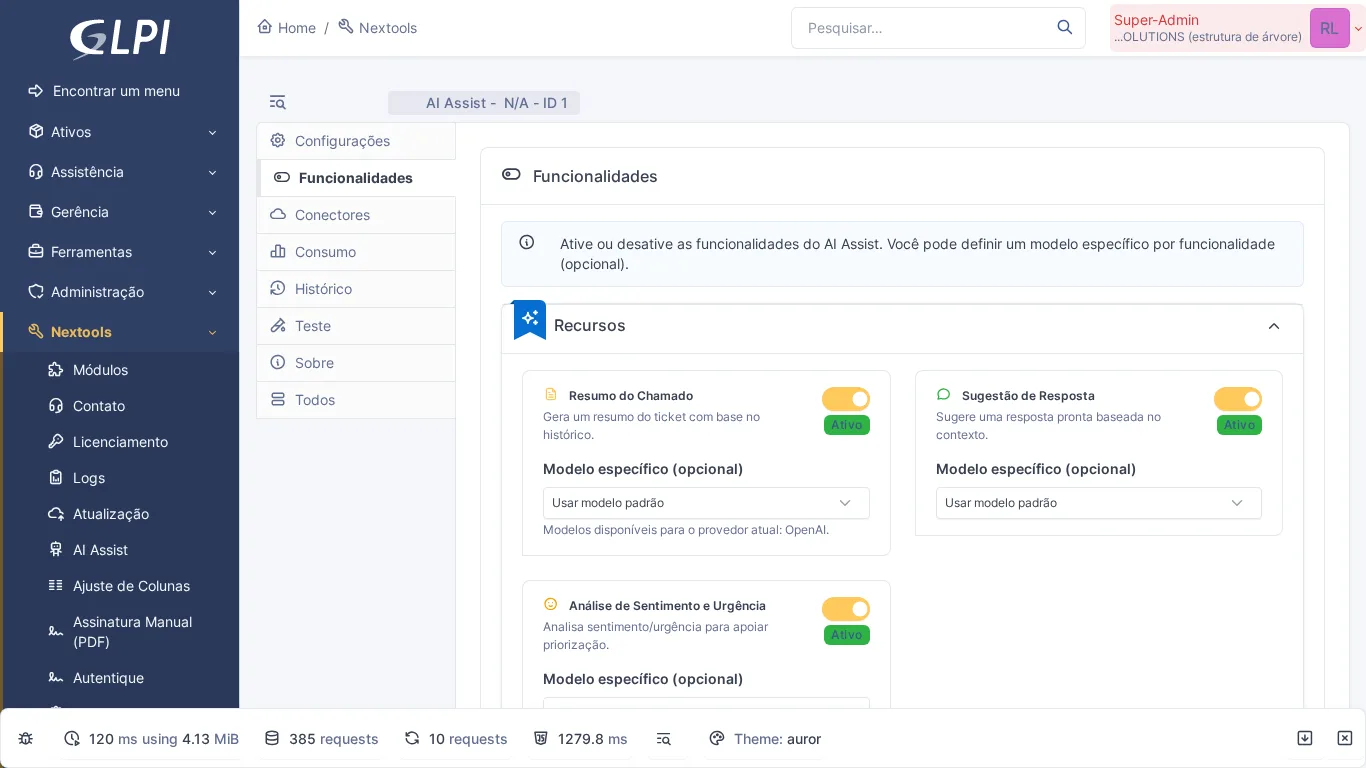
Integrates OpenAI GPT, Google Gemini or Anthropic Claude directly into the ticket. With one click, the technician gets a summary of long threads and receives reply suggestions drafted from the history. Ideal for teams that want to reduce response time without upfront investment — the module is 100% free.
3. Smart Assign
Type: NexTool (Free) · View module
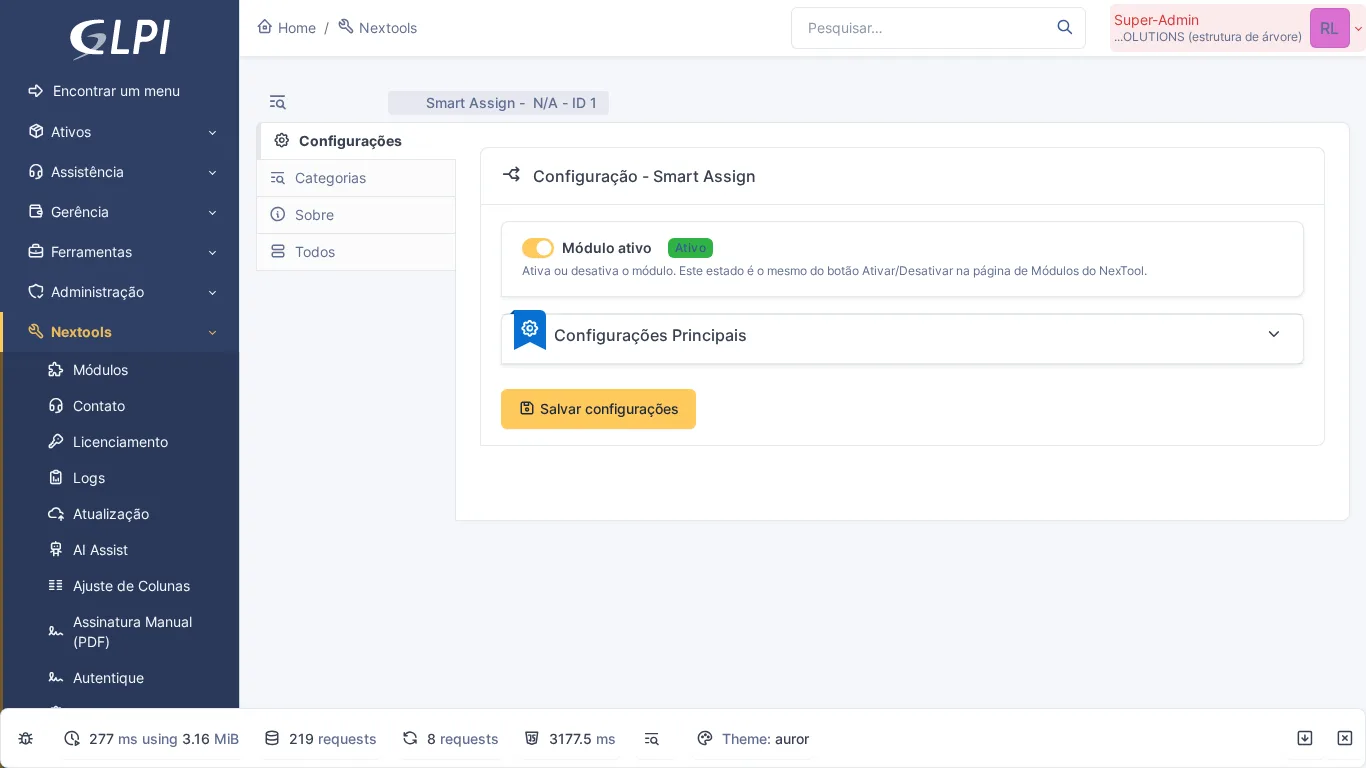
Automatically distributes tickets among the technicians of the responsible group, using workload balancing. Eliminates the need for manual assignment and ensures no technician is overloaded while others sit idle.
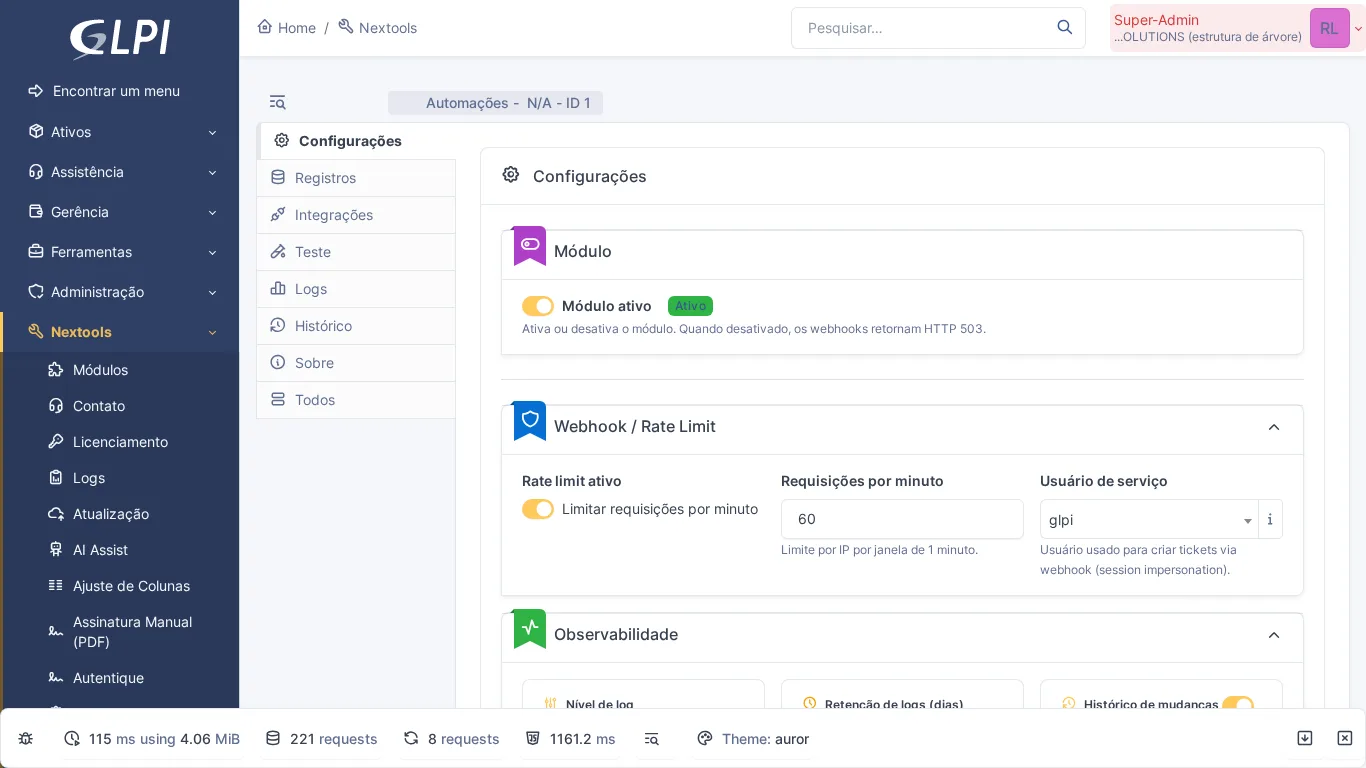
4. Automations
Type: NexTool (On-demand) · View module
Automation engine that lets you configure webhooks, conditional actions and integrations with external systems without writing code. When a ticket changes status, the module can trigger notifications, create records or call third-party APIs.
5. Behaviors
Type: Community (Free) · GitHub
Lightweight plugin that adds simple automations to GLPI: automatic group assignment when opening a ticket, enforcing required fields and ID numbering. A good option for those who need basic rules without complexity.
Inventory and Assets
6. GLPI Inventory
Type: Native (GLPI 10+) · Official site
As of GLPI 10, hardware and software inventory became native. The GLPI Agent collects information from workstations, servers and network devices without the need for an additional plugin. If you are on GLPI 10 or 11, this is the recommended solution.
7. Geolocation
Type: NexTool (Licensed) · View module
Records the location of whoever handles the ticket, captured by the browser when each follow-up, task or solution is submitted, and shows the address with a map link in the ticket. Optionally, it displays on the computer a map with the approximate city, based on the agent inventory. Useful for field service teams.
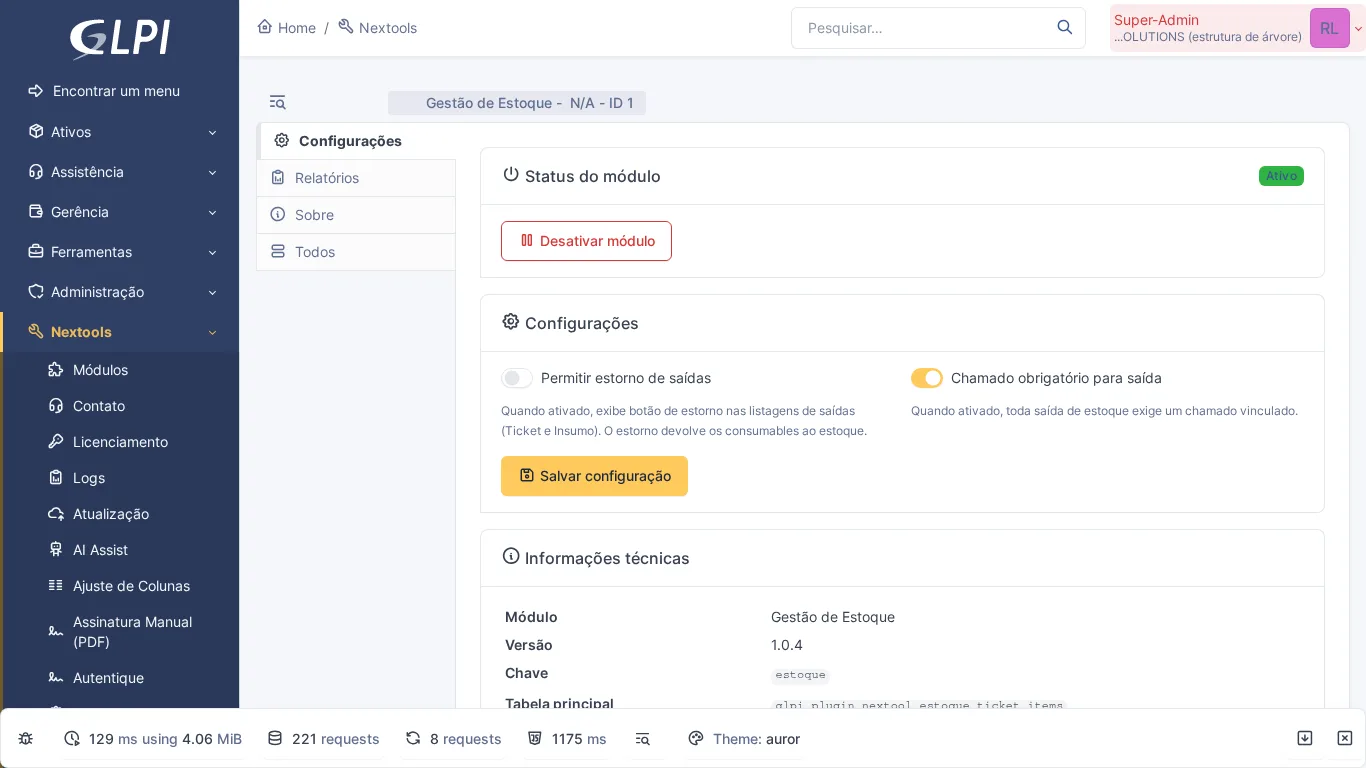
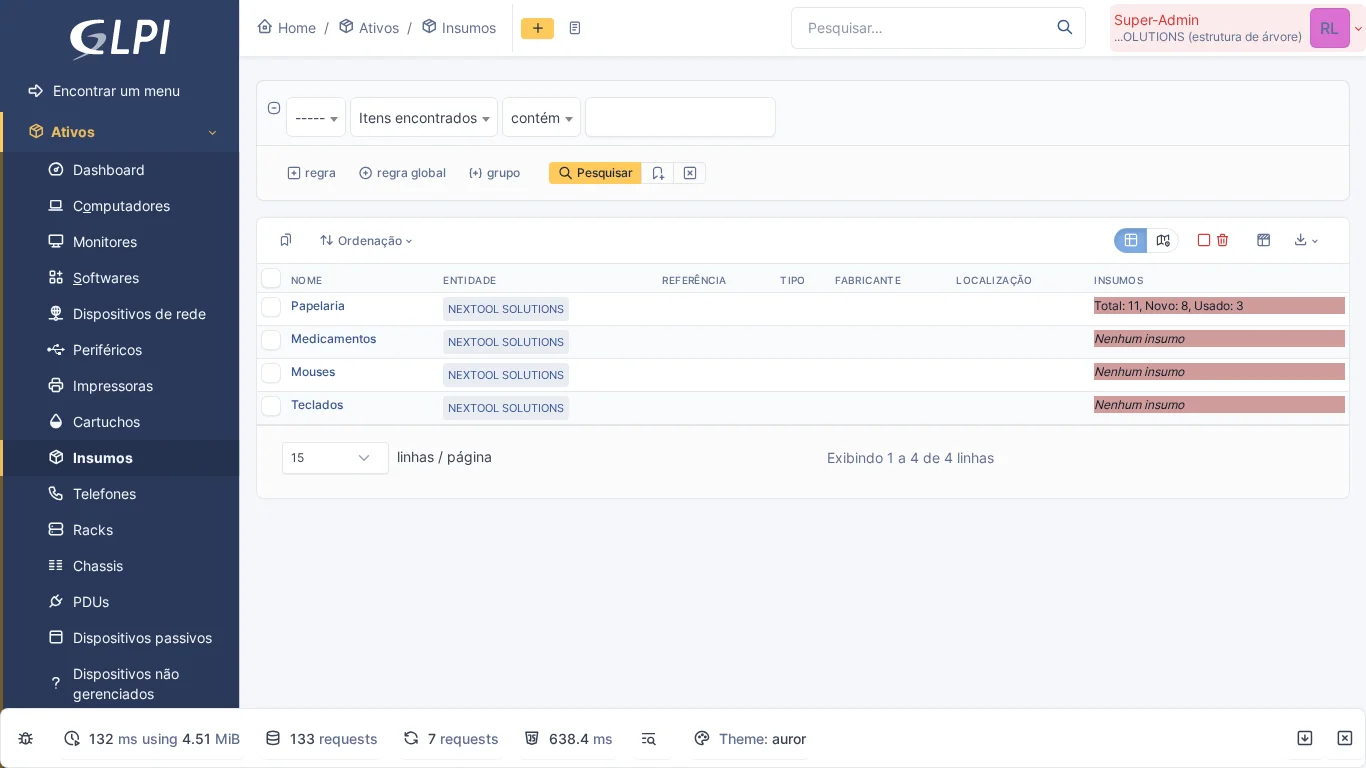
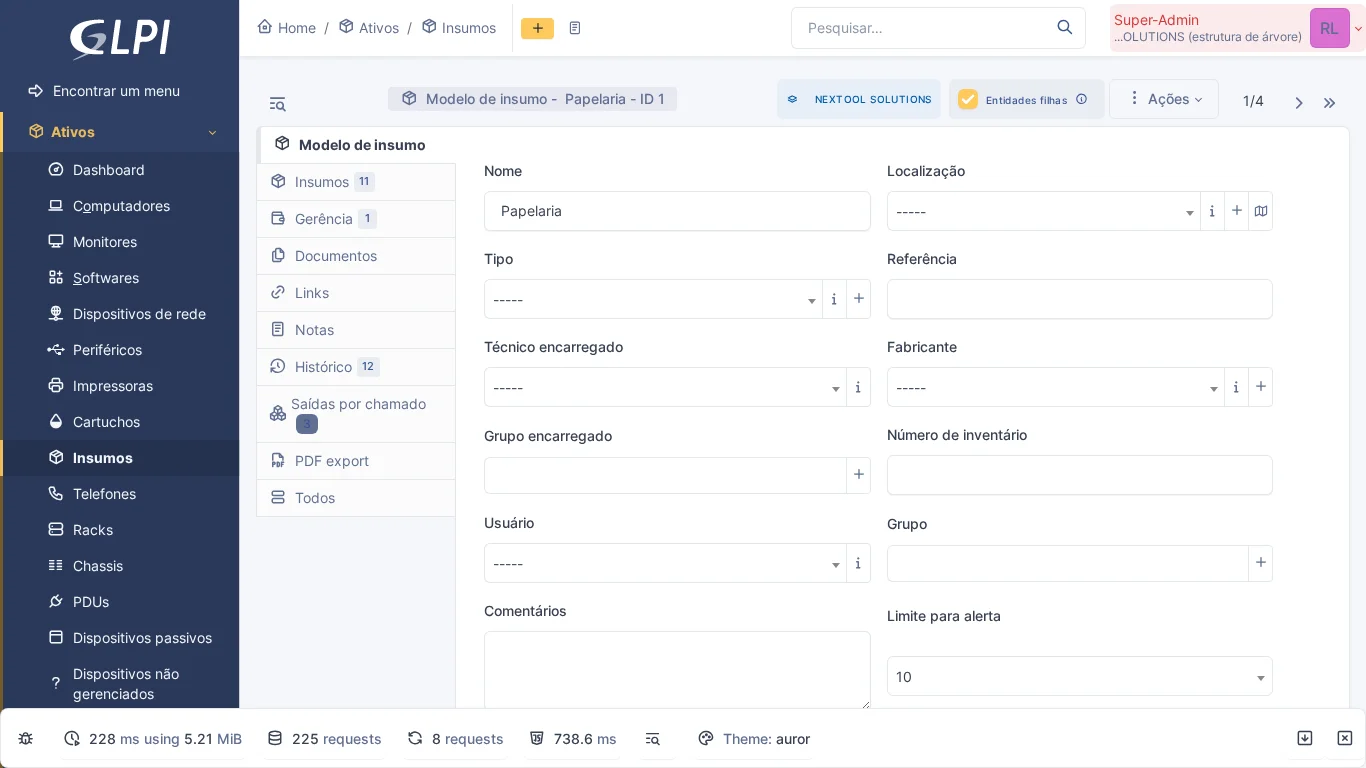
8. Stock Management
Type: NexTool (Licensed) · View module
Stock control integrated into the ticket: links consumables (parts, components, supplies) and cartridges directly to the ticket, debiting GLPI's native stock, with quantity control, reversals and movement history.
9. FusionInventory
Type: Community (Free) · GitHub
The best-known inventory plugin in the GLPI ecosystem, with more than 360 stars on GitHub. Automatic collection of hardware, software, printers, monitors and SNMP devices. Although GLPI 10+ already offers native inventory, FusionInventory remains a reference for GLPI 9.x environments and migrations.
10. OCSInventory NG
Type: Community (Free) · GitHub
Integration with OCS Inventory NG to automatically sync the GLPI CMDB. Lets you import assets inventoried by OCS, keeping GLPI as the central management console.
11. GenericObject
Type: Community (Free) · GitHub
Lets you create new custom inventory object types, integrated into the GLPI framework. Useful for managing items that do not fit the native types.
Note: Compatible with GLPI 9 and 10. In GLPI 11, the custom objects feature was incorporated natively into the core.
Ticket Flow and Approval
12. Escalade
Type: Community (Free) · GitHub
Makes it easier to escalate tickets between support groups. When a technician transfers the ticket to another group, the plugin can automatically remove the previous group and keep the escalation history visible. Simple and efficient for operations with multiple support levels.
13. Ticket Flow
Type: NexTool (Licensed) · View module
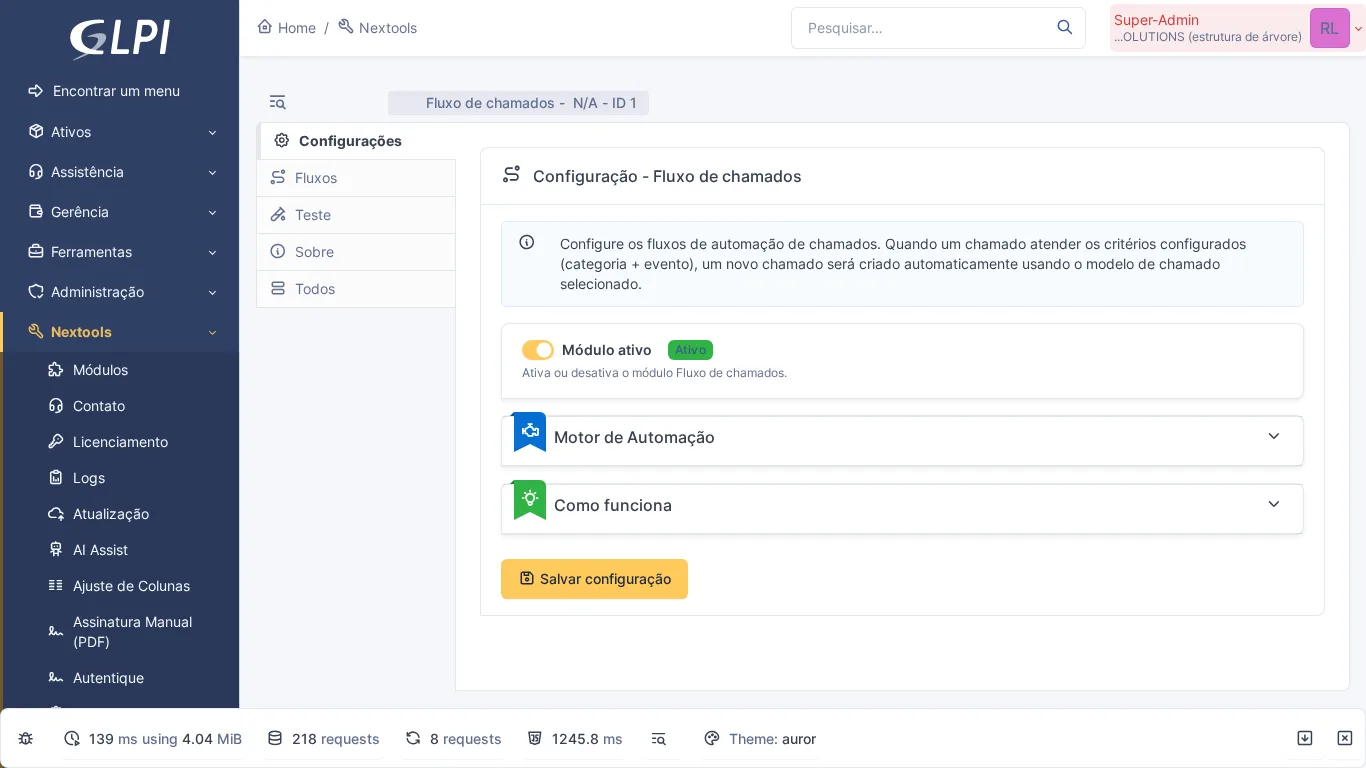
Opens chained tickets from GLPI ticket templates when a ticket in the category is created, solved or closed. The generated ticket is linked to the source ticket from the start, which helps standardize processes where one request always leads to another.
14. Approval Flow
Type: NexTool (Licensed) · View module
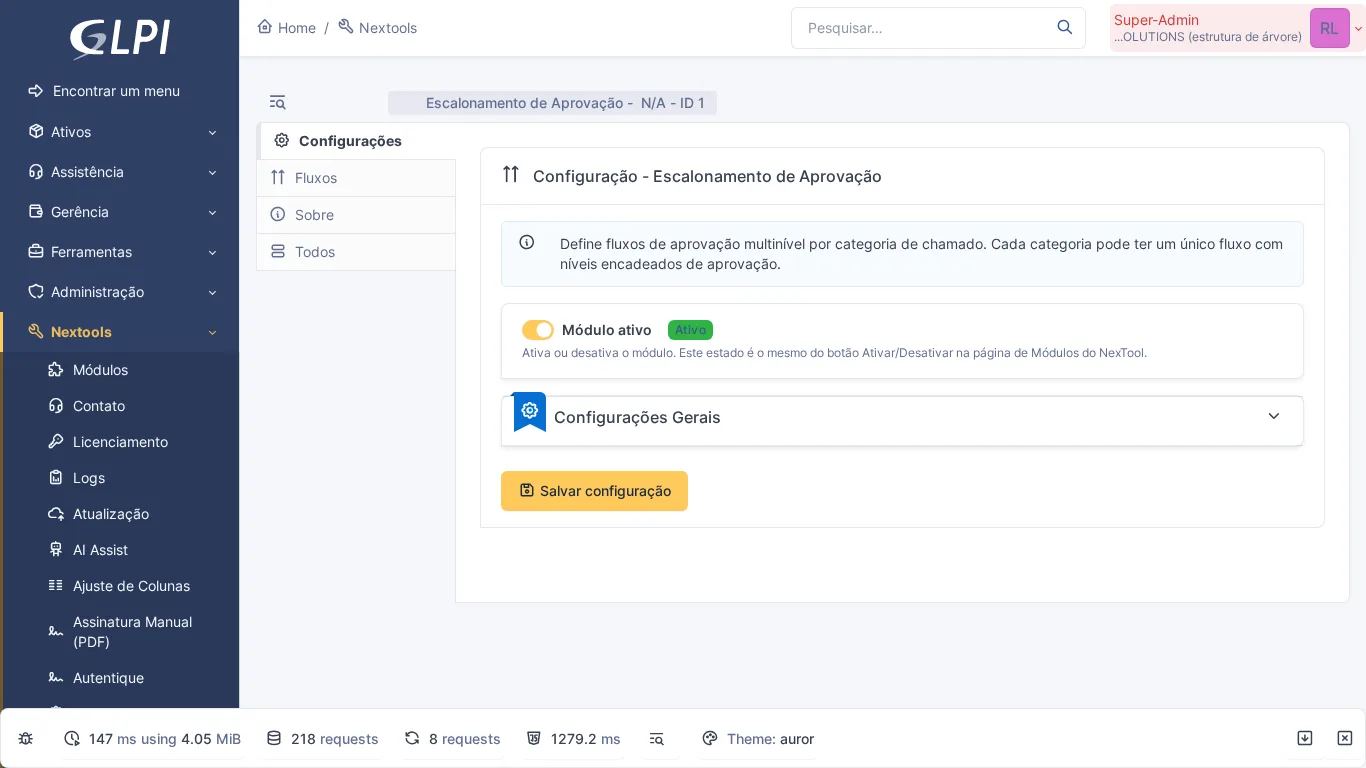
Multi-level approval escalation with conditional routes. Configures chains of approvers by category, entity or request type, with automatic notifications at each step.
15. Problem Flow
Type: NexTool (Licensed) · View module
Extends GLPI problem management with automated flows. Links recurring incidents to problems: when the minimum number of incidents in the same category is reached in the period, it opens the Problem and links the tickets to it, which makes root cause analysis easier.
16. SubTask Flow
Type: NexTool (Licensed) · View module
Creates subtask hierarchies within tickets, letting you break complex requests into smaller steps with their own owners, created automatically according to the solution recorded on the previous task.
17. MetaDemands
Type: Community (Free) · GitHub
Lets you create complex requests that involve multiple areas in a single multi-step form. Each step generates specific tickets for the responsible groups, keeping the original request traceable.
Service Catalog
18. FormCreator
Type: Community (Free) · GitHub
The most popular plugin in the GLPI ecosystem, with more than 180 stars on GitHub. It turns ticket creation into a guided experience: custom forms with conditional fields, approval flows and an accessible service catalog. Indispensable for teams that serve non-technical users.
Note: Compatible with GLPI 9 and 10. In GLPI 11, customizable forms were incorporated natively into the core, with an integrated visual interface.
Communication and Notifications
19. WhatsApp Bot
Type: NexTool (Free) · View module
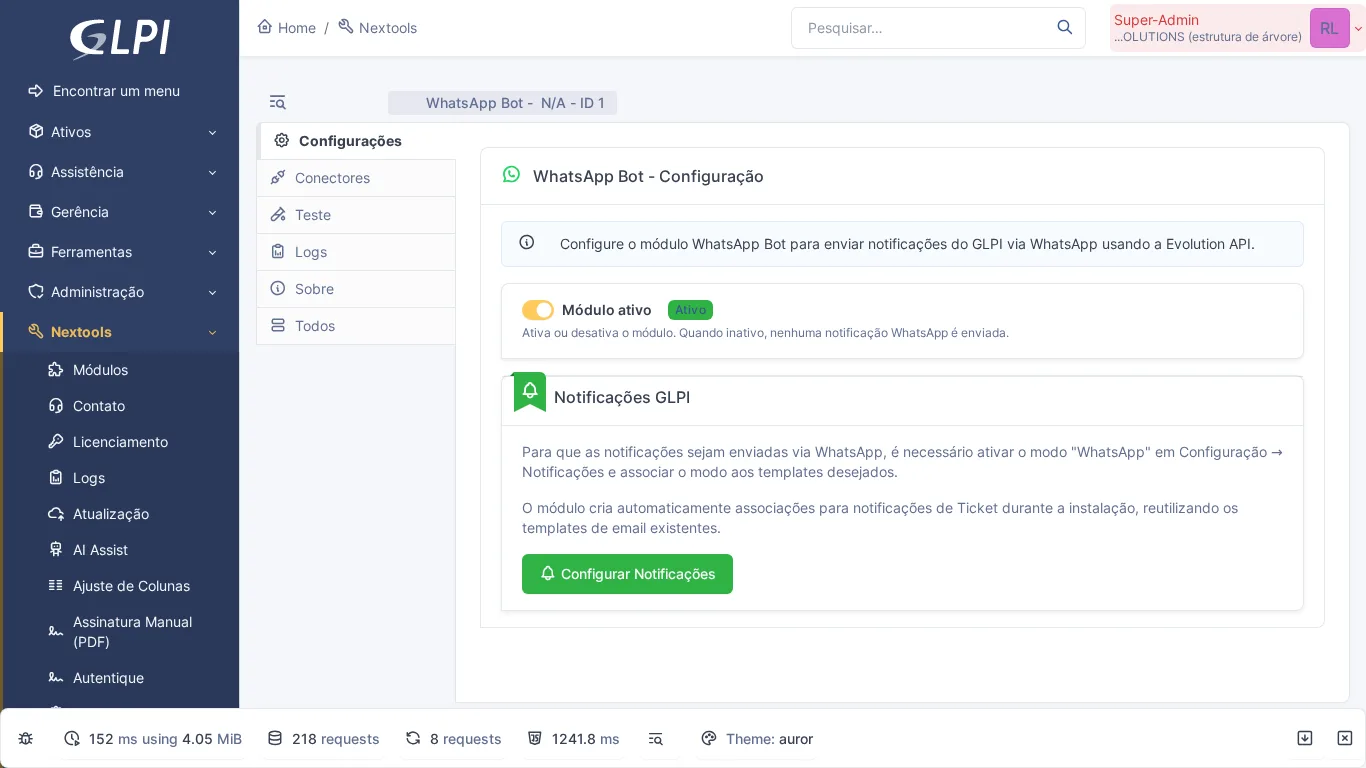
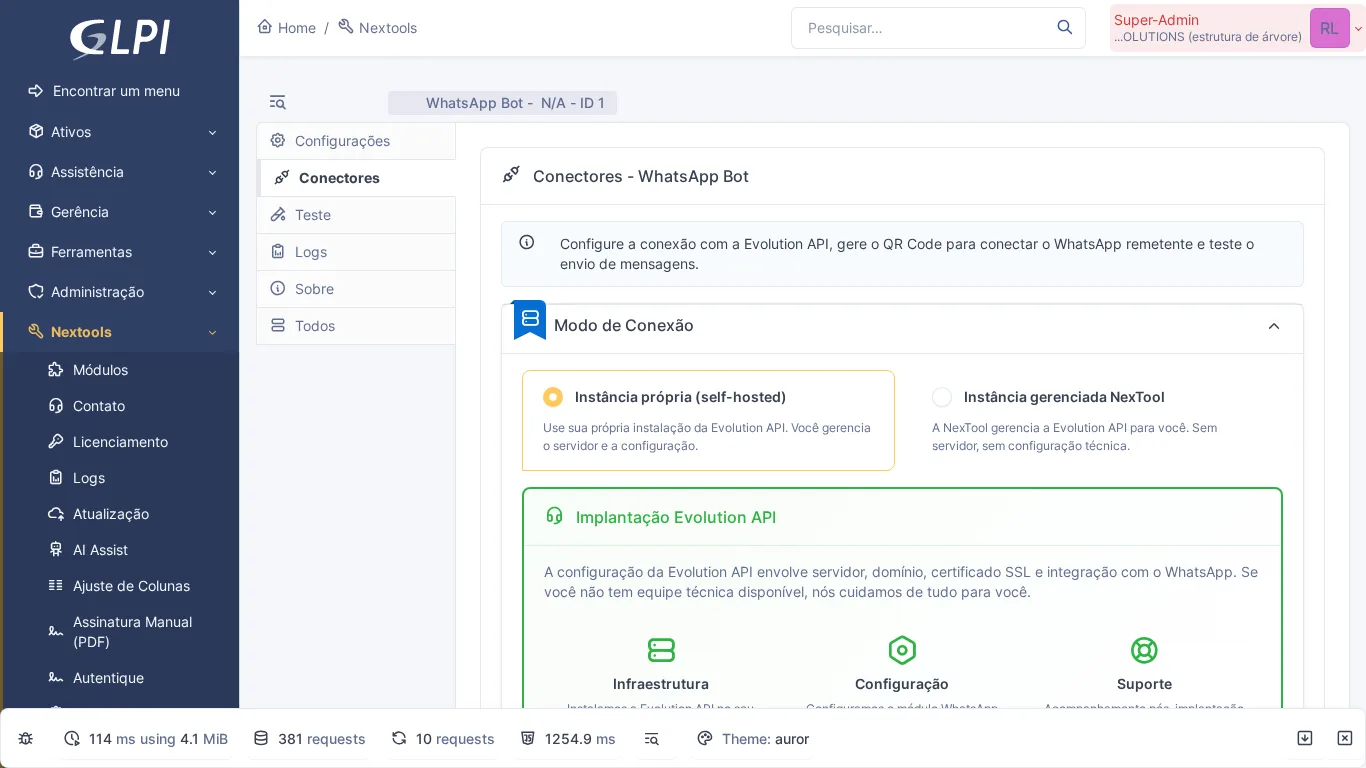
Sends ticket notifications through WhatsApp, including approval requests. The approver receives a direct link to the approval and answers it in GLPI itself. For teams whose main communication channel is WhatsApp, this module removes the barrier between GLPI and daily work.
20. Telegram Bot
Type: NexTool (Free) · View module
The same concept as the WhatsApp Bot, adapted for Telegram. Instant notifications through your company's own bot, including approval requests, which the approver answers in GLPI through the link received. Each user links their own Telegram with a code generated in their GLPI profile.
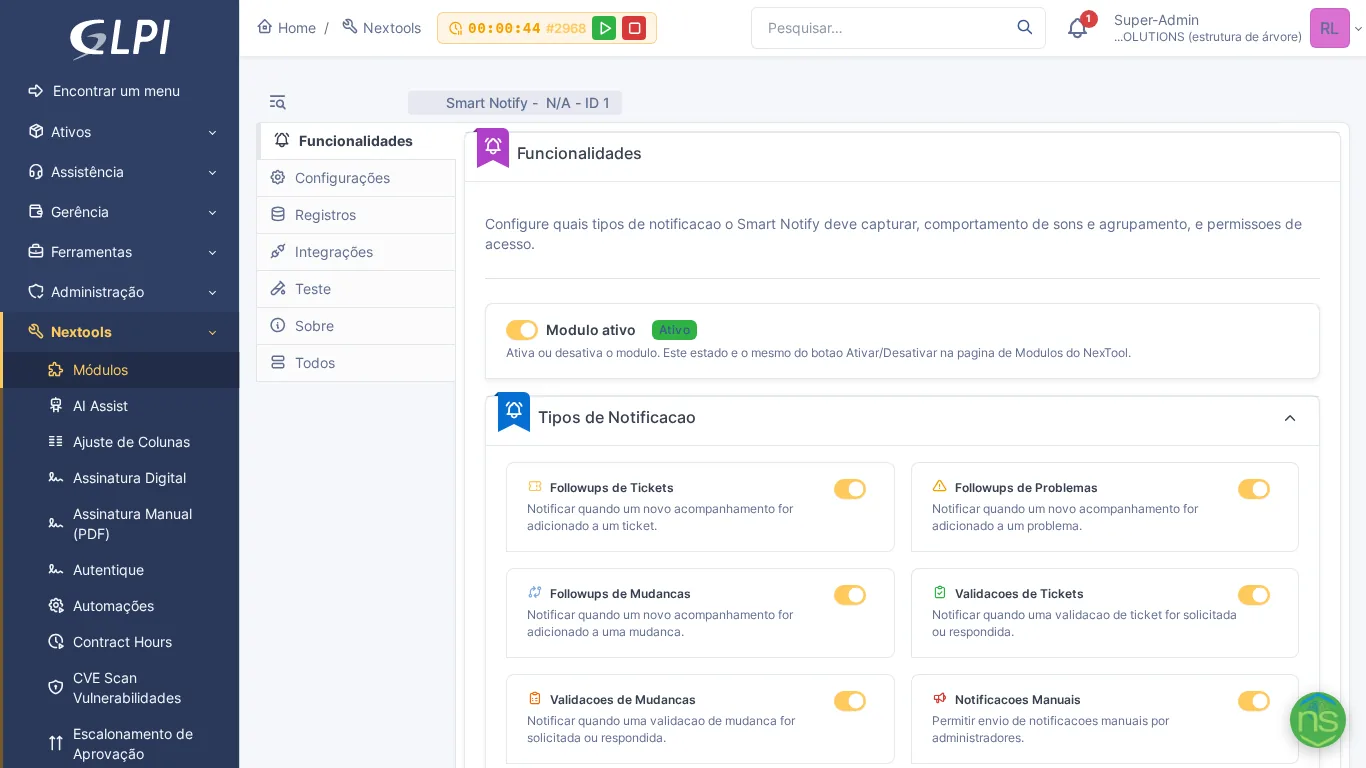
21. Smart Notify
Type: NexTool (Free) · View module
Real-time notifications in a bell inside GLPI, which only announces what each person can open. Each user receives only what is relevant to their role and chooses which notice types to receive.
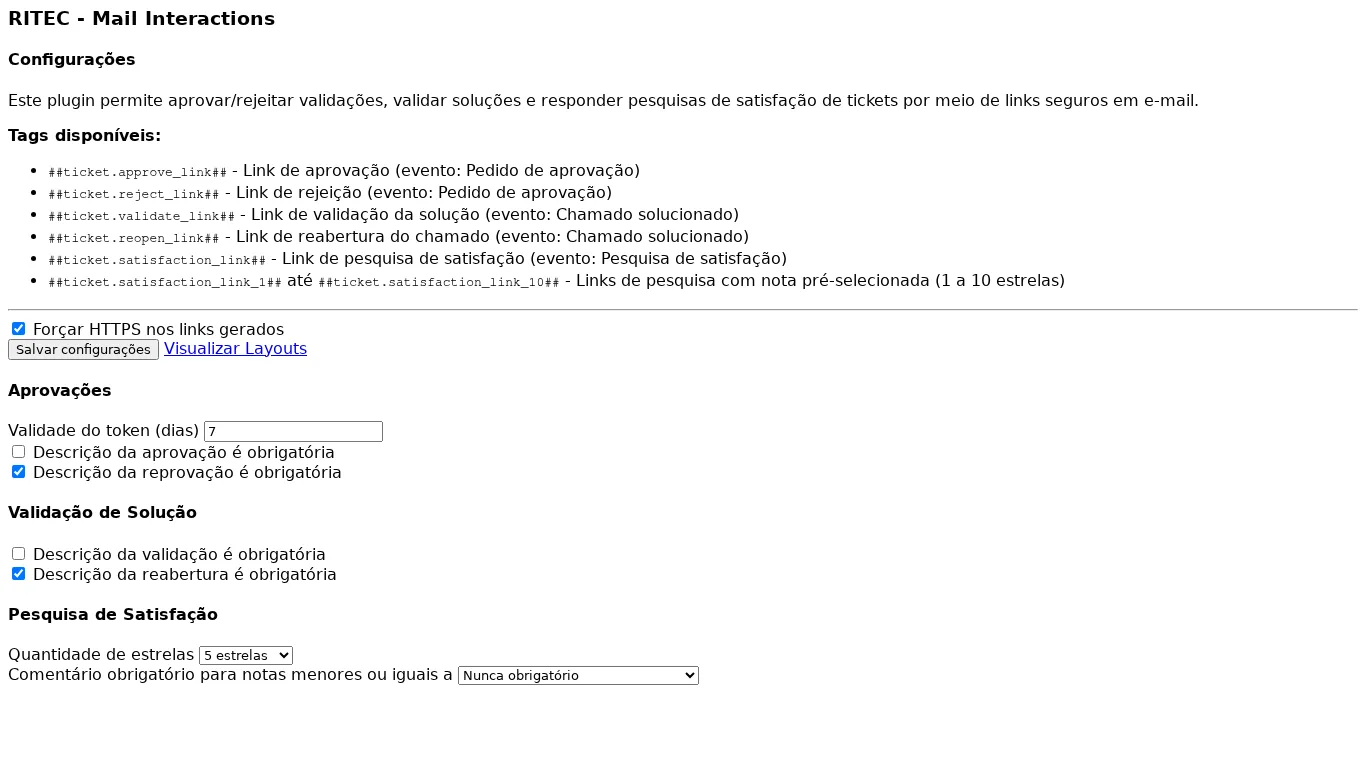
22. Mail Interactions
Type: NexTool (Licensed) · View module
Lets people act on the ticket from the email itself, without logging in: approve or reject validations, accept the solution or reopen the ticket and answer the satisfaction survey, through secure links. Ideal for teams where the communication flow still goes mostly through email.
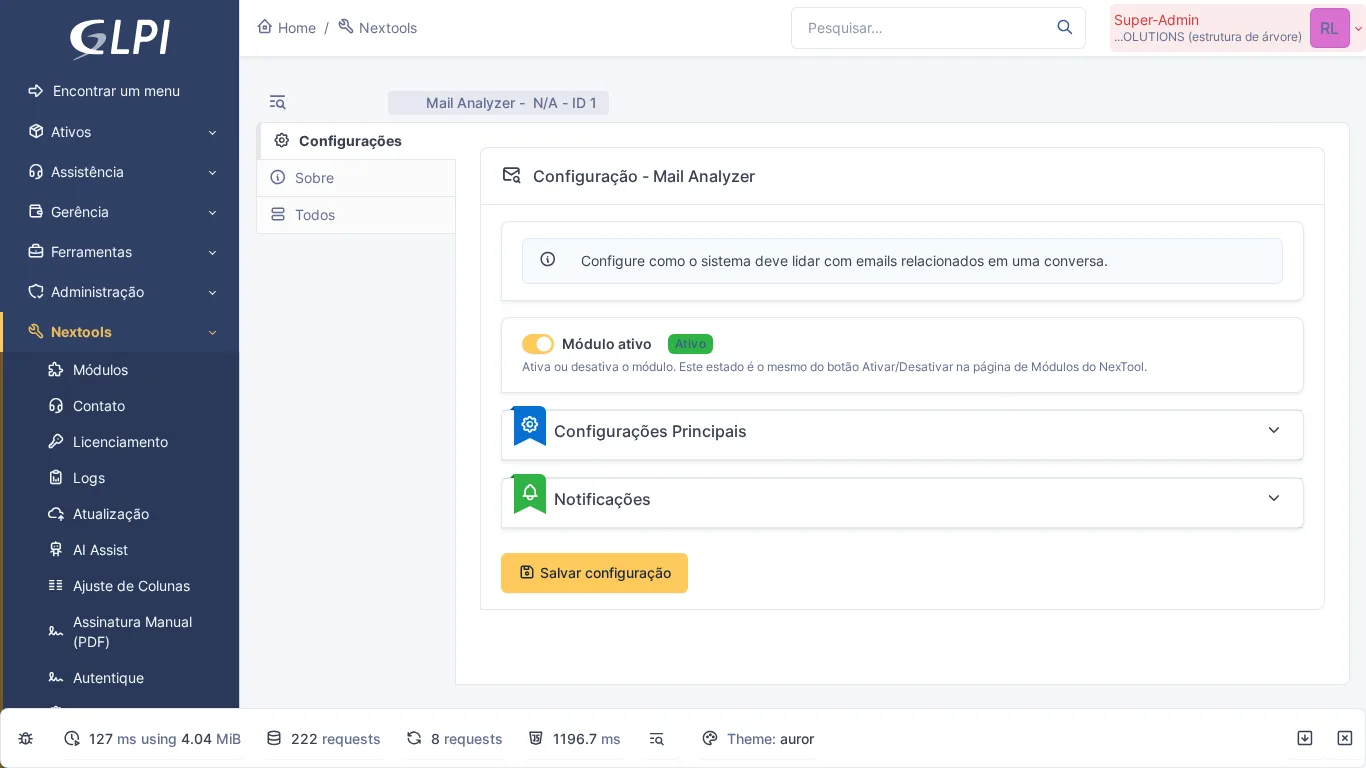
23. Mail Analyzer
Type: NexTool (Free) · View module
Automatically analyzes and routes emails received by GLPI, identifying duplicates, blocking unnecessary CC chains and deciding whether an email should generate a new ticket or a follow-up on an existing one.
Documents and Reports
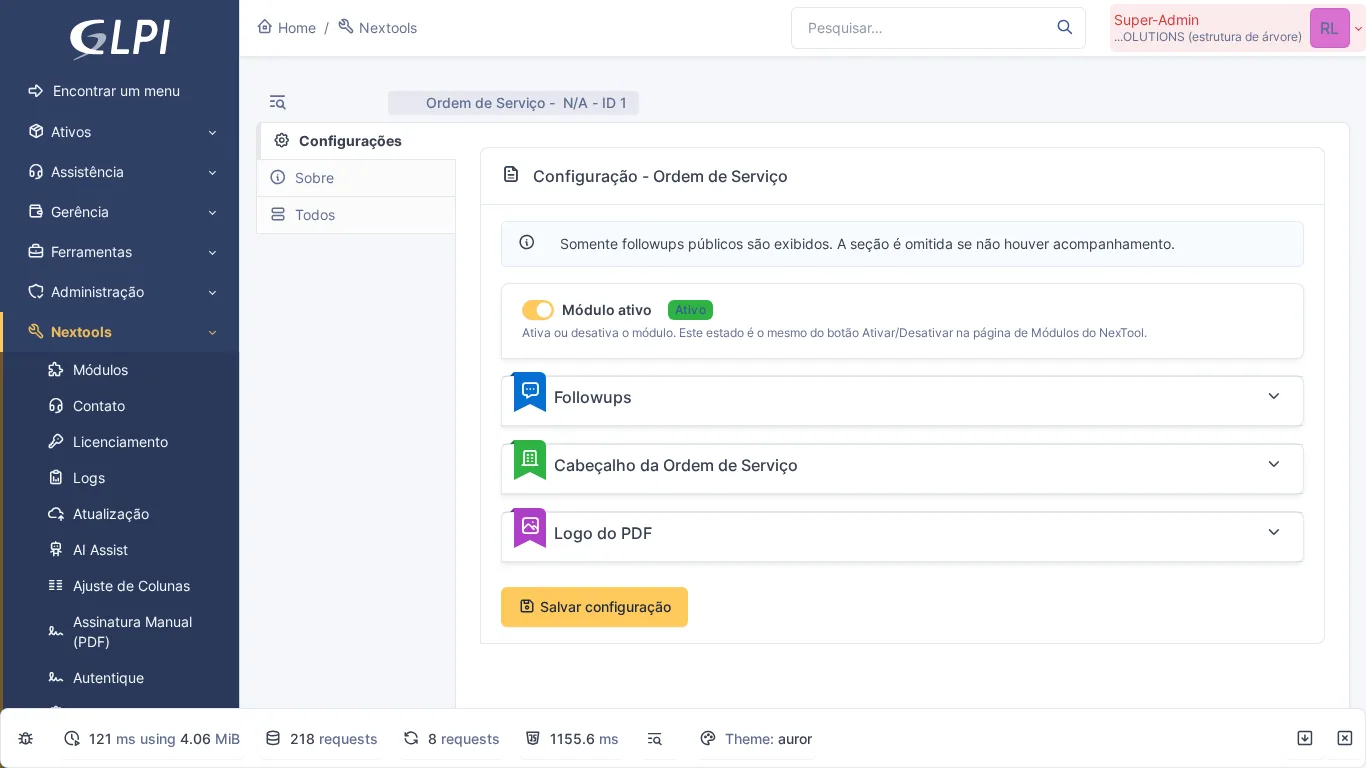
24. Order Service
Type: NexTool (Licensed) · View module
Generates professional service orders in PDF from tickets, with configurable title, logo and company details, requester data, service description and requester and technician signatures captured on screen. For companies that need formal documentation of each service call.
25. Digital Signature
Type: NexTool (Licensed) · View module
Successor to the former Autentique module, it brings electronic signatures into GLPI with four providers: DocuSeal, Autentique, DocuSign and TOTVS Assinatura Eletrônica. The document can come from the ticket, a contract, an asset or another item, and the status of each signer is updated in GLPI.
26. Manual signature in Order Service
Type: NexTool (Licensed) · View module
The former Signature Pad module is now part of Order Service: manual signature capture (touch or mouse) is built in, directly on the GLPI ticket. The requester and the technician sign on screen and the signed service order is attached to the ticket, eliminating the need for paper.
27. PDF
Type: Community (Free) · GitHub
Simple plugin that lets you export any GLPI item to PDF, selecting which tabs to include in the document. Useful for generating quick reports of tickets, assets or contracts.
28. DataInjection
Type: Community (Free) · GitHub
Lets you bulk import data into GLPI from CSV files. Essential during initial implementations or migrations, when you need to populate the CMDB with hundreds of assets at once.
29. Reports
Type: Community (Free) · GitHub
Adds pre-formatted reports that do not exist in native GLPI: tickets by category, by technician, by period, assets by location and more. A quick alternative for those who do not want to set up external BI.
30. MReporting
Type: Community (Free) · GitHub
Takes GLPI reports to another level with interactive charts: bar, line, pie and area. Generates visual dashboards directly in GLPI, without depending on external tools like Metabase or Grafana.
31. Metabase Integration
Type: Community (Free) · GitHub
For those who already use Metabase, this plugin embeds dashboards directly into GLPI pages, syncing the data model and enumerations automatically.
Time and Contracts
32. Contract Hours
Type: NexTool (Licensed) · View module
Timer integrated into the ticket with billing by contract. The technician starts, pauses and ends the count with one click. The module automatically calculates the hours consumed per contract and generates consumption reports by period.
33. ActualTime
Type: Community (Free) · GitHub
Time tracking plugin developed by TICGAL. Adds start/pause/stop buttons to tasks, recording the actual time spent — not the estimated one. Ideal for teams that need precise effort metrics.
34. TimelineTicket
Type: Community (Free) · GitHub
Displays a visual timeline of the ticket lifecycle: when it was opened, assigned, escalated, resolved and closed. Makes it easier to analyze bottlenecks in the support flow.
Security and Access Control
35. Access Matrix RBAC
Type: NexTool (Licensed) · View module
Visual matrix of CRUD permissions for the company's external systems, by role, group and user, kept inside GLPI. It shows who accesses what and generates effective access reports for audits. Essential for environments with multiple profiles and compliance requirements.
36. CVE Scan
Type: NexTool (Free) · View module
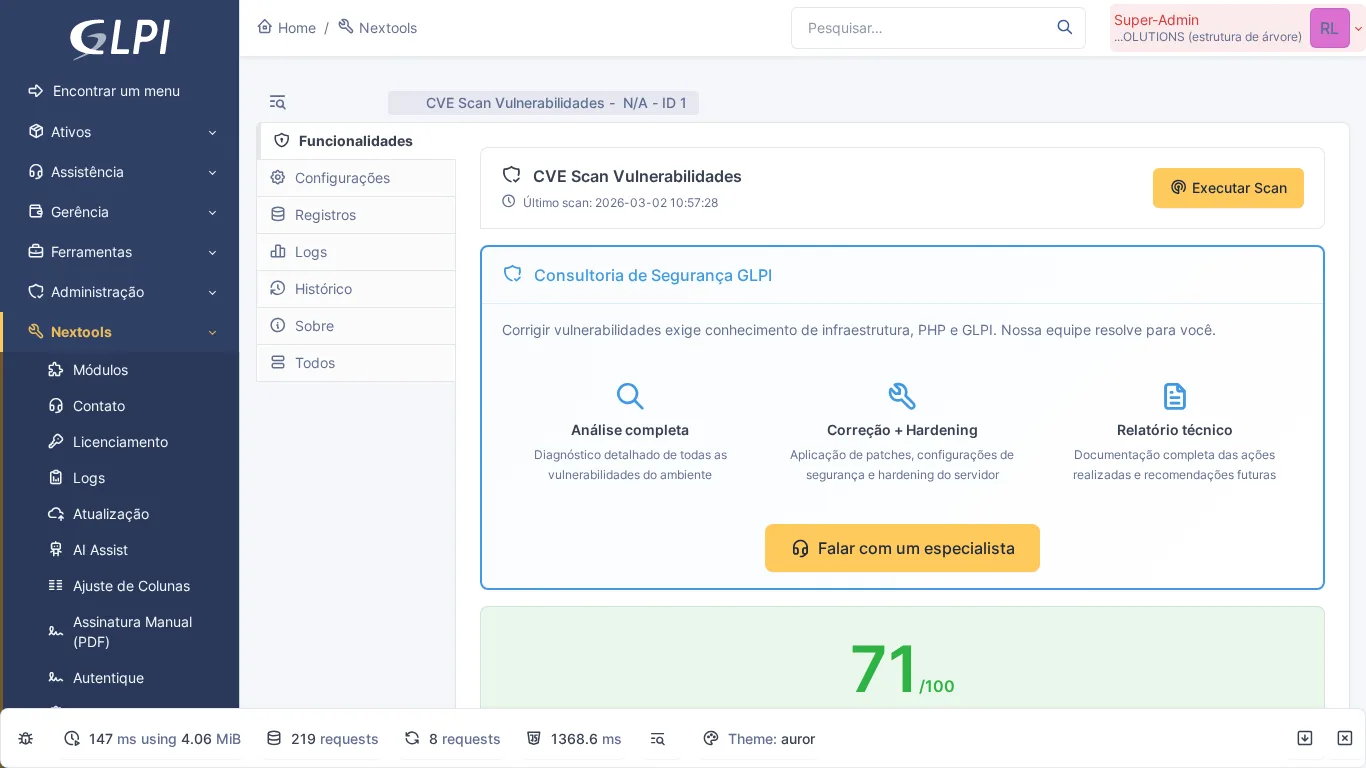
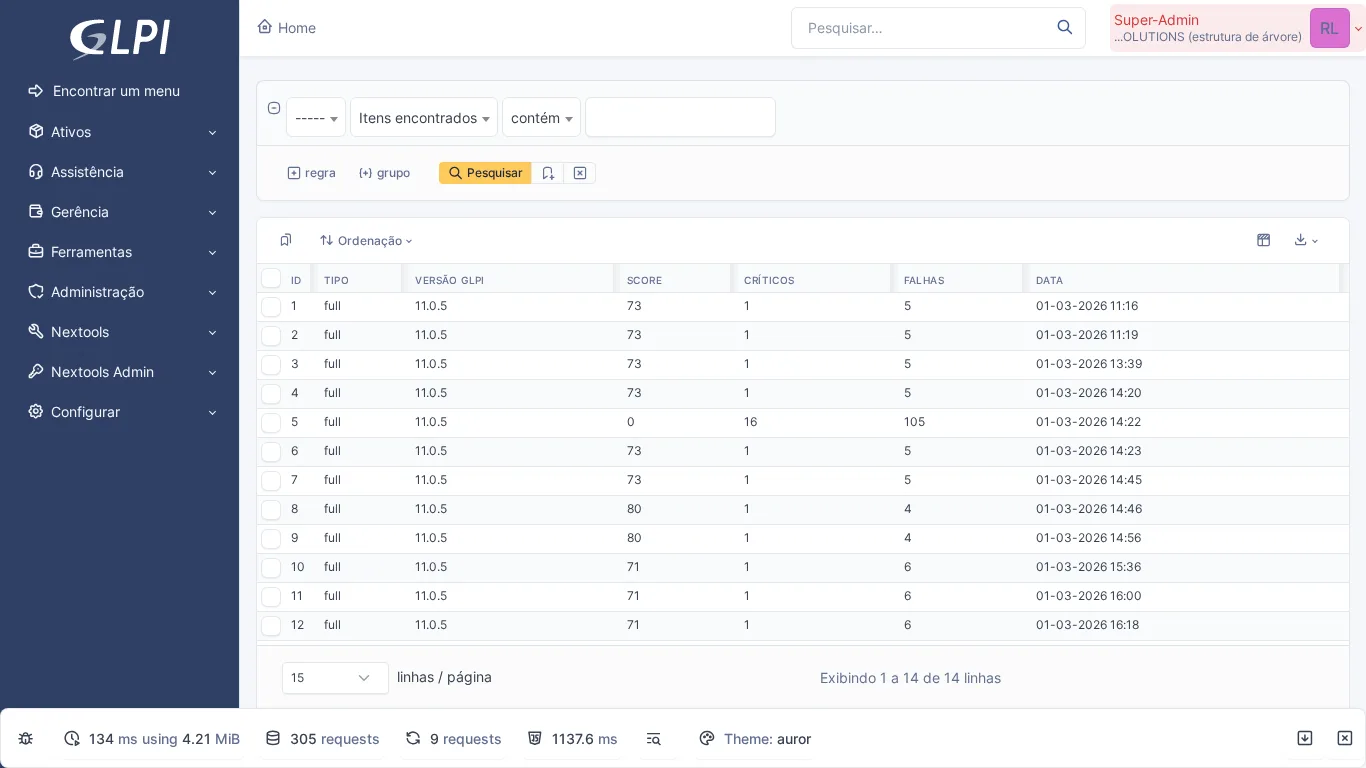
Checks whether the installed GLPI version has known vulnerabilities (CVEs), cross-referencing it with the GLPI project's advisories on GitHub and with the NVD, and reviews the server configuration with 19 checks. The result becomes a security score from 0 to 100, with the version that fixes each flaw.
37. Accounts
Type: Community (Free) · GitHub
Manages accounts and access credentials for third-party systems directly in GLPI. Lets you record users, passwords and access URLs linked to assets or entities, with permission control over who can view each credential.
38. MFA
Type: Community (TICGAL) · TICGAL
Adds multi-factor authentication to GLPI. Supports TOTP apps (Google Authenticator, Authy) as a second factor, protecting administrative accounts against unauthorized access.
39. GLPI SAML
Type: Community (Free) · GitHub
Single Sign-On via the SAML protocol with support for multiple Identity Providers (Azure AD, Okta, Keycloak). Creates users automatically on first login and applies Just-in-Time rules to assign profiles, groups and entities.
40. Passwords
Type: Community (TICGAL) · TICGAL
Password manager integrated into GLPI. Stores credentials in encrypted form, with access control by profile and a history of changes. A practical alternative for teams that still use spreadsheets to store passwords.
Organization and User Experience
41. Fields
Type: Community (Free) · GitHub
The second most popular plugin in the ecosystem (110 stars on GitHub). Lets you add custom fields to any type of GLPI item — tickets, assets, users, contracts. Indispensable for tailoring GLPI to your organization's specific processes.
42. Tag
Type: Community (Free) · GitHub
Creates colored labels that can be linked to any GLPI item. Allows cross-cutting categorizations — for example, marking tickets as “VIP”, “Business-Urgent” or “Auditable” — with native filters for search.
43. Branding
Type: NexTool (Free) · View module
Customizes the GLPI appearance with your company's visual identity: logo, colors, browser title and footer. Turns generic GLPI into a tool that looks like your organization.
44. Column Resize
Type: NexTool (Free) · View module
Lets you resize columns in GLPI listings by dragging the border. Preferences saved per user. A small UX improvement that makes a difference in the daily work of those who deal with dense listings.
45. Essentials (formerly GLPI Bug Fixes)
Type: NexTool (Free) · View module
Centralizes visual and behavioral fixes for known GLPI bugs, without editing the source code. Each fix can be enabled or disabled individually. Among the adjustments, it makes the Approval status pause the SLA like Pending does and removes the visual clutter of category codes in dropdowns.
46. Rule Inspector
Type: NexTool (Free) · View module
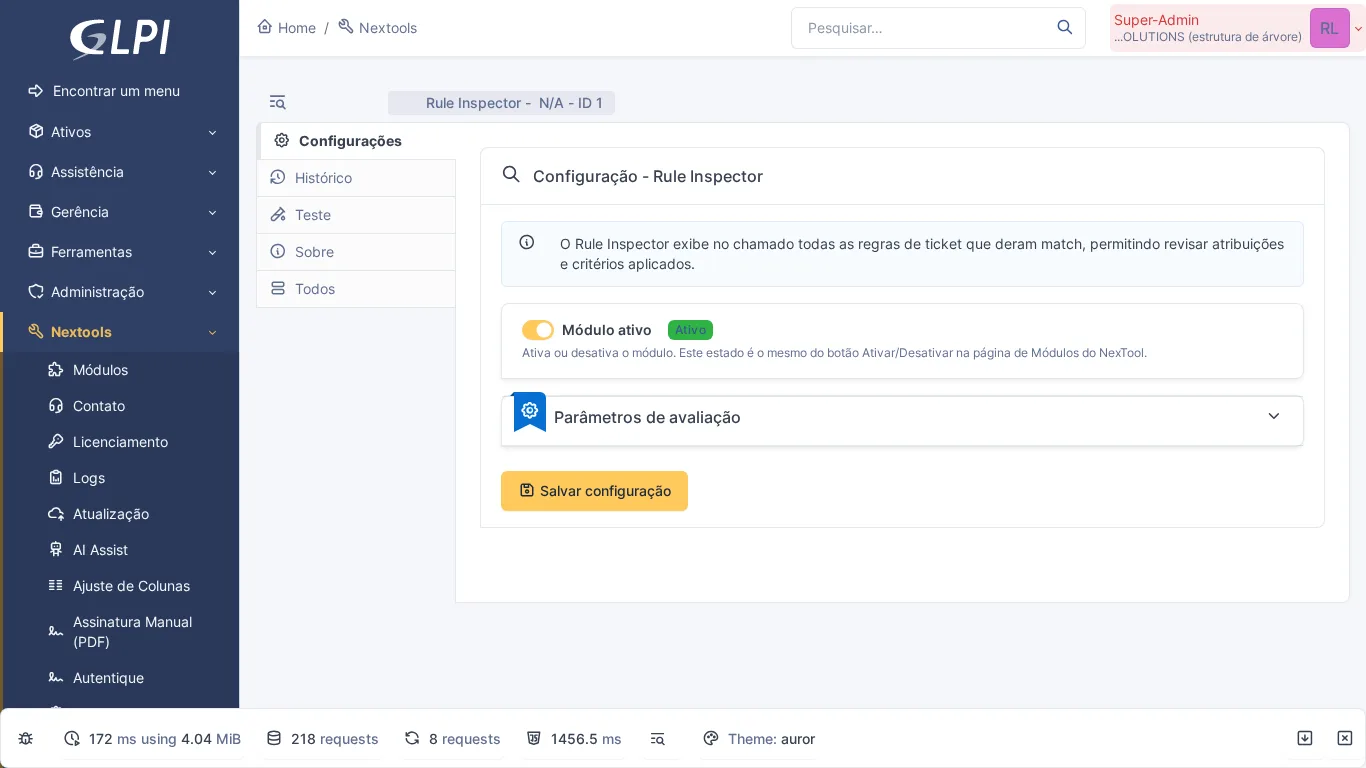
Debugs GLPI business rules with full transparency. Displays a detailed log of each evaluation: which criteria were tested, which passed and which failed. An essential tool for administrators who configure complex rules.
47. Ticket Tracker
Type: NexTool (Free) · View module
Automatically tracks who viewed each ticket, how many times and when. A dedicated tab on the ticket displays the full access history — useful for auditing and for knowing whether the owner has already seen the ticket.
48. Pending Survey
Type: NexTool (Licensed) · View module
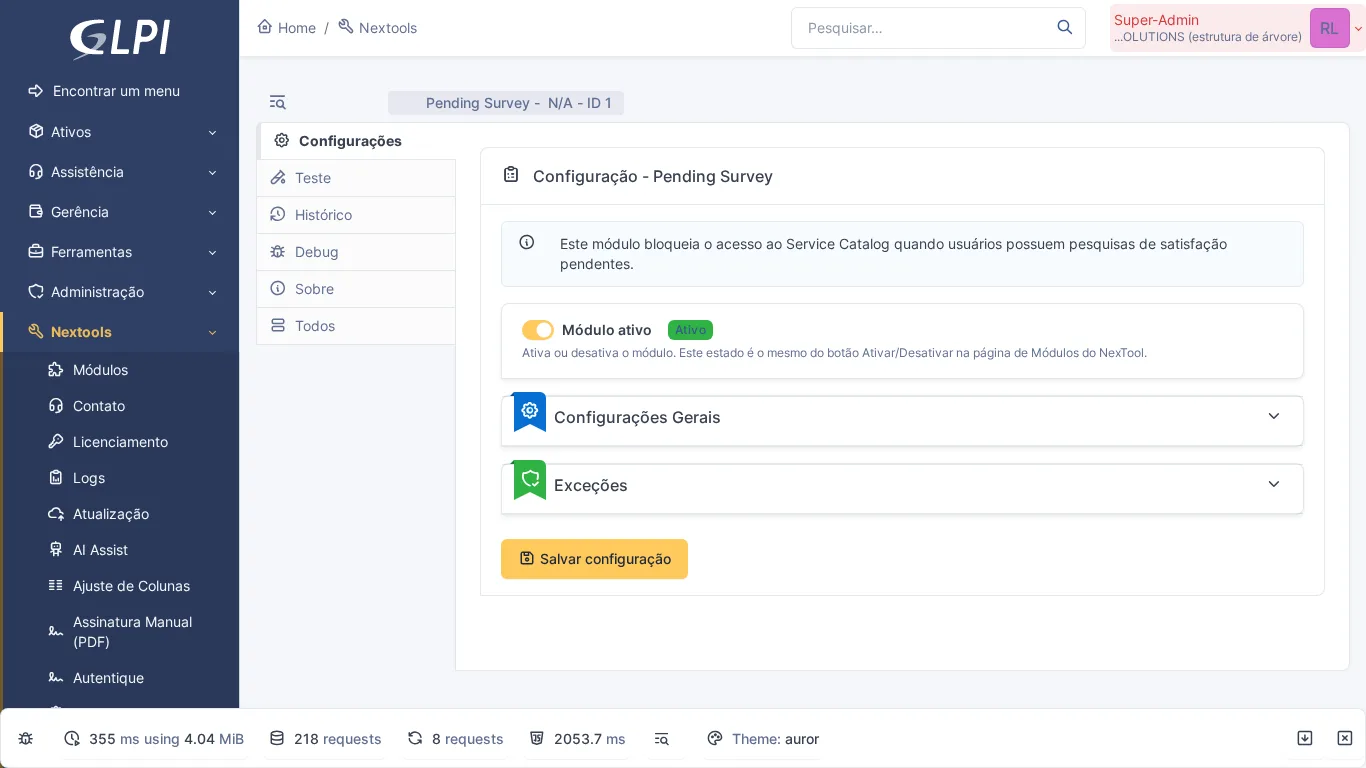
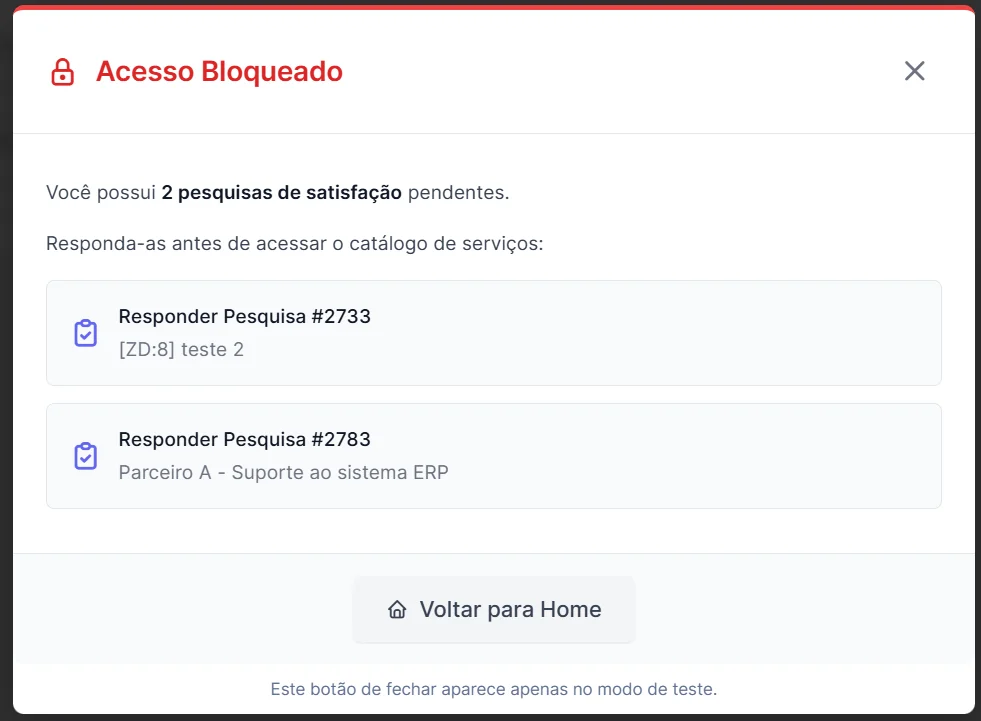
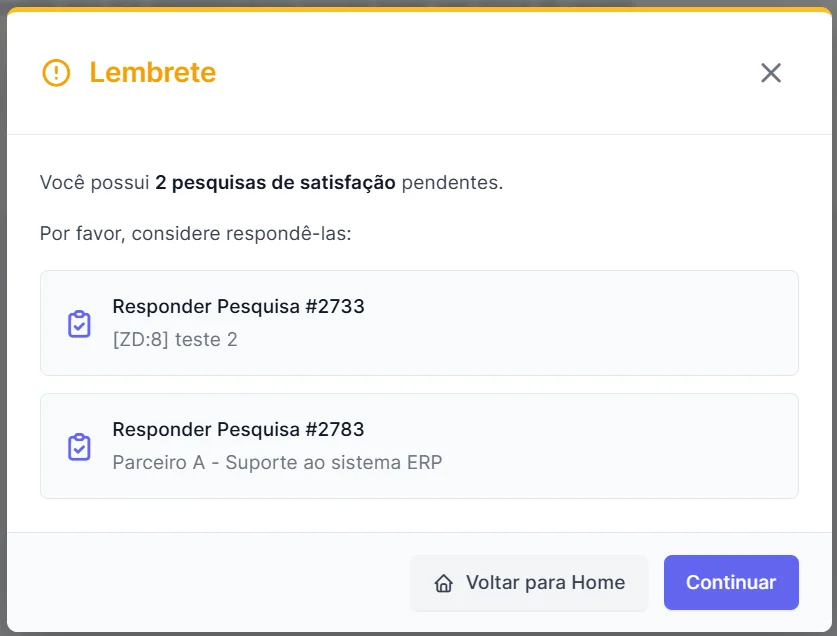
Manages pending satisfaction surveys, showing reminders and making it easier to track which tickets are still awaiting user evaluation. Increases the survey response rate in a non-intrusive way.
Project Management
49. Gantt
Type: Community (Free) · GitHub
Adds Gantt chart visualization for GLPI projects. Lets you track tasks, dependencies and deadlines visually, making it easier to plan IT projects and migrations.
50. Agile PM
Type: Community (TICGAL) · TICGAL
Agile project management integrated into GLPI, with a Kanban board, sprints and backlog. Ideal for IT teams that adopt agile methodologies and want to consolidate project and ticket management in the same tool.
Next step
You do not need to implement them all at once. Start with the ones that solve the most urgent pains of your operation and expand as the environment matures.
If you are looking for a centralized approach, NexTool is the fastest path: a single base plugin gives access to more than 25 modules, with no dependency conflicts or compatibility problems between third-party plugins. Talk to the team for a demonstration.
Reviewed by the NexTool Solutions team. The plugins listed were verified for availability and compatibility in May 2026.



