


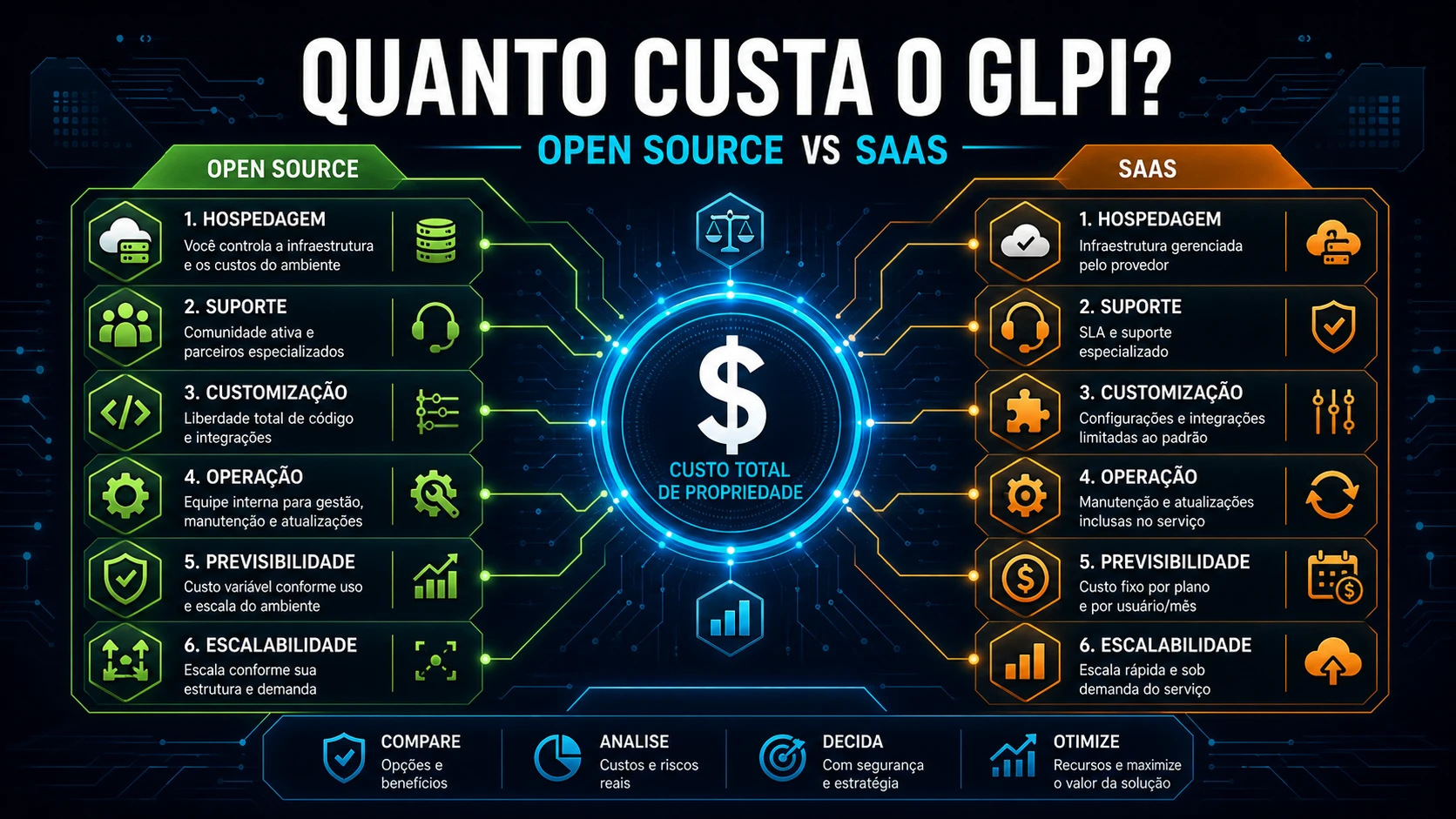
Open source GLPI has no monthly fee, but "no license" is a long way from "no cost". Comparing only the sticker price of self-hosted GLPI against a ServiceNow gets the math wrong in both directions: it underestimates what self-hosted consumes in operations and overestimates what SaaS delivers out of the box. This comparison lines up the four models we deploy most - self-hosted GLPI, GLPI Cloud, ServiceNow and Jira Service Management - along the axis that really drives TCO: the billing unit and the operational work.
The four models, one sentence each
- Self-hosted GLPI (open source): free software, no user limit; you pay for infrastructure and labor.
- GLPI Cloud (Teclib): the same GLPI, hosted and maintained by Teclib, on a per-technician subscription.
- ServiceNow: an enterprise ITSM platform, per-agent license by quote, aimed at large-scale automation and governance.
- Jira Service Management: Atlassian's ITSM, per-agent subscription in plans, strong for those already living in the Jira/Confluence ecosystem.
All three paid models charge per agent or technician: cost grows roughly linearly with the size of the support team. Self-hosted flips the logic - the software is fixed at zero and the cost comes from operations. It is this difference in nature, not the price of a single month, that decides which is cheaper over a three-year horizon.
Head-to-head comparison
| Criterion | Self-hosted GLPI | GLPI Cloud | ServiceNow | Jira SM |
|---|---|---|---|---|
| License model | Open source (free) | Per-technician subscription | Enterprise license, by quote | Per-agent subscription (plans) |
| Where it runs | Your infrastructure | Teclib cloud | Vendor cloud | Atlassian cloud |
| Who operates it (infra, backup, updates) | You | Teclib | Vendor | Atlassian |
| Billing unit | None (just infra + hours) | Per technician | Per agent | Per agent |
| Requesters (self-service) | Unlimited and free | Unlimited | Per contract | Per plan |
| Native inventory / CMDB | Yes, strong | Yes | Yes, robust | Limited (add-on) |
| Customization / plugins | Full (open source + marketplace) | High (same plugins, infra limits) | High, via platform (complex and costly) | Medium (Atlassian apps) |
| Deployment curve | Medium to high | Medium | High | Medium |
| Data lock-in | Low (the database is yours) | Medium | High | High |
| Sovereignty / on-premises | Full | Managed cloud | Vendor cloud | Atlassian cloud |
| Version upgrades | Your responsibility | Included | Included | Included |
| Cost scaling with the team | Practically flat | Linear per technician | Linear (high tier) | Linear per agent |
| Relative cost (vs self-hosted) | Baseline | Above | The highest | Intermediate |
How many "agents" you actually pay for
Here is the trap that only shows up at invoice time: in per-agent models, what costs money is the user with the technical (central) interface, not the requester who only opens tickets through self-service. Requesters are usually unlimited and free in all three. In other words, the number that defines your bill is not "how many people use GLPI" but "how many have a technician profile".
On self-hosted that number is invisible - nobody charges for it, so organizations hand out the central profile generously: the coordinator who just wants to see a dashboard, the manager who "occasionally needs to check the queue", the intern who closed two tickets last year. When migrating to any per-agent SaaS, each of those becomes a line on the invoice. Before requesting a quote, run this query on your GLPI database to learn the real number:
-- How many "agents" would you pay for in a per-agent SaaS?
-- Billable agent = user with a central (technical) interface profile,
-- not the self-service (helpdesk) user, which is usually unlimited.
SELECT COUNT(DISTINCT pu.users_id) AS billable_agents
FROM glpi_profiles_users pu
JOIN glpi_profiles p ON p.id = pu.profiles_id
JOIN glpi_users     u ON u.id = pu.users_id
WHERE p.interface = 'central'   -- technical interface (excludes helpdesk)
  AND u.is_active  = 1
  AND u.is_deleted = 0;
We have seen that number come back 40% above what the client estimated "off the top of their head". Before comparing prices with SaaS, do the cleanup: downgrade to self-service anyone who does not actually handle tickets. That reduces the future bill and, as a bonus, cleans up the productivity reports inside GLPI itself.
The hidden cost that never makes the spreadsheet
In sustaining GLPI estates for clients, the item that blows up self-hosted TCO the most appears in no table: the upgrade debt. The client stands GLPI up, it works, and nobody touches it for two years. When they finally need a new feature or a compatible plugin, they discover that jumping from a 9.5 to an 11 is not "click to update" - it is schema migration, reviewing plugins that broke, and testing in staging. What was 2h/month of maintenance became a project. The common mistake is budgeting self-hosted only by the VPS and treating upgrades as a rare event; they are recurring and require a window, a tested backup, and a staging environment.
And there is the other cost nobody accounts for: the backup that exists but has never been restored. On self-hosted, DR is entirely your responsibility - and a dump nobody tested is a backup you do not have. The minimum viable is a daily dump of the database and files, with periodic verification:
# /etc/cron.d/glpi-backup - daily dump of the database + GLPI files.
# On self-hosted, backup and DR are 100% yours; a dump never restored does not count.
30 2 * * *  root  mysqldump --single-transaction glpi | gzip > /backup/glpi-$(date +\%F).sql.gz
45 2 * * *  root  tar czf /backup/glpi-files-$(date +\%F).tar.gz /var/www/glpi/files
# Keep a copy OFF the host and test the restore at least once a quarter.
On GLPI Cloud, ServiceNow and Jira SM, upgrades, backup and availability are baked into the subscription price - that is exactly what you buy when you pay per agent. The right question is not "which is cheaper" but "does this operational work sit with my team or is it outsourced in the monthly fee?".
Verdict by scenario
- Use self-hosted GLPI when you have (or hire) someone to operate Linux, the database and backups, you value data sovereignty, and you want a predictable cost ceiling even if you double the agent team. It is unbeatable on cost per agent as the team grows; if that is your path, start with the Docker installation.
- Use GLPI Cloud when you want the same GLPI - same base, same concepts, same compatible plugins - without maintaining infrastructure, and the technician team is small enough that the subscription still comes out below a dedicated sysadmin.
- Use ServiceNow when the real need is enterprise automation and governance (complex workflows, corporate integrations, compliance) and there is budget for the highest tier on the market. Buying ServiceNow just to open tickets is paying for a jet to cross the street.
- Use Jira Service Management when the company already runs on Jira/Confluence and wants ITSM glued to that ecosystem, accepting per-agent billing and the inventory/CMDB limits versus GLPI.
Cost and effort, with honest ranges
The axis of the decision is not the license - it is where the operational work goes. On self-hosted, the cash outlay is low (a VPS from a few tens to a few hundreds of reais per month, depending on scale), but it demands recurring technical hours: a well-done deployment rarely fits in less than a few days of work, and sustaining it needs a monthly window for upgrades and backup checks. In per-agent models, the cash outlay is higher and grows linearly with the team, but the infrastructure operations hours drop toward zero. The three-year math tends to favor self-hosted the larger the agent team and the cheaper the available technical hour; it favors SaaS when the team is lean and there is no one to operate infrastructure. Do not nail down a closed TCO number before you have the total billable agents and the real cost of your technical hour - without those two, any comparison is a guess.
At NexTool we deploy and sustain all four scenarios for clients - from lean self-hosted GLPI to migrated-to-Cloud - and the decision that pays off most is always the same: size the cost by the right unit (billable agents) and by the operational work your team can absorb. If you want an honest TCO for your case, without sticker-price guessing, our consulting builds that comparison with your numbers.
Reviewed by the NexTool Solutions team.



