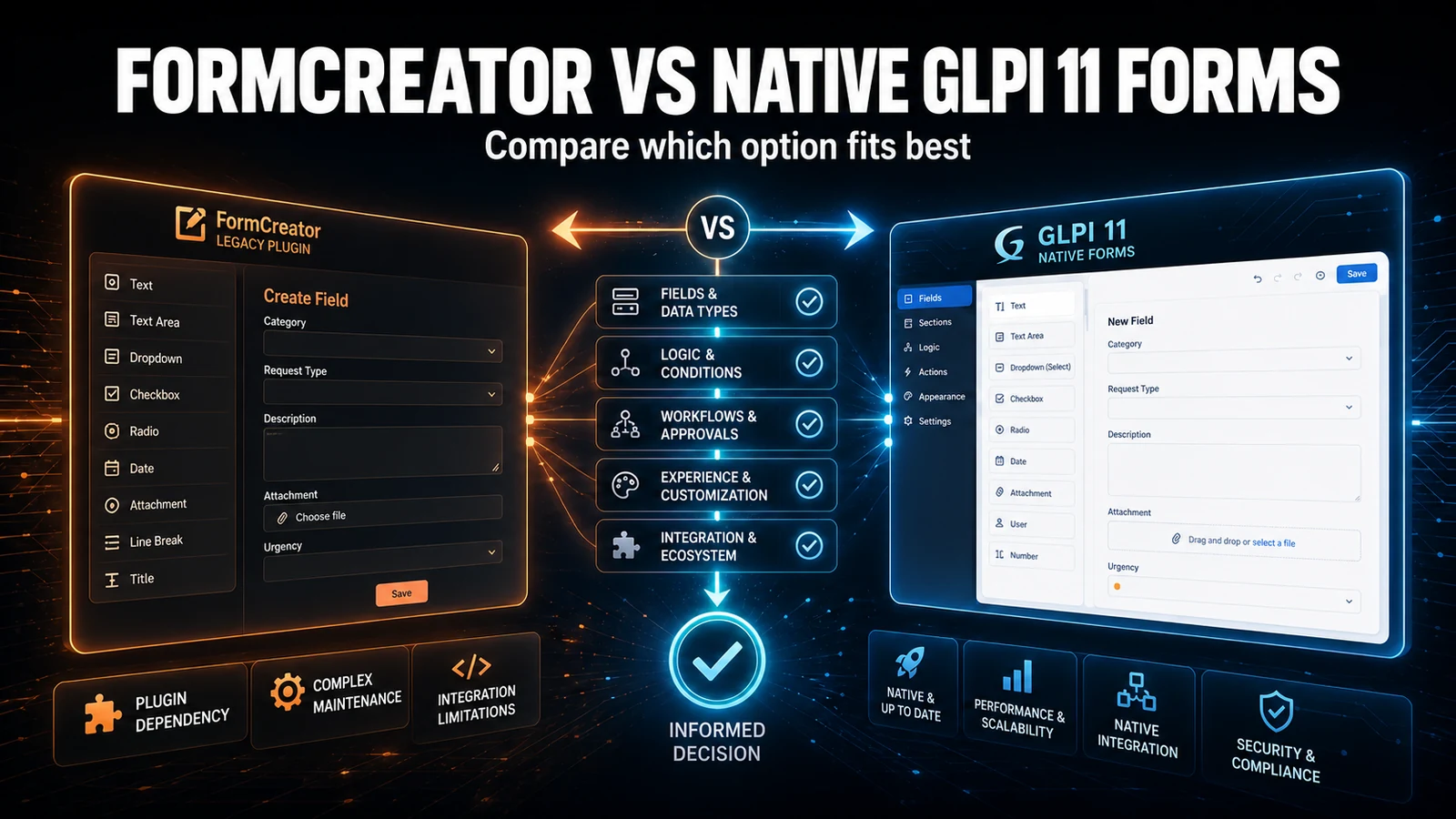
A custom field in GLPI is an architecture decision, not a click. The right question is not "Fields or native?", but rather: is the data you need to store an attribute of something that already exists, or a new thing with a life of its own? That answer defines the tool - and the cost you pay for years to come.
What each approach actually solves
The Fields plugin (maintained by Teclib) attaches extra fields to item types that already exist in GLPI: ticket, computer, user, contract, supplier. You create a container (a block of fields), pick which types it appears on and add text, dropdown, date, number, yes/no and URL fields. It remains the practical way to say "every ticket needs a Cost Center field".
GLPI 11 custom objects (custom assets) solve a different problem: creating a new item type directly in the core, no plugin. It is the official replacement for the old GenericObject. You define "Vehicle", "Meeting Room" or "Lab Equipment" with their own fields, and it behaves like a first-class asset: it enters inventory, links to tickets, shows up in reports.
To sum up the boundary: Fields adds attributes to something that exists; a native object creates the entity. Confusing the two is the root of almost every maintenance headache that shows up later.
Head-to-head comparison
| Criterion | Fields plugin | Custom object (GLPI 11 native) |
|---|---|---|
| What it does | Adds fields to types that already exist | Creates a new item type |
| Plugin dependency | Yes - a hard dependency at major upgrades | No - it lives in the core |
| Where data is stored | One table per container, parallel to the core | In GLPI's native schema |
| Conditional / per-profile fields | Yes, but visibility is display, not security | No built-in conditional logic |
| Search and reporting | Search options with one LEFT JOIN per container | Native search options, no extra table |
| Inventory integration | Does not receive inventory data | Yes, it is an inventoriable asset |
| GLPI 10 to 11 migration | Needs a plugin build compatible with the new core | Official destination for GenericObject |
| Effort to start | Minutes for one field | Hours to model a type |
| Best for | Attributes of something that already exists | A new entity with a life of its own |
Where the data lives (and why it matters)
Each Fields container becomes a dedicated table in the database, with one row per item and one column per field. Before deciding, it is worth seeing what already exists in the environment:
-- Where the Fields plugin stores values: one table per container,
-- with one row per item and one column per custom field.
SELECT table_name AS container_table
FROM information_schema.tables
WHERE table_schema = DATABASE()
  AND table_name LIKE 'glpi_plugin_fields_%'
ORDER BY table_name;

-- Definitions: containers (which types they apply to) and each one's fields
SELECT c.name AS container, c.itemtypes, f.name AS field, f.type
FROM glpi_plugin_fields_containers c
JOIN glpi_plugin_fields_fields f
  ON f.plugin_fields_containers_id = c.id
ORDER BY c.name, f.ranking;
This matters for two operational reasons. First: every Fields field marked as searchable becomes a search option, and GLPI's search engine resolves it with an extra LEFT JOIN on the container table. On a client with 15 or more containers on Ticket, the ticket list starts to lag - not because of data volume, but because of the number of JOINs in the search SELECT. Second: native objects write to the core schema, so they come out in export, API and reports with the same treatment as standard fields, with no parallel table to reconcile.
The trade-off that shows up in support
When you run GLPI estates for clients, the real cost of Fields is not installing it - it is upgrade day. Fields is a hard dependency: on a GLPI 10 to 11 migration, the environment only comes up once a plugin version compatible with the new core exists. We have held a client's upgrade window waiting for the plugin to publish the compatible build, with dozens of containers in production that we could not simply switch off. A native object has no such gate: it is the core, it comes up with it.
Two common mistakes we fix often. The first is modeling a whole entity as a pile of fields on the ticket - "Maintenance Contract" turning into 12 Fields columns on Ticket, impossible to list, filter or relate properly; that called for an object (or GLPI's own Contracts module). The second is the opposite: creating an entire custom asset for what were two organizational attributes on an existing type - modeling complexity with no payoff. And a warning we always give: hiding a Fields field by profile is display, not security. The value stays in the database and leaks through API, export or search. If the data is sensitive, the control has to be somewhere else.
Verdict by scenario
Use Fields when the data is an attribute of a type that already exists and you do not want to manage a new type: cost center and project on the ticket, internal asset tag on the computer, staff ID on the user, mandatory or conditional fields per ticket category. It is fast, with no downtime and no schema migration for you to administer.
Use a native custom object when the "thing" has a life of its own and you will list it, filter it and link it to tickets as an item: vehicles, rooms, lab assets, equipment that fits no standard type. And, mandatorily, when moving off GenericObject in the migration to GLPI 11 - it is the official replacement path.
The two coexist. It is legitimate to have a custom asset for the entity and still use Fields to attach one or another organizational attribute to tickets that reference that asset. What does not work is using one to do the other's job.
Cost and effort
License: both are free (GPL). The real cost is maintenance. Fields charges in dependency risk at every major upgrade and in search weight as the containers grow. A native object charges in upfront modeling - you design a type, you do not just add a field - but after that it does not weigh on upgrades or on a parallel JOIN. As an honest range: adding a Fields field takes minutes; modeling a well-built custom asset takes from a few hours to a day, counting fields, profiles and inventory integration.
At NexTool we deploy and support both approaches on client GLPI estates. If you are deciding between hanging more fields or modeling an object - or you need to move off GenericObject without breaking history - our GLPI consulting helps close that decision before it turns into technical debt.
Reviewed by the NexTool Solutions team.